UX Design
Mobile App
Personal Project
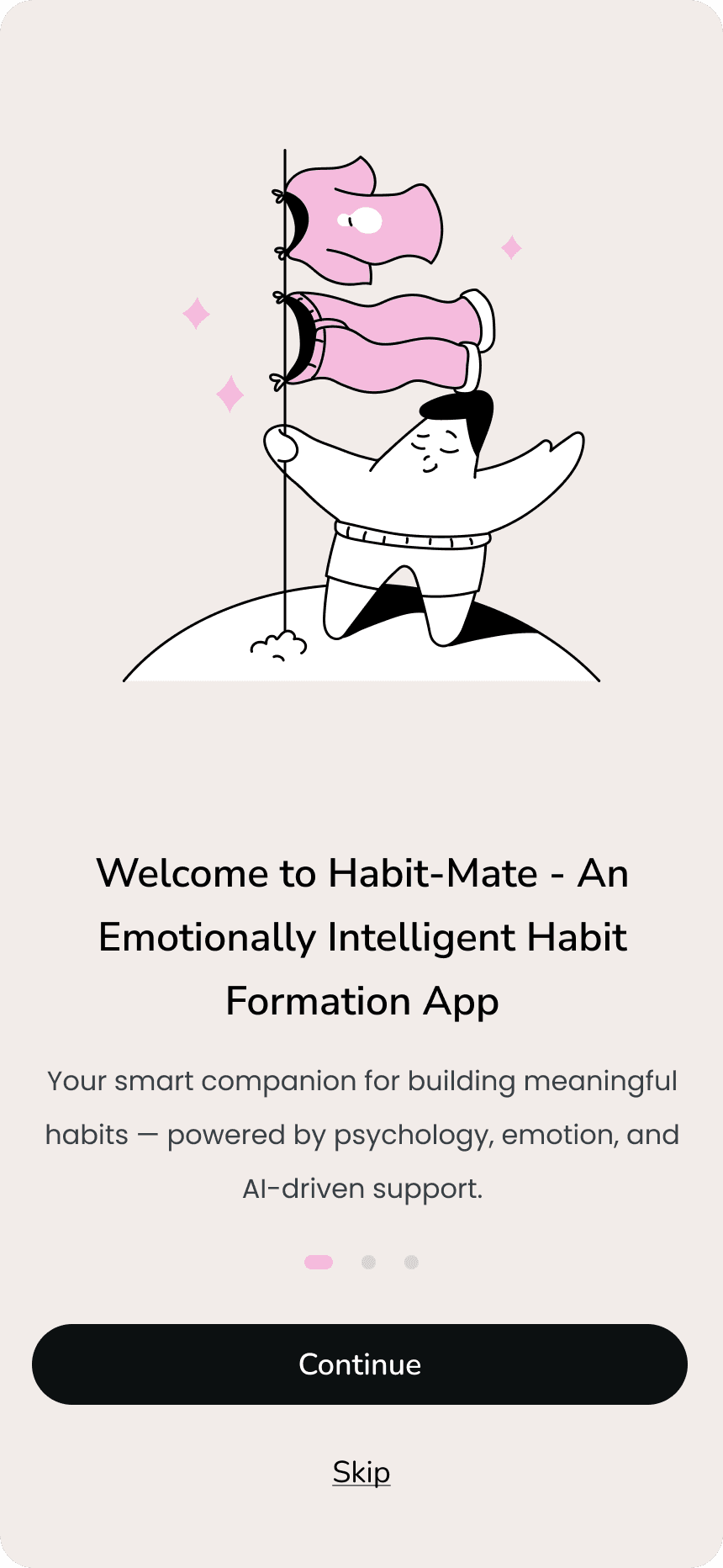
Habit-Mate — designing an app that meets users with an emotional companion app.
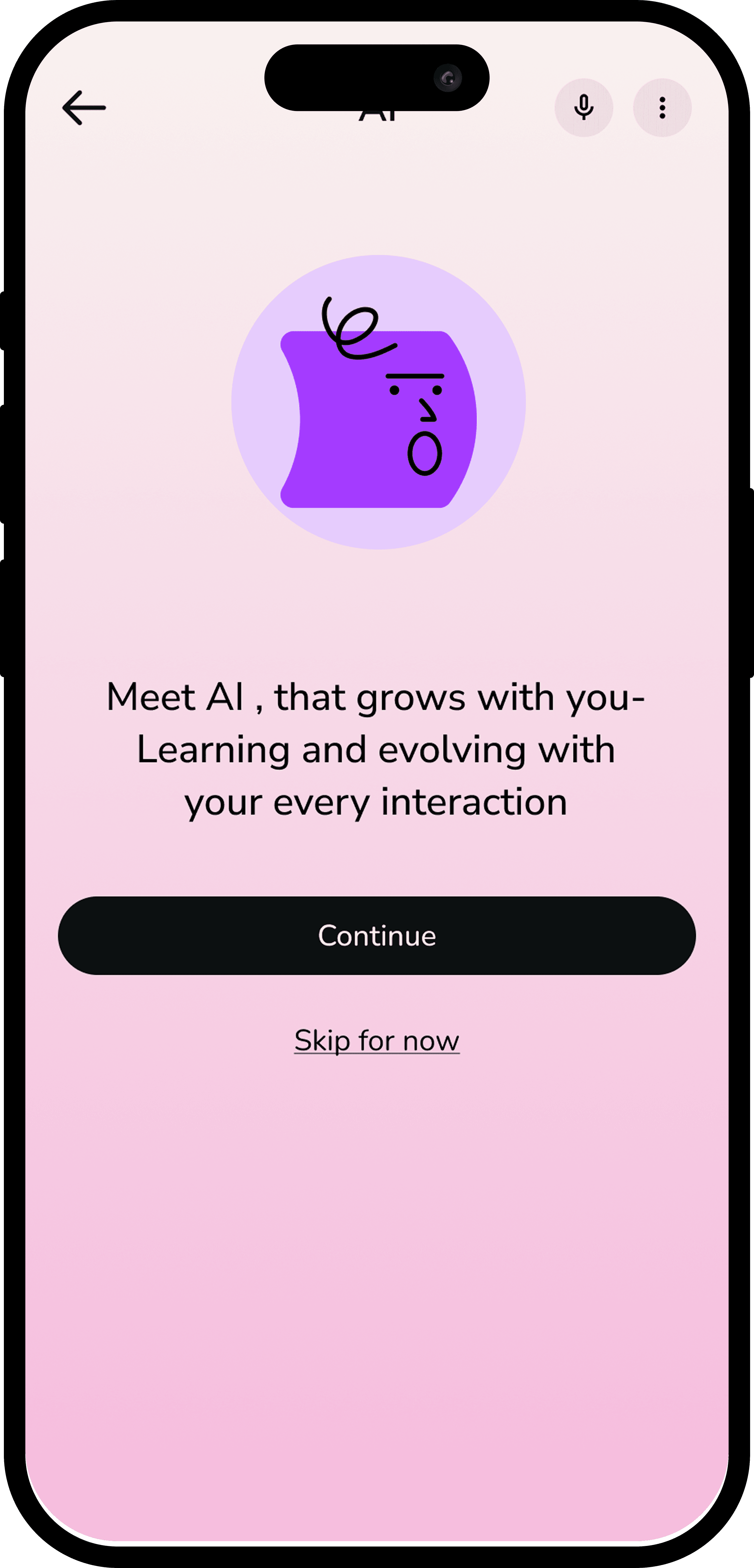
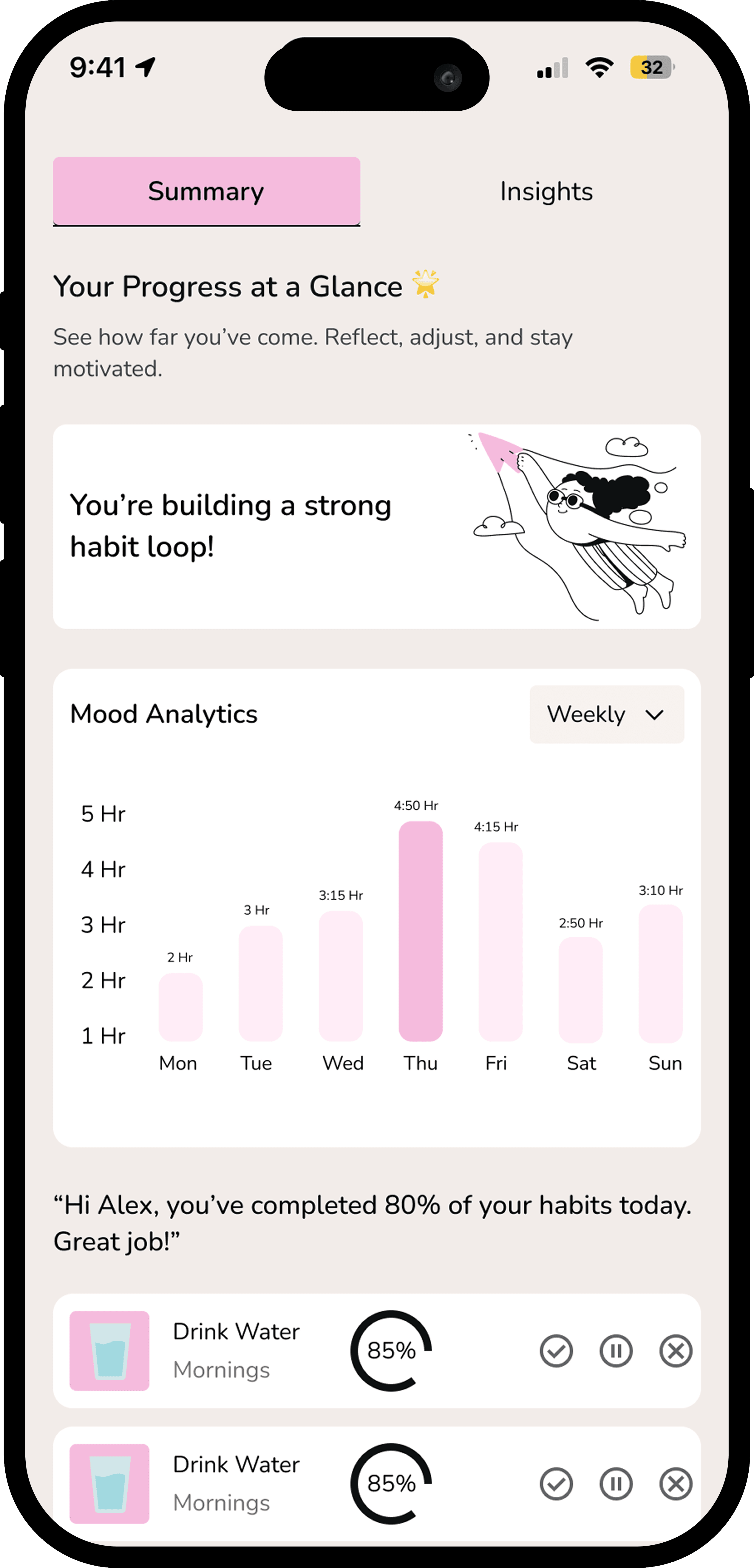
Most habit apps punish you for missing a day. Habit-Mate does the opposite — it reads your mood, adapts your plan, and keeps you moving without guilt.
Role
Solo Designer
Platform
iOS Mobile App
Duration
4-6 weeks
Tools
Figma, Miro, Notion
01 — Problem
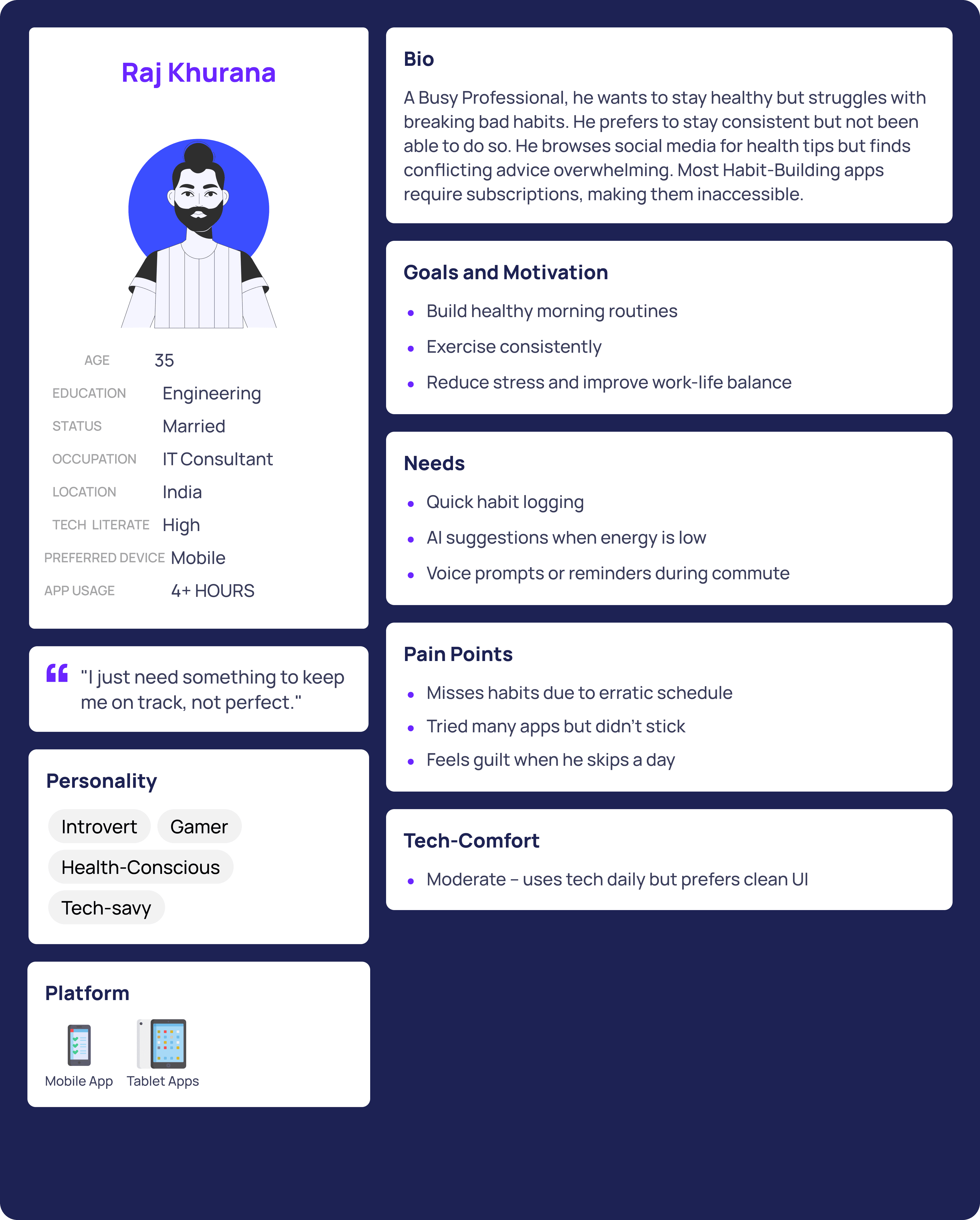
Habit-tracking apps are built around streaks. Break one, and the visual collapse is immediate — a red X, a reset counter, a broken chain. The design language itself creates shame. And shame, research consistently shows, is one of the fastest ways to kill motivation.
"No app on the market connects habit-building to how the user is actually feeling on a given day. Emotional state is treated as irrelevant — even though it's the single biggest predictor of whether someone will attempt a habit."
02 — Research
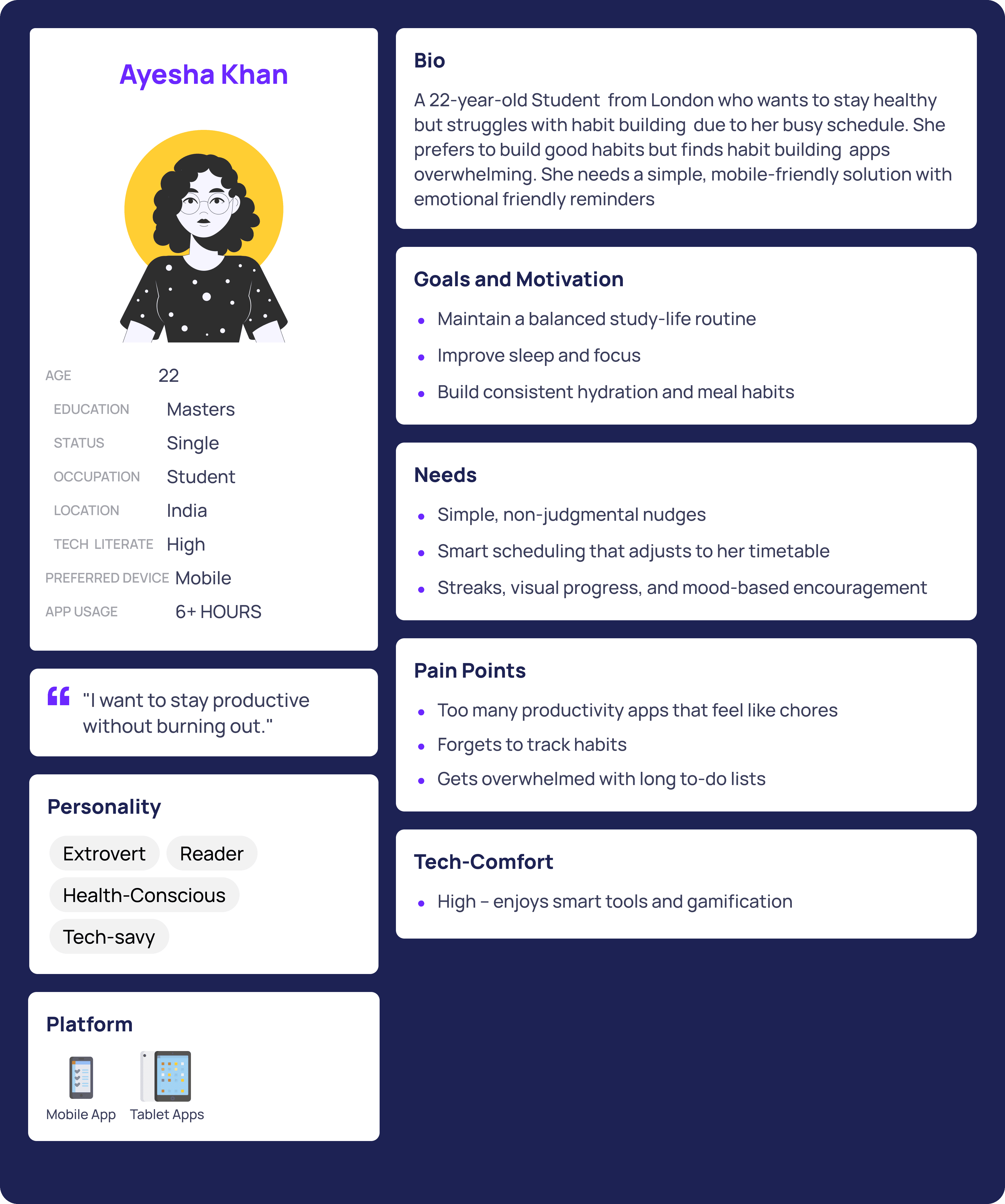
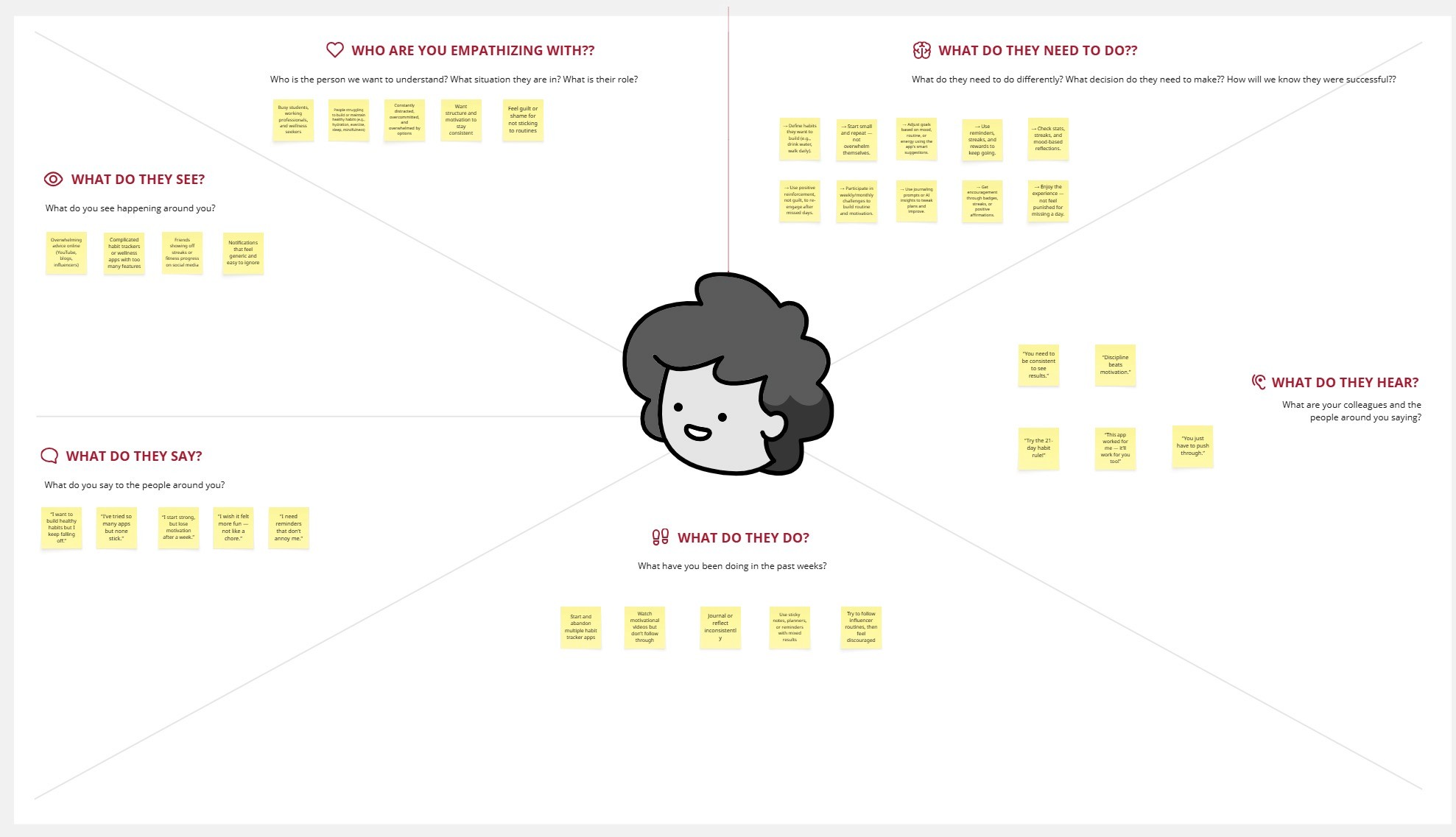
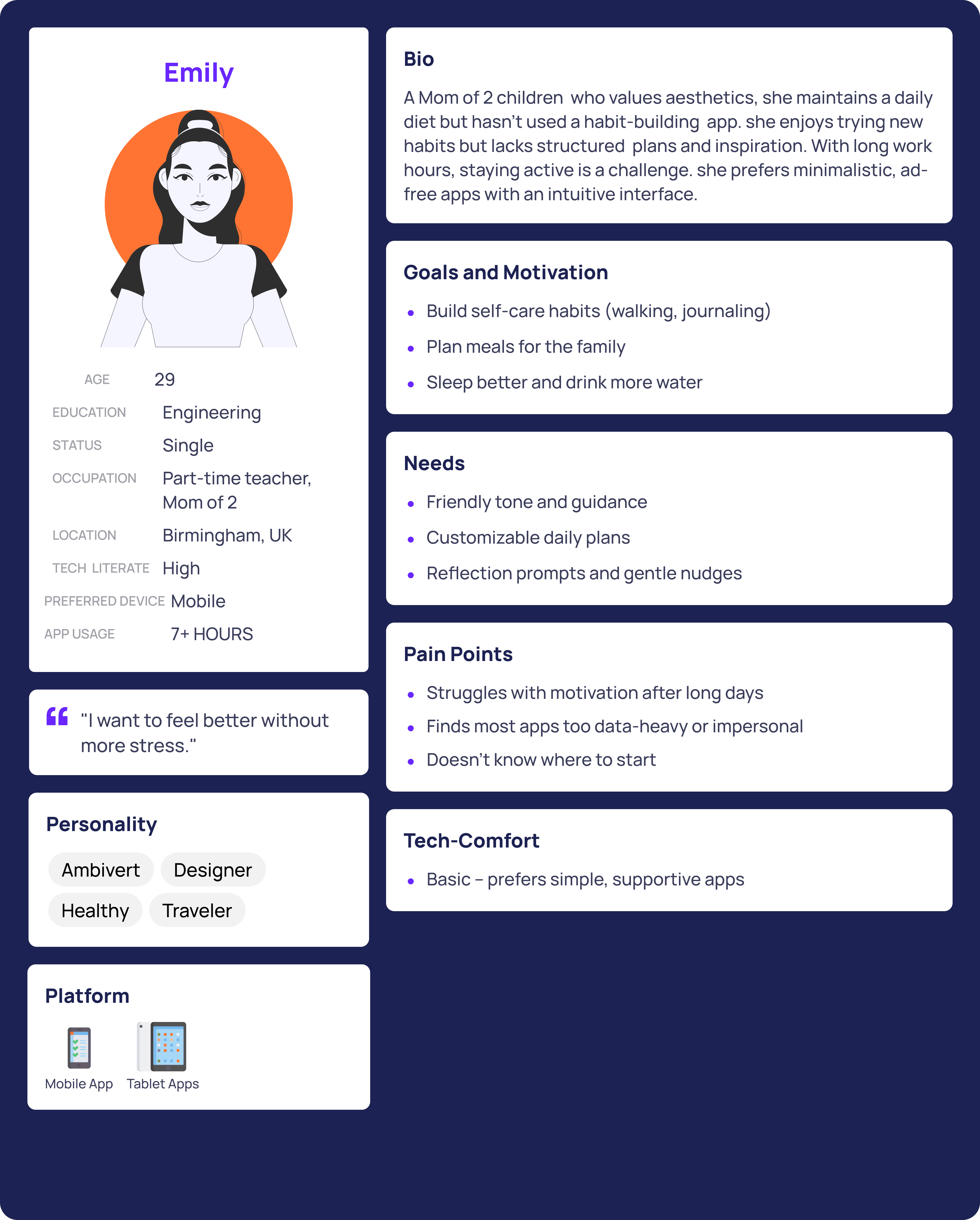
To understand why habit-building apps fail beyond surface-level usability issues, I conducted qualitative research focused on motivation, emotional response, and day-to-day behavior.
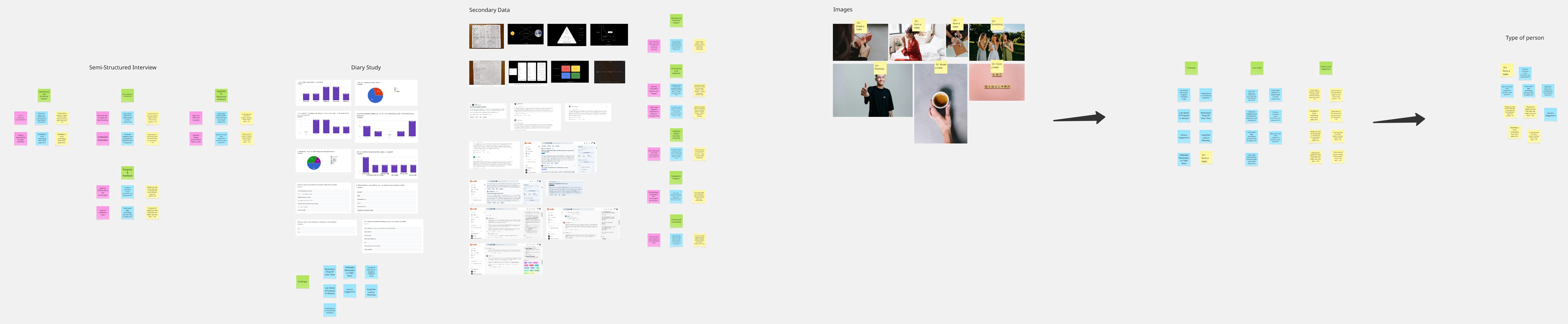
I ran semi-structured user interviews to explore how people start habits, where they struggle, and what emotional triggers cause disengagement. To capture real-world behavior beyond recall bias, I conducted a 3-participant diary study, which revealed fluctuations in motivation tied to stress, mood, and daily context.
I complemented this with secondary research and behavioral psychology literature (BJ Fogg Model, Atomic Habits) to ground insights in proven behavior-change frameworks. A competitive analysis helped identify where existing products succeed in engagement but fail in emotional adaptability and inclusivity.
Key stats
78%
of users reported feeling guilty after missing a habit, even with valid reasons
3 days
average before users abandoned a habit app after breaking a streak
0 of 3
competing apps asked users how they were feeling before suggesting habits
I incorporated frameworks from BJ Fogg’s Behavior Model: Motivation × Ability × Trigger = Action This helped us design interventions for low-motivation phases.
Behavioural Science Integration
Behavioral science directly informed interaction and system design decisions:
Tiny habit setup: Habits were intentionally reduced to low-effort actions to lower activation energy and increase daily success.
Motivation reflection: Users defined a personal “why” during onboarding, reinforcing intrinsic motivation during low-motivation states.
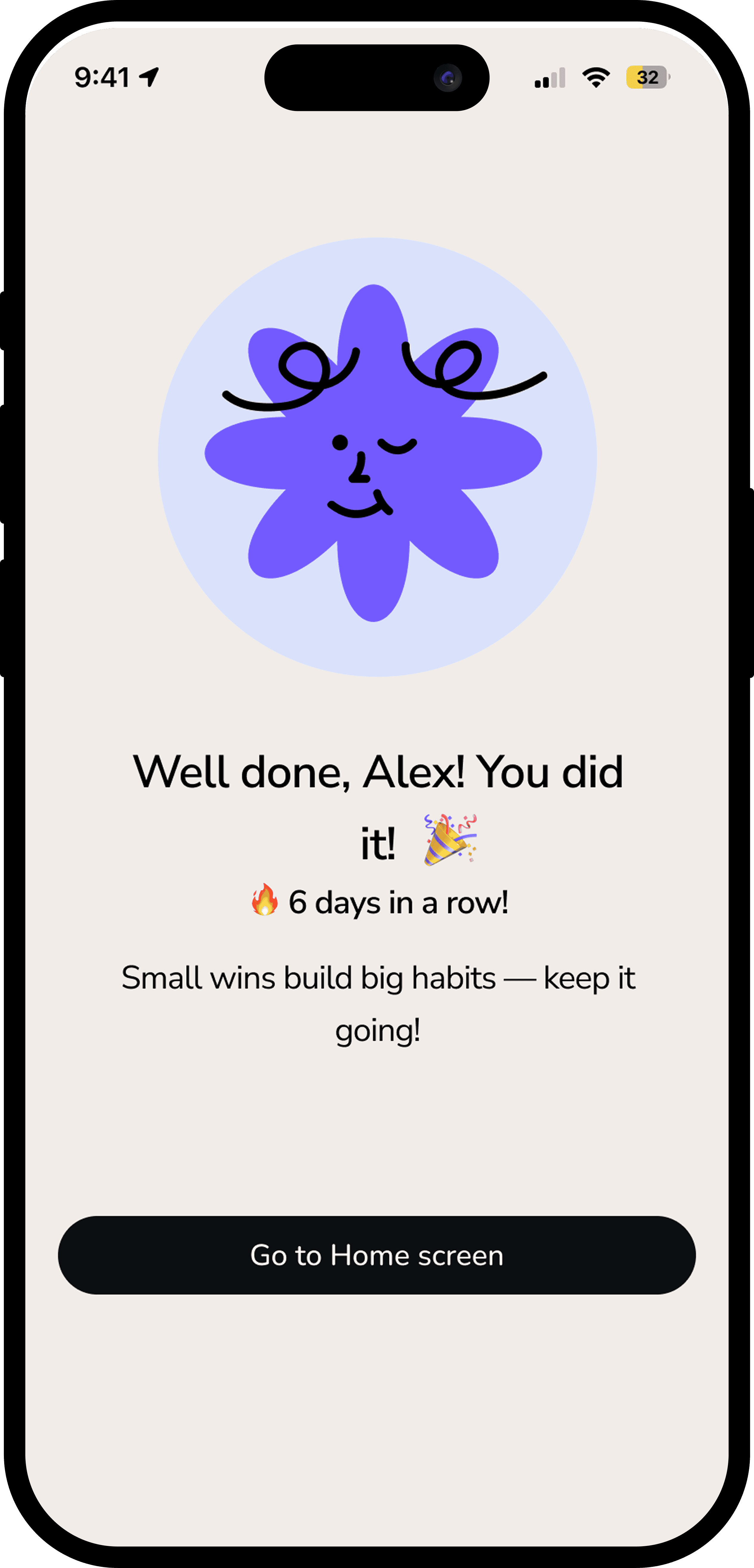
Adaptive nudges: If inactivity was detected for two days, notification tone shifted from instructional to supportive to encourage recovery without guilt.
Progress over perfection rewards: Micro XP and visual reinforcement acknowledged effort rather than streaks.
Emotional UI moments: Small celebratory animations and compassionate copy reinforced positive feedback loops without overstimulation.
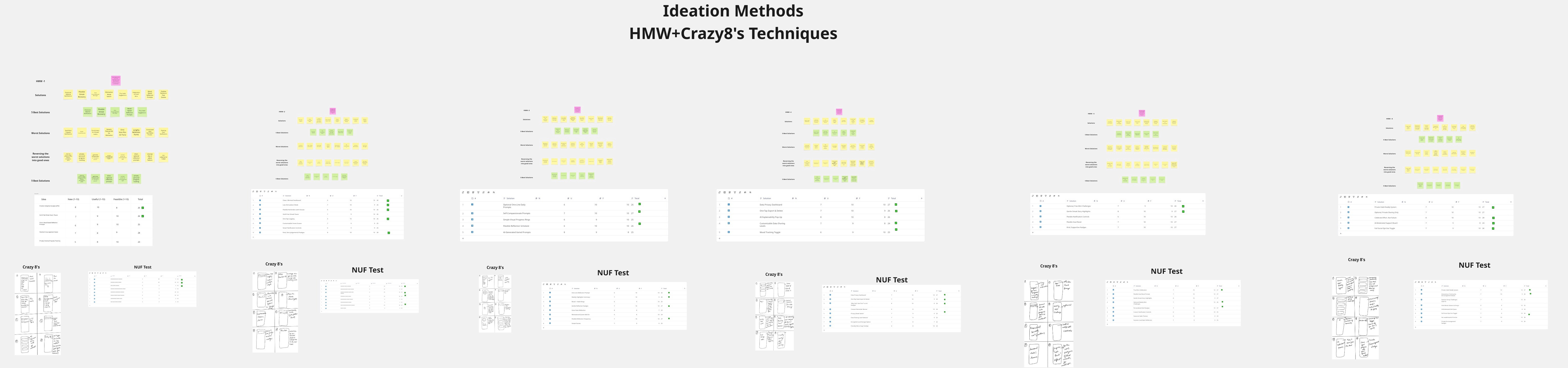
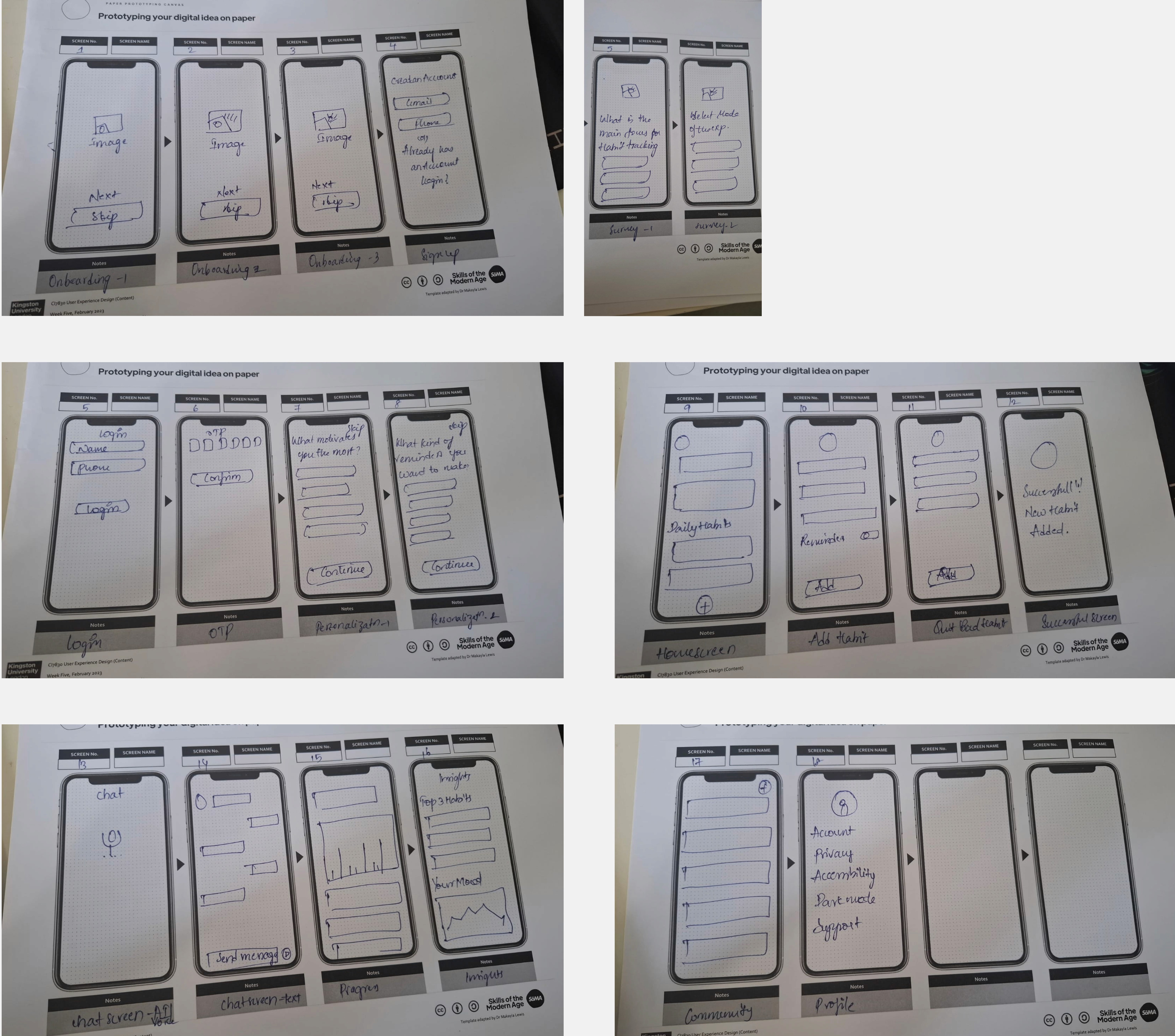
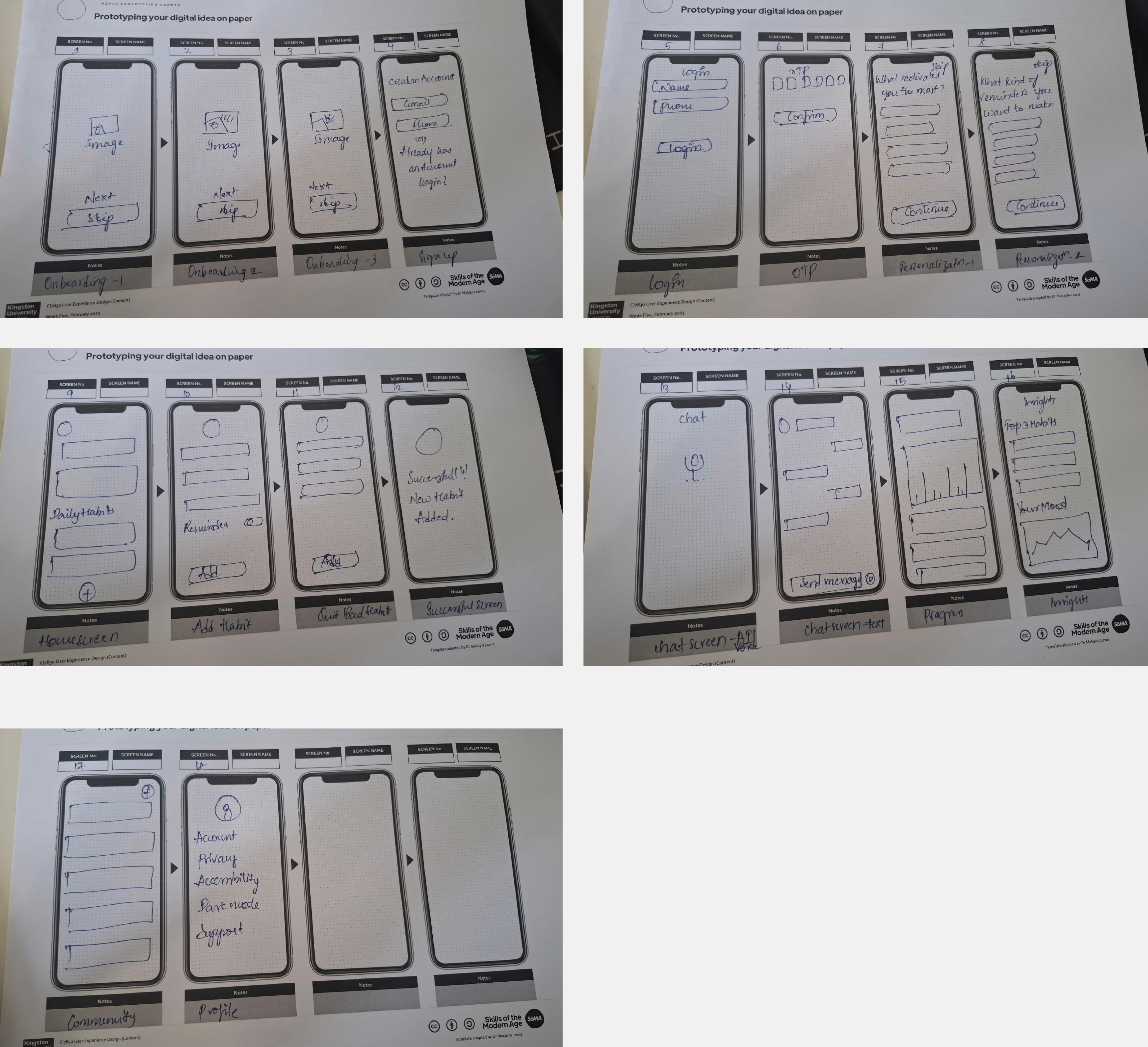
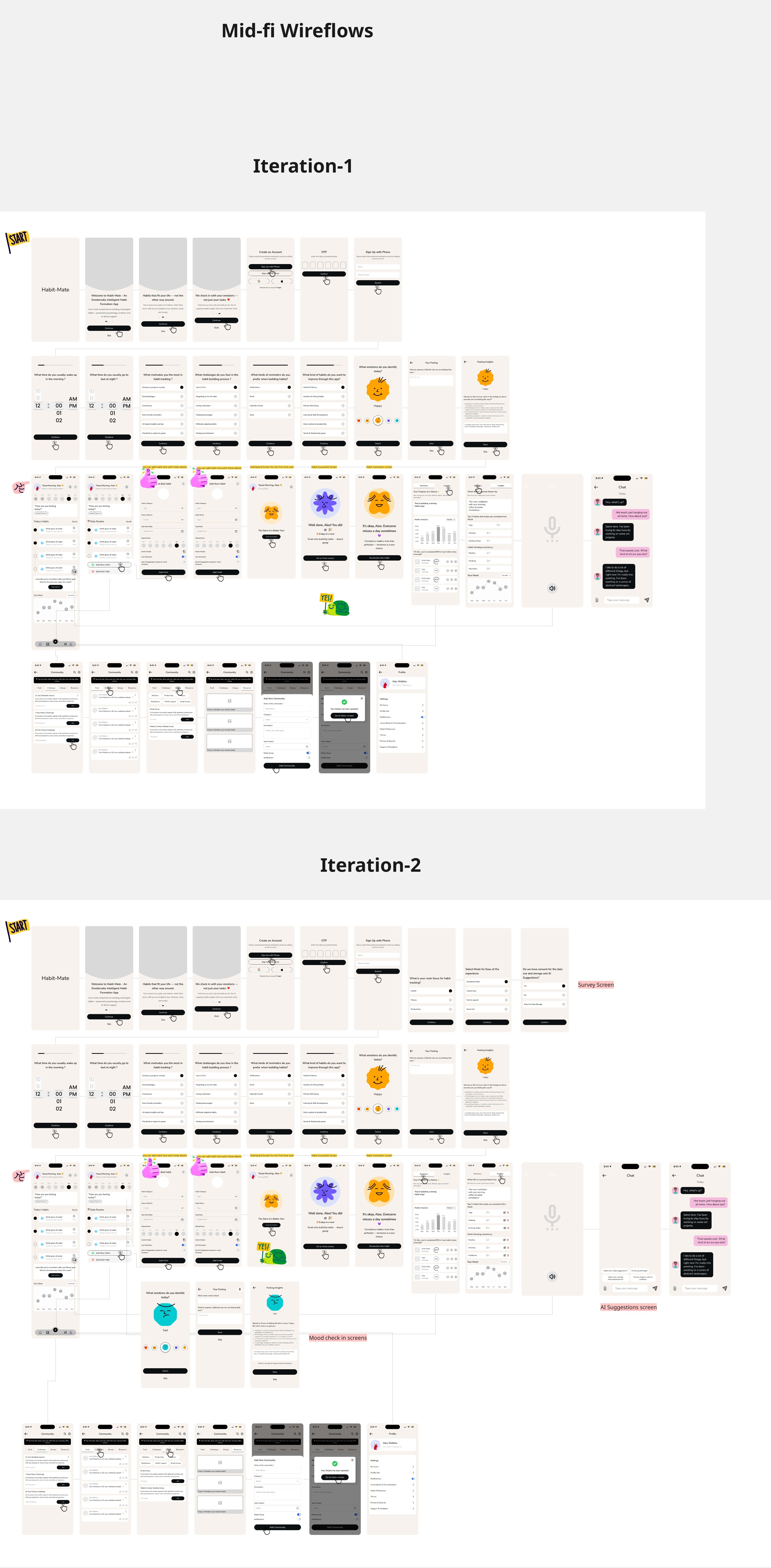
Design Exploration & Iteration 1 &2
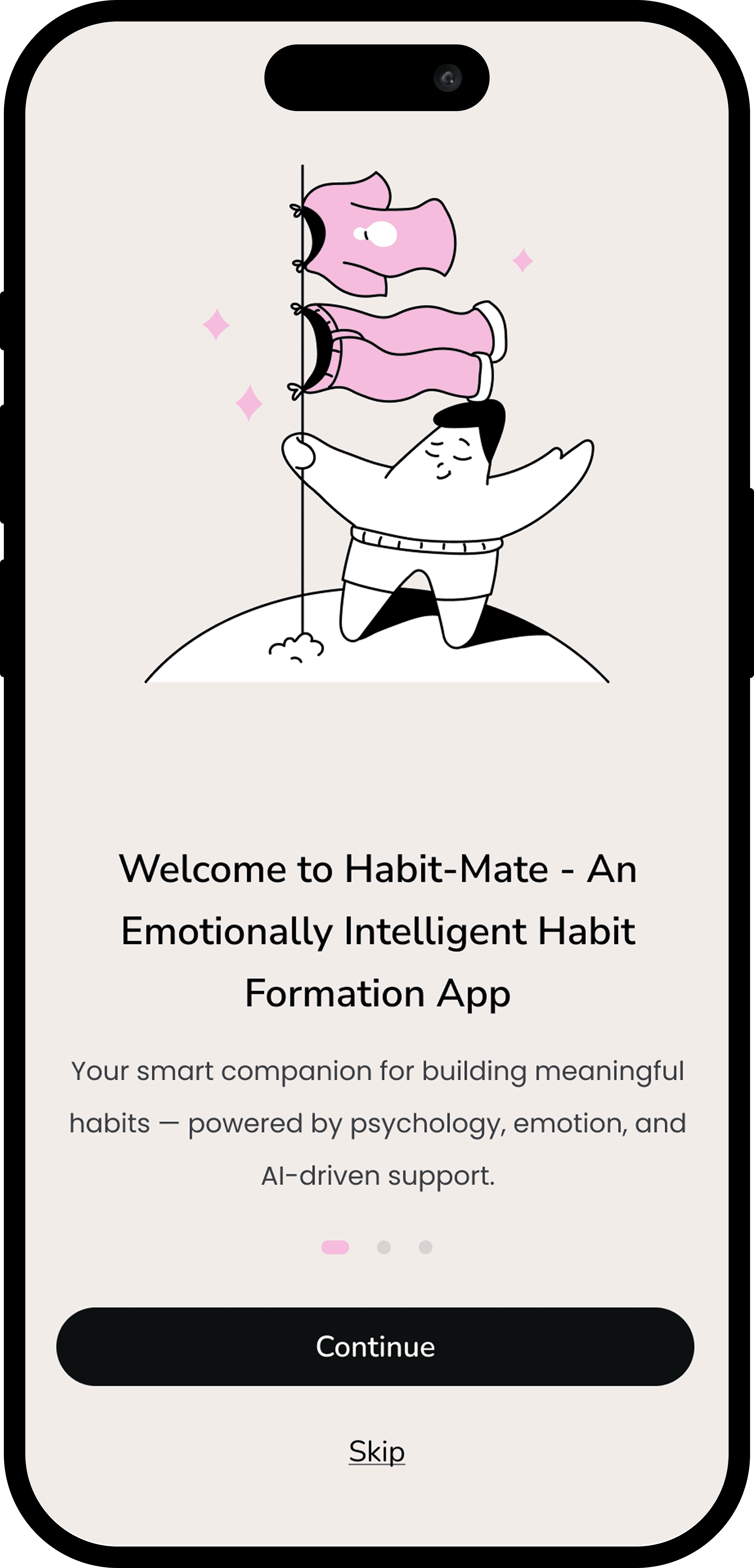
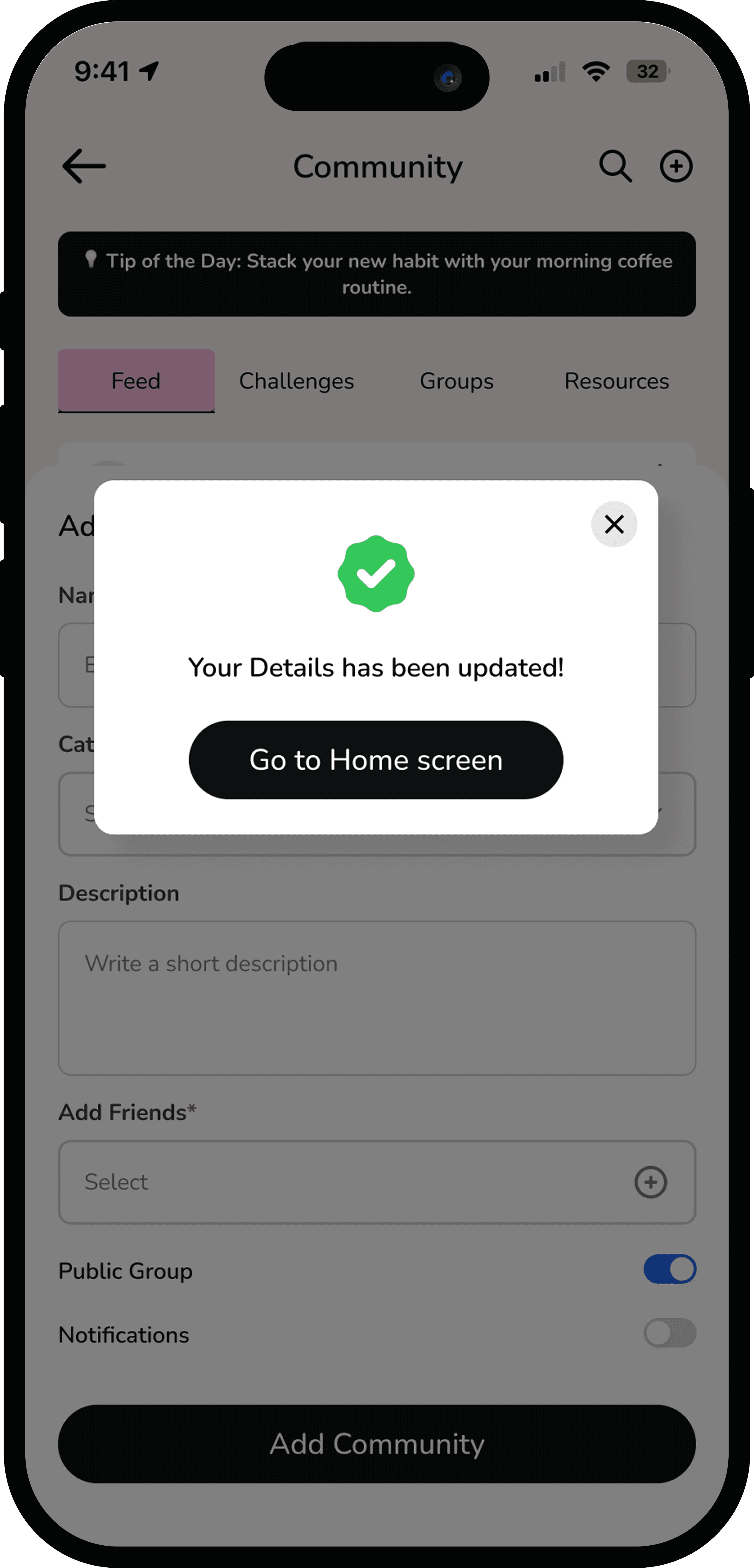
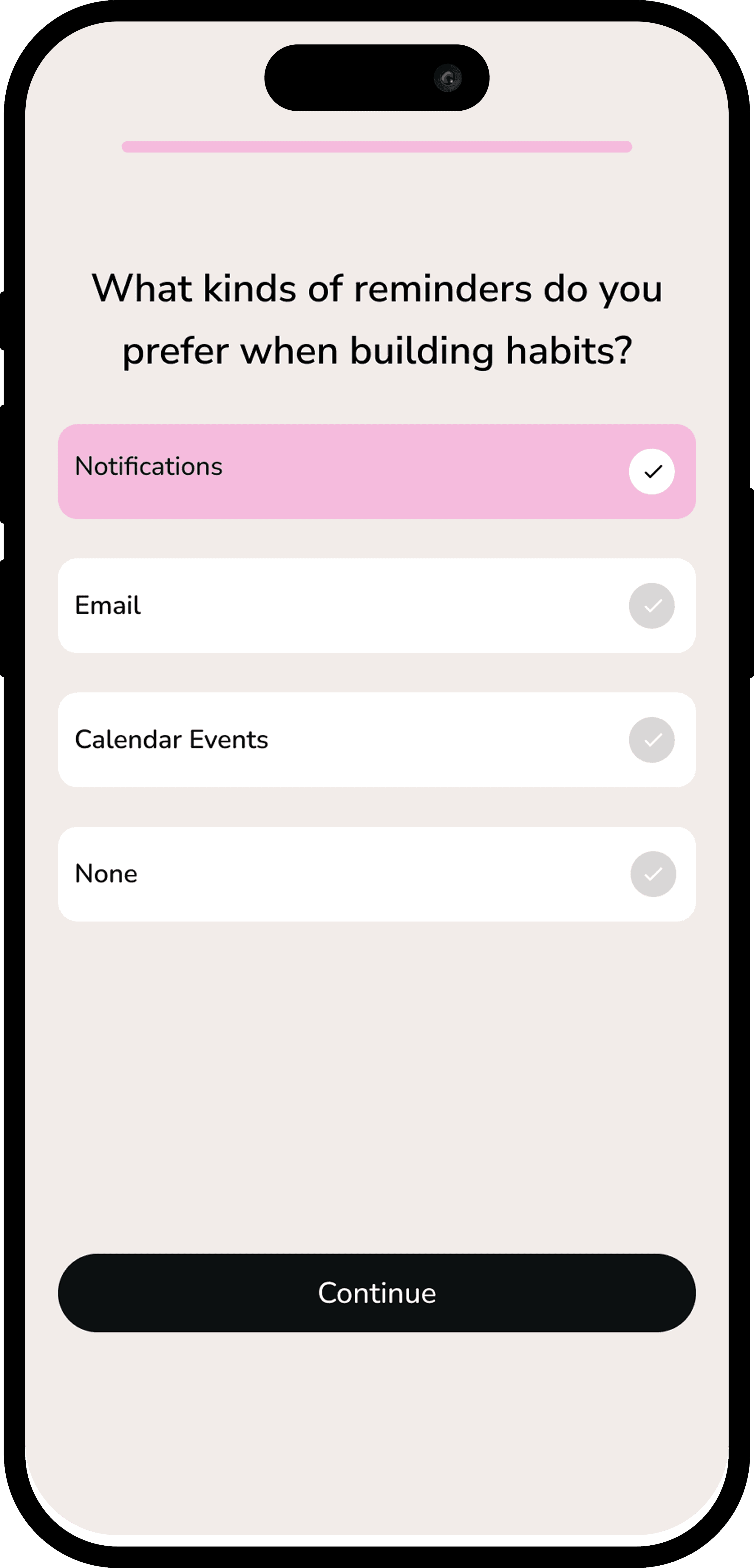
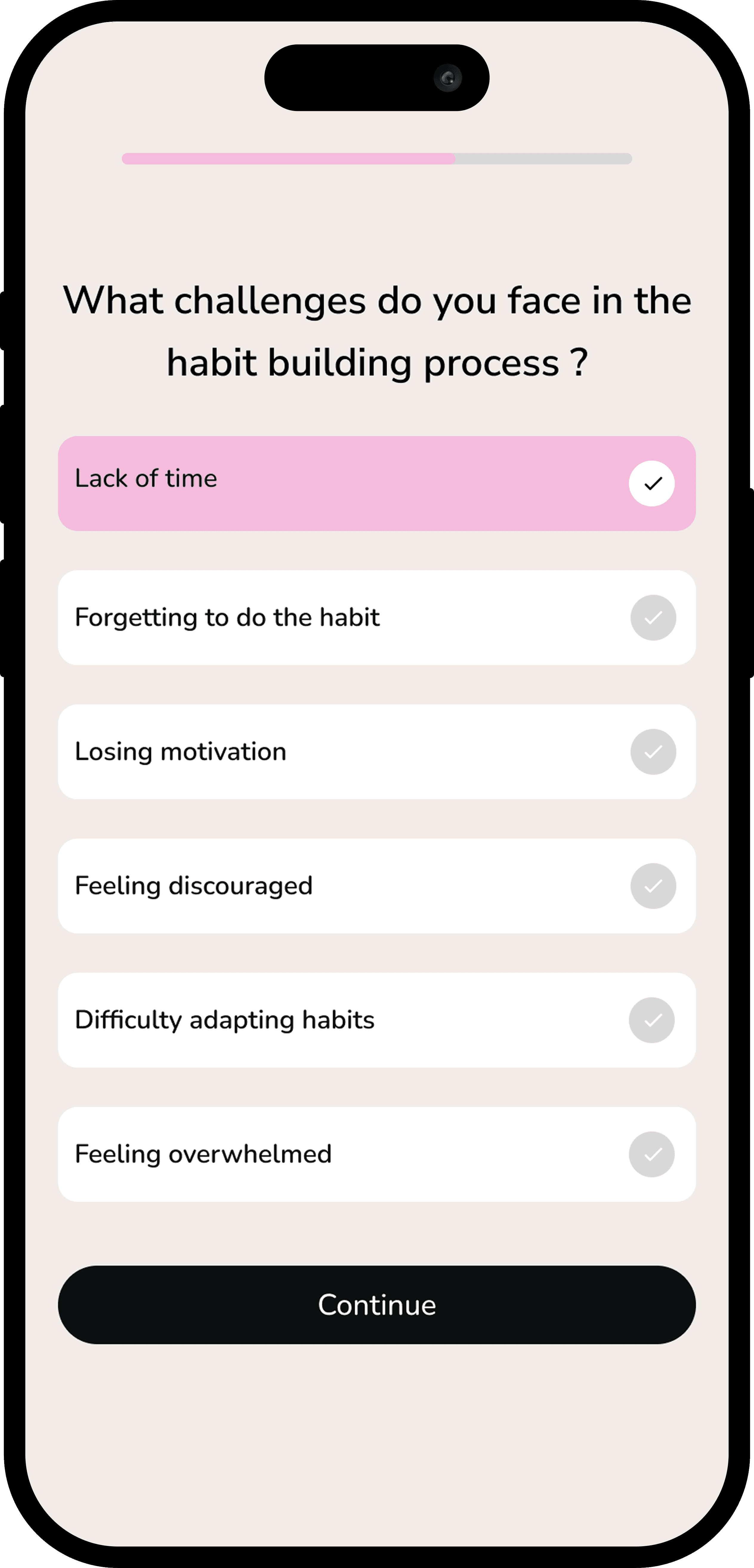
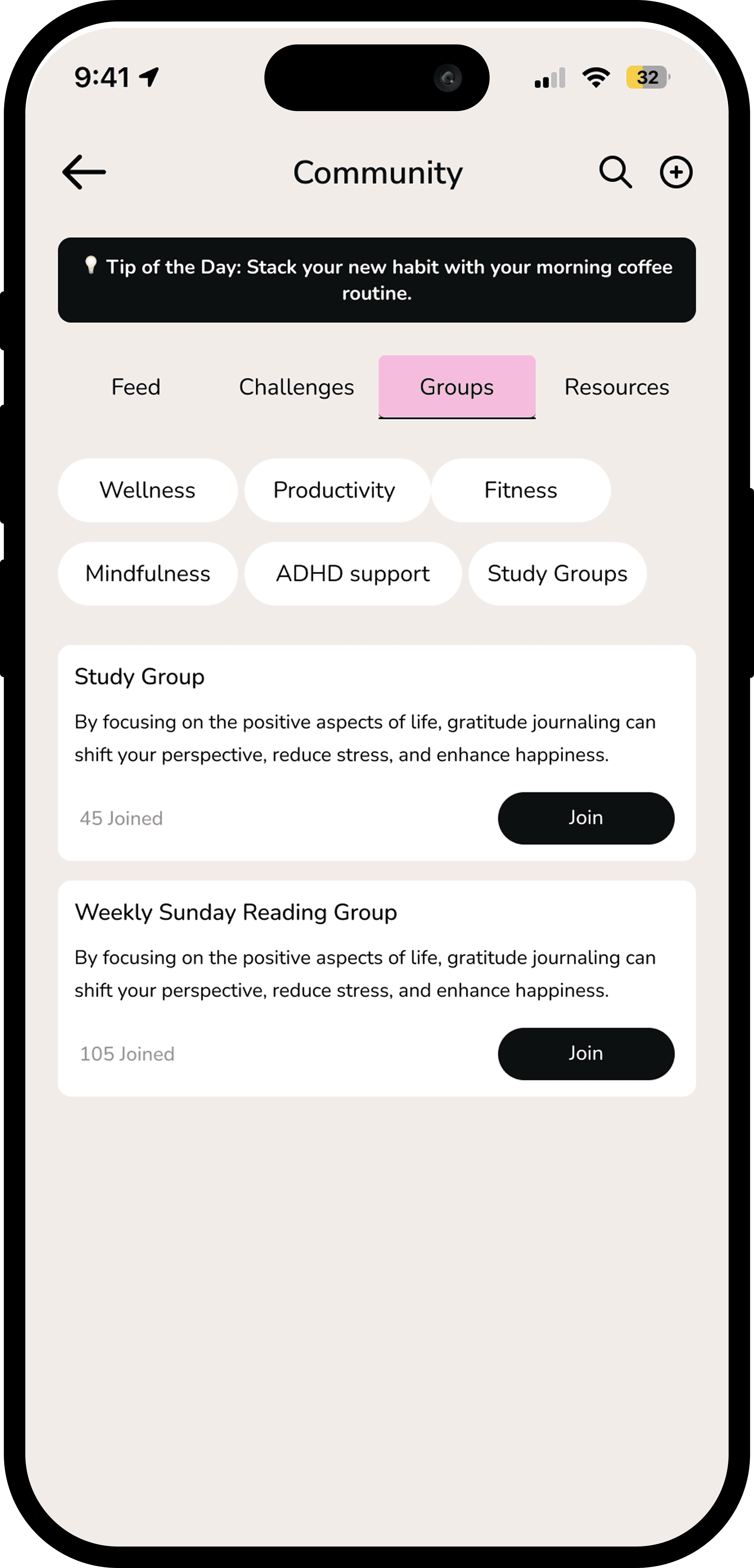
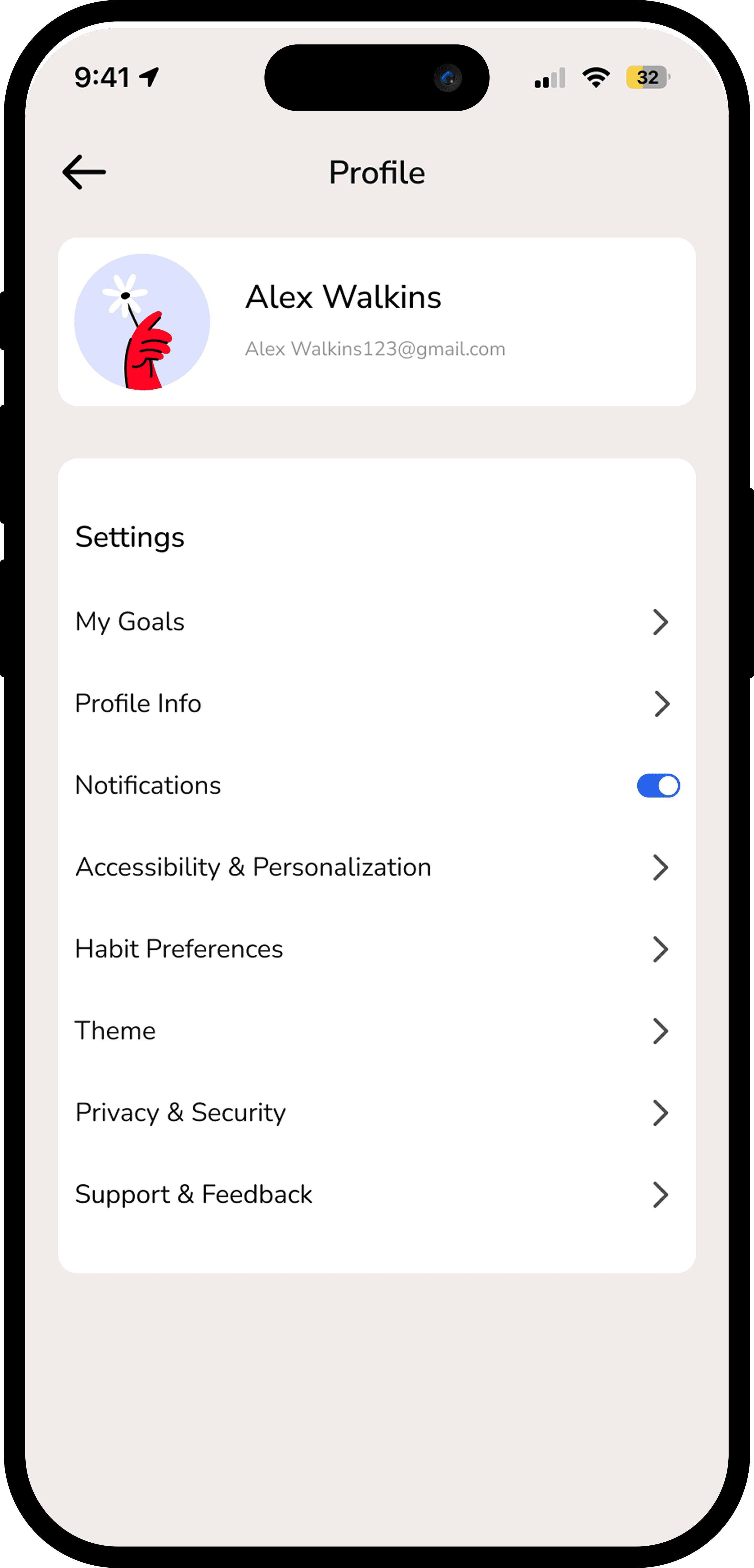
03 — Final UI ( Main Screens )
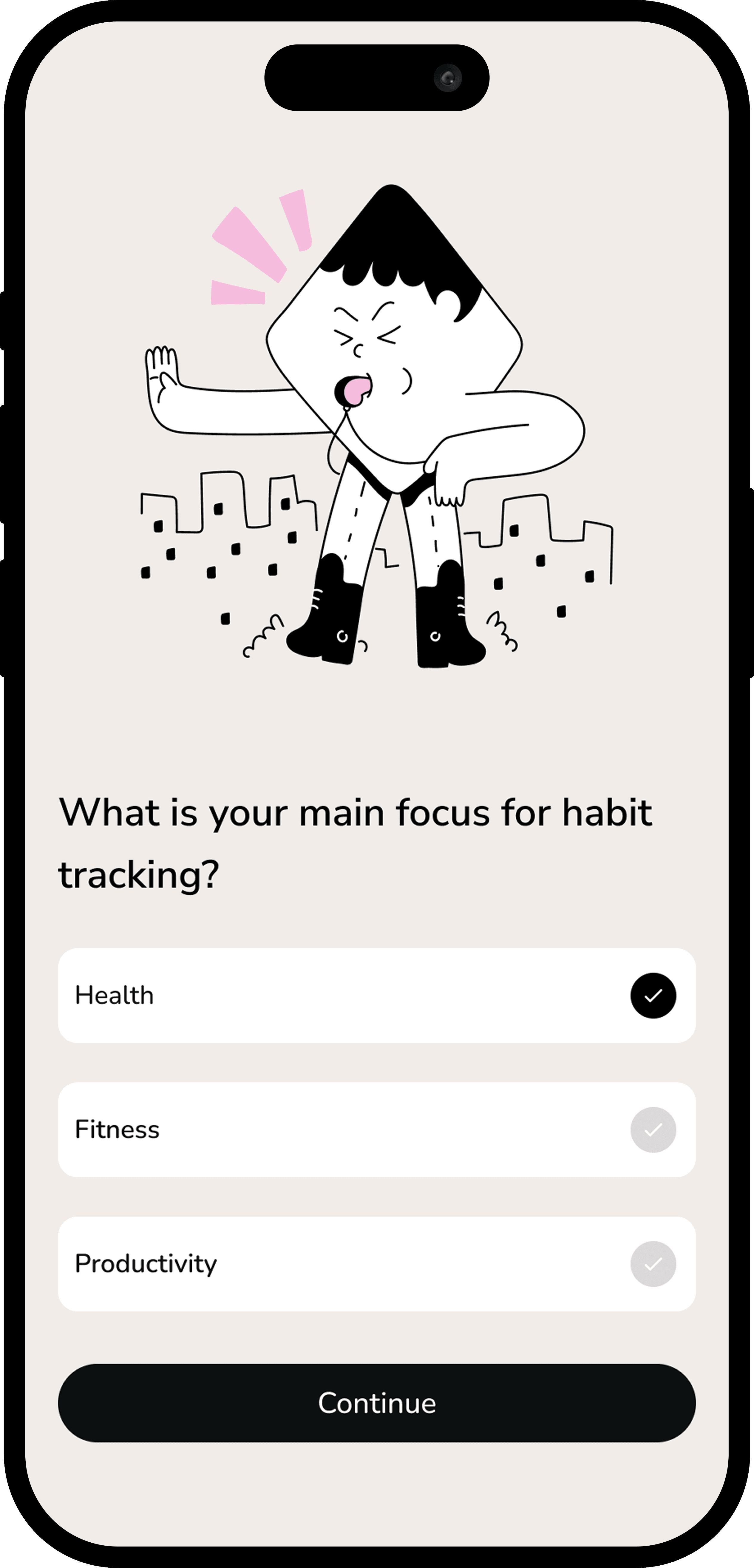
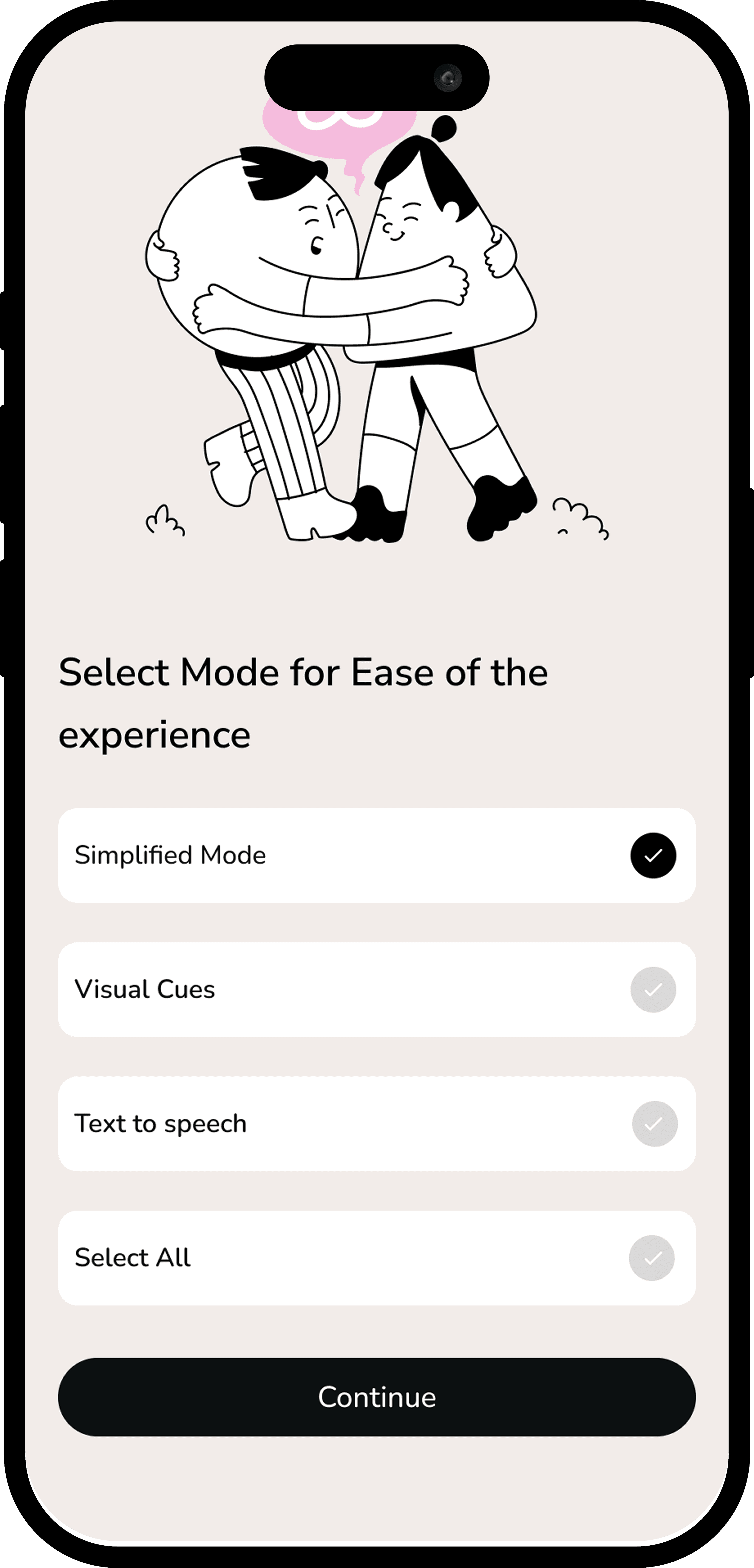
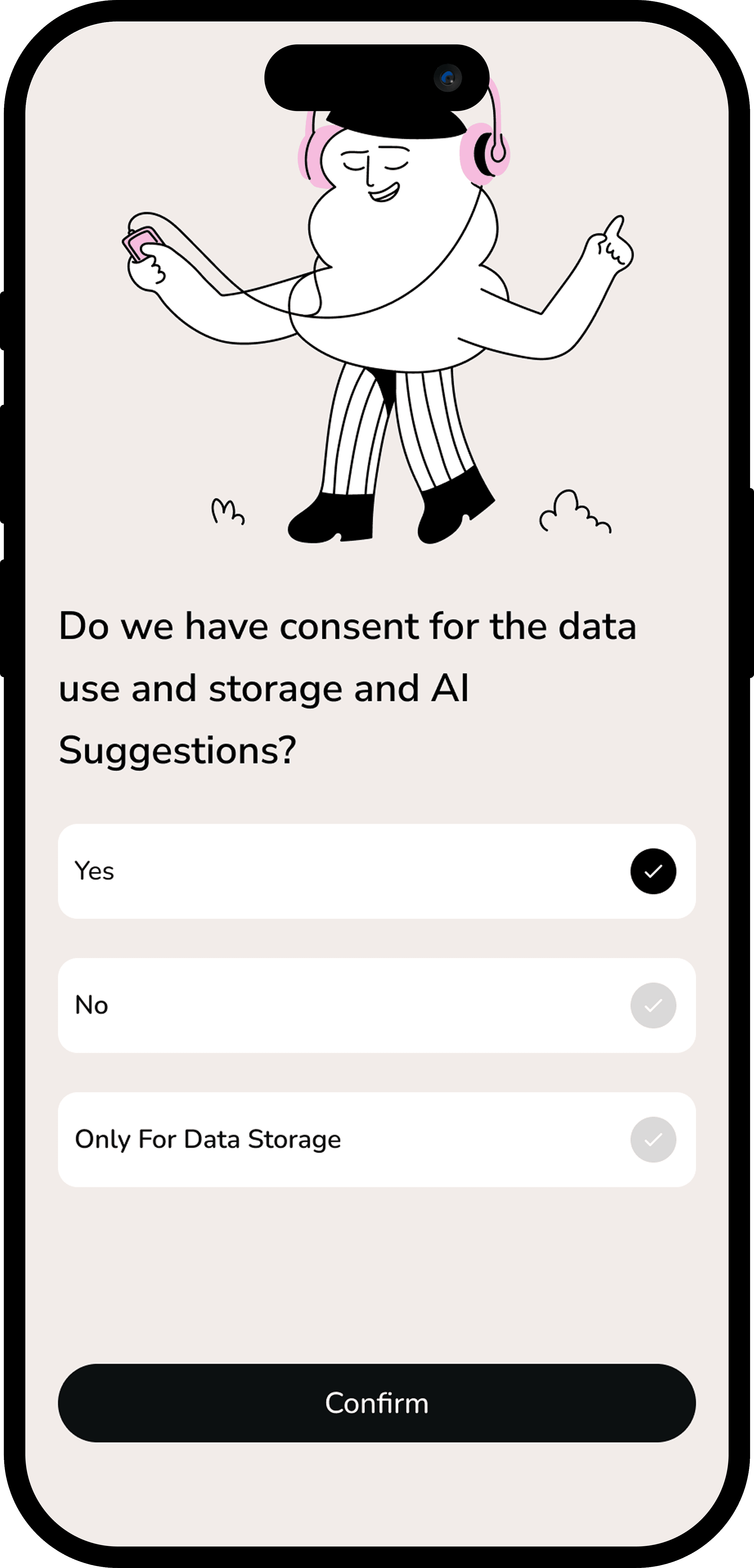
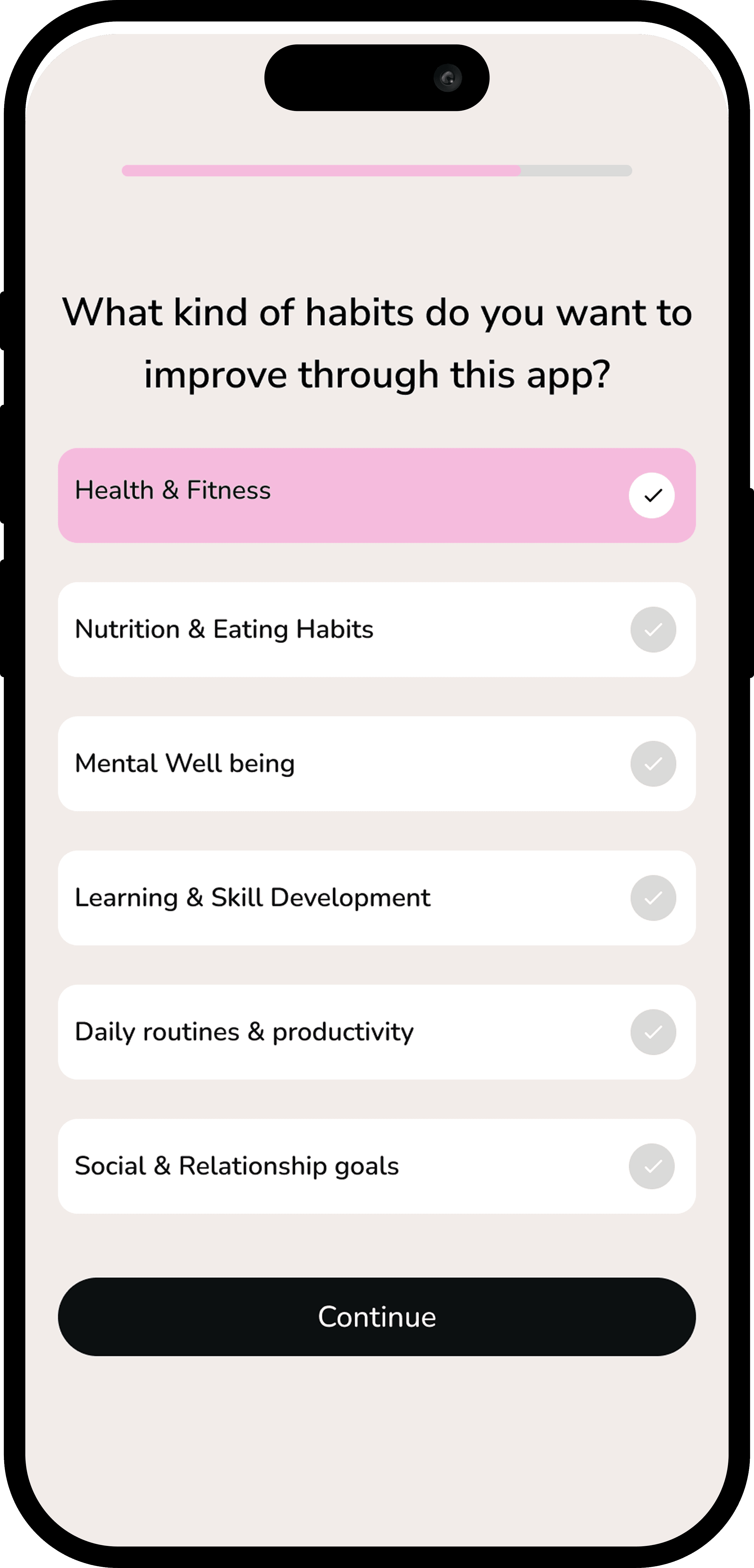
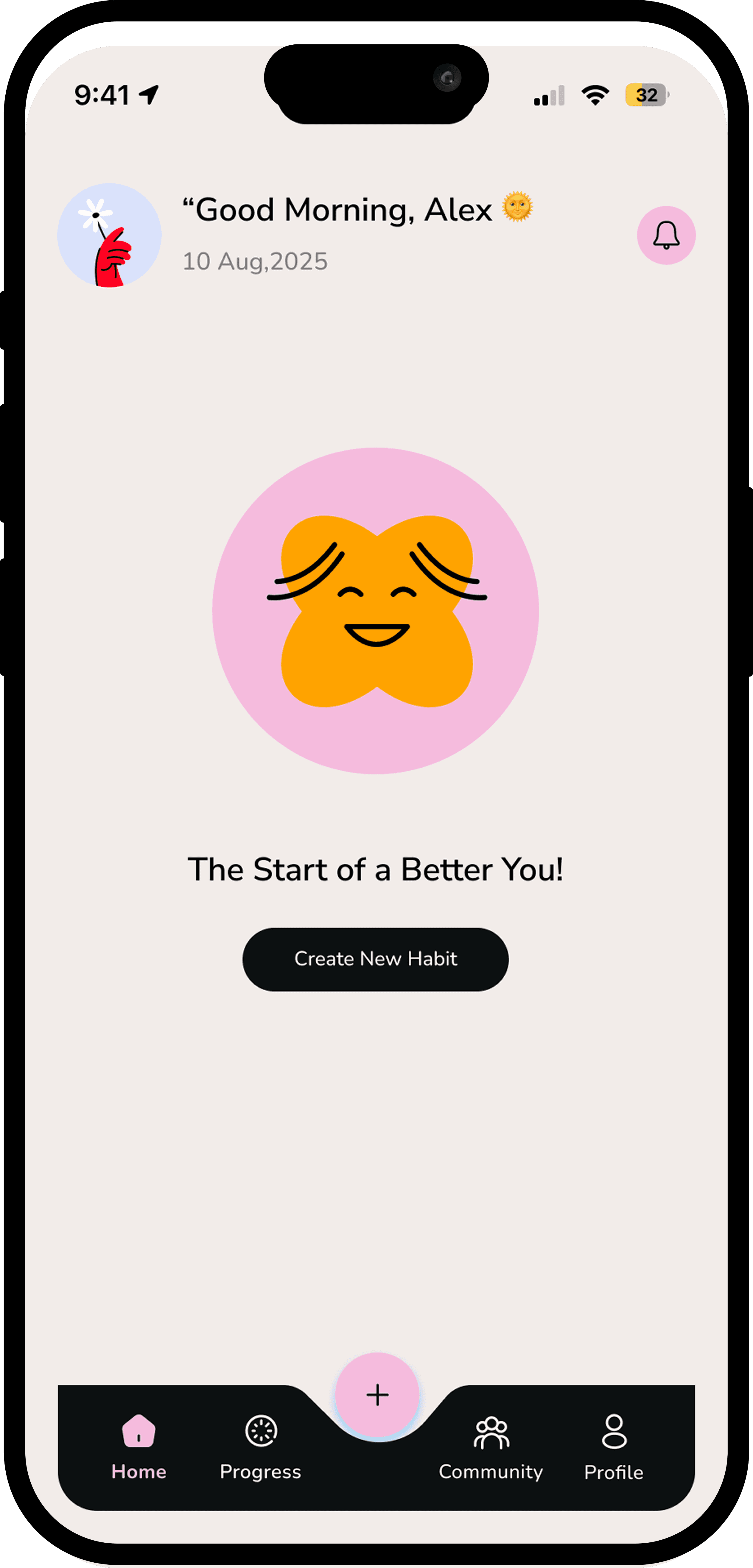
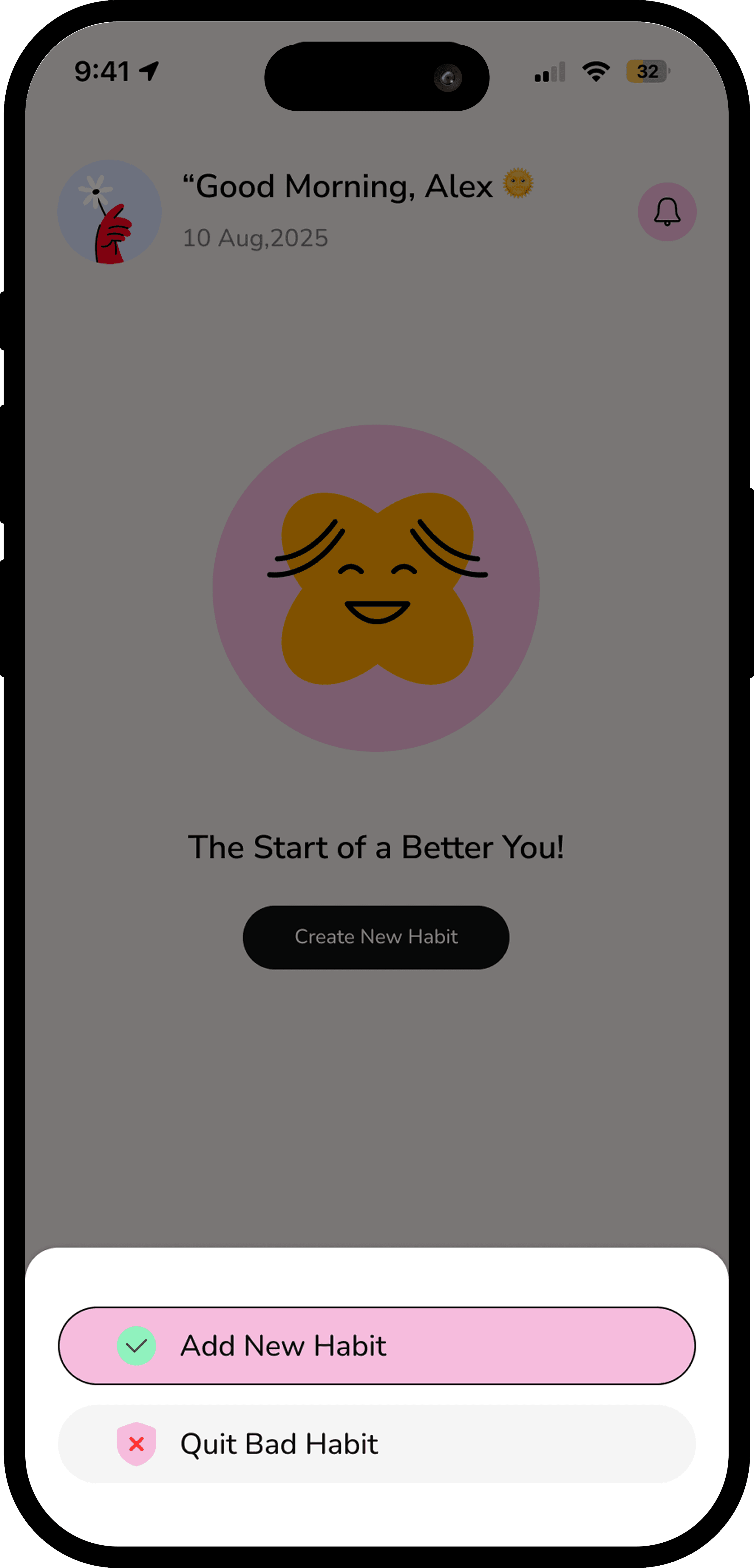
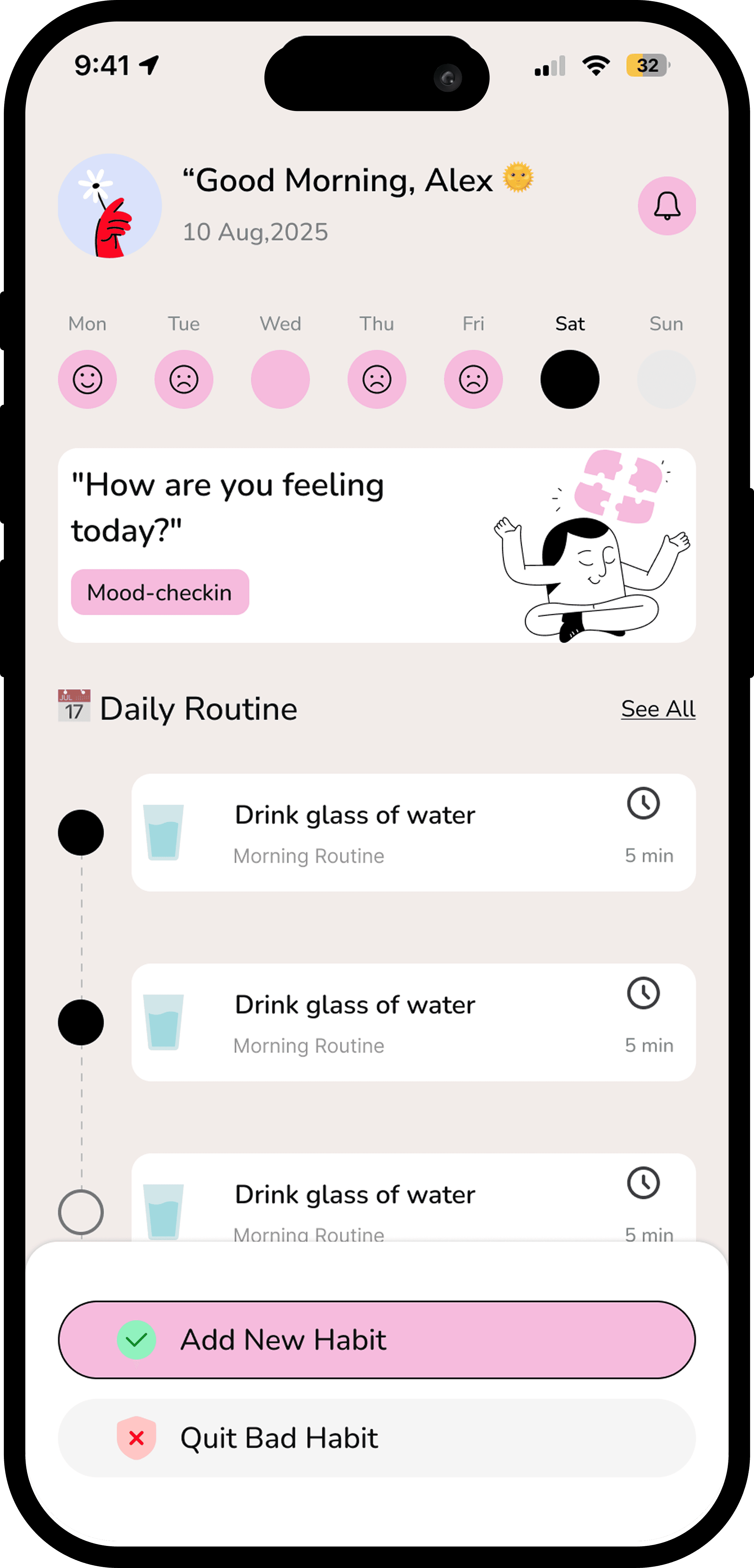
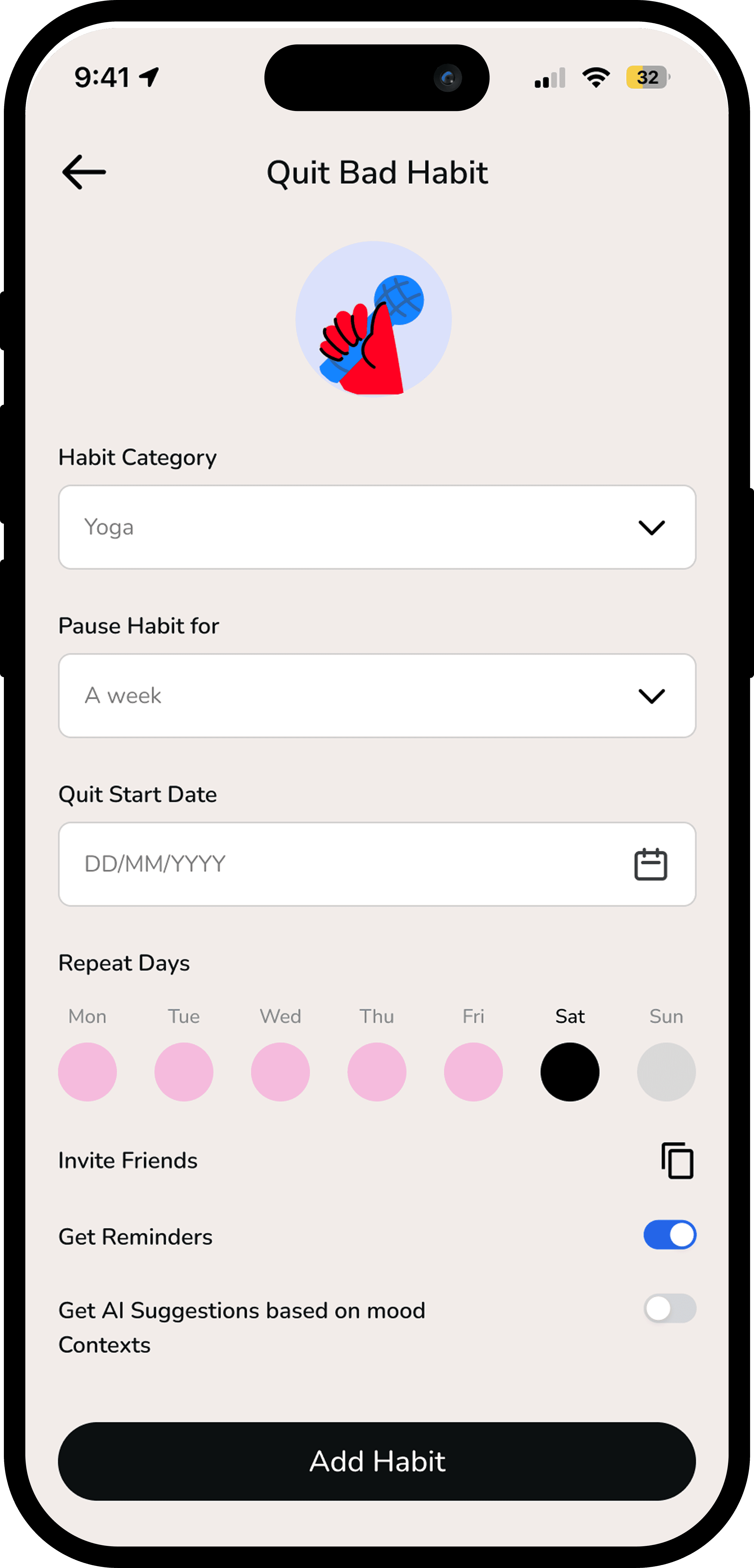
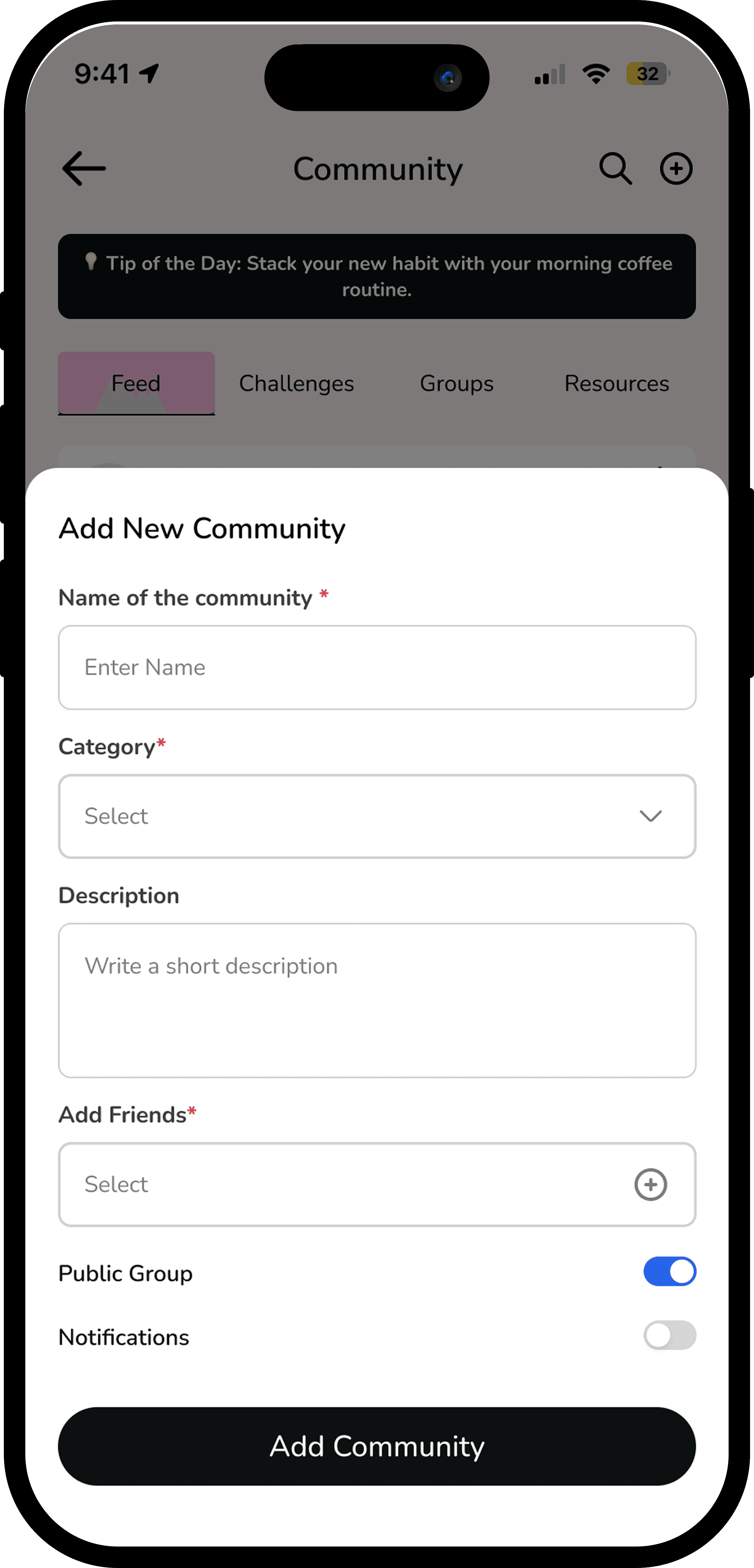
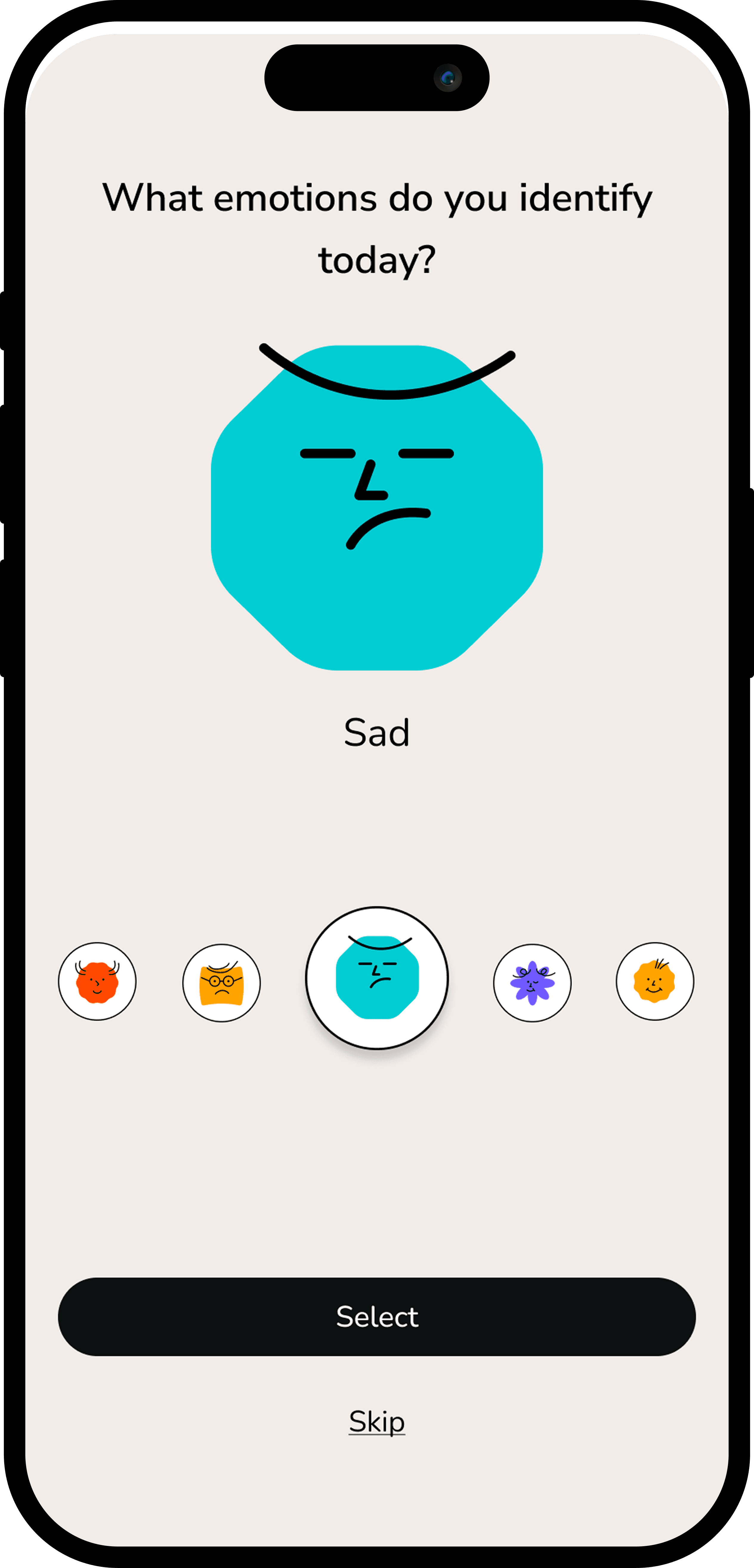
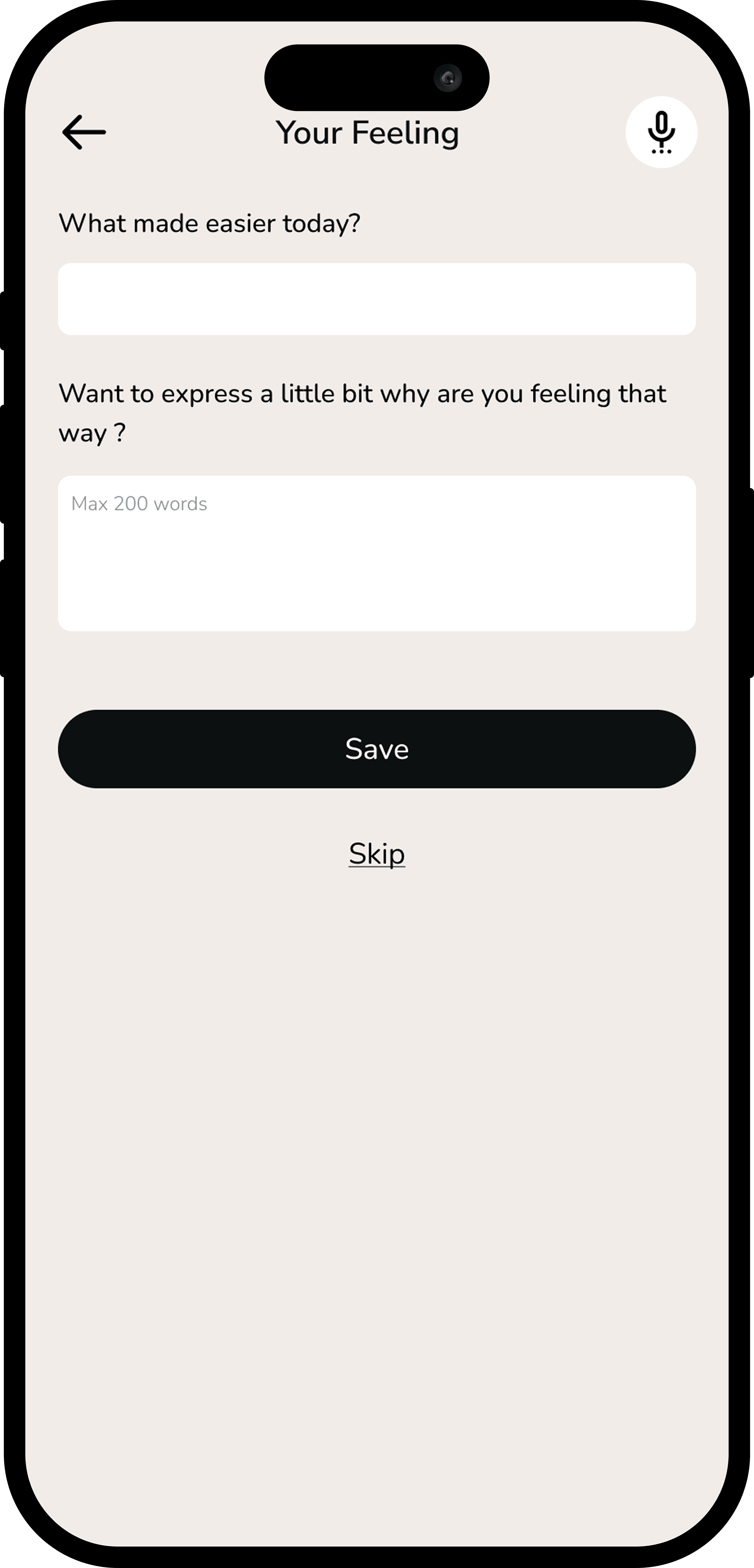
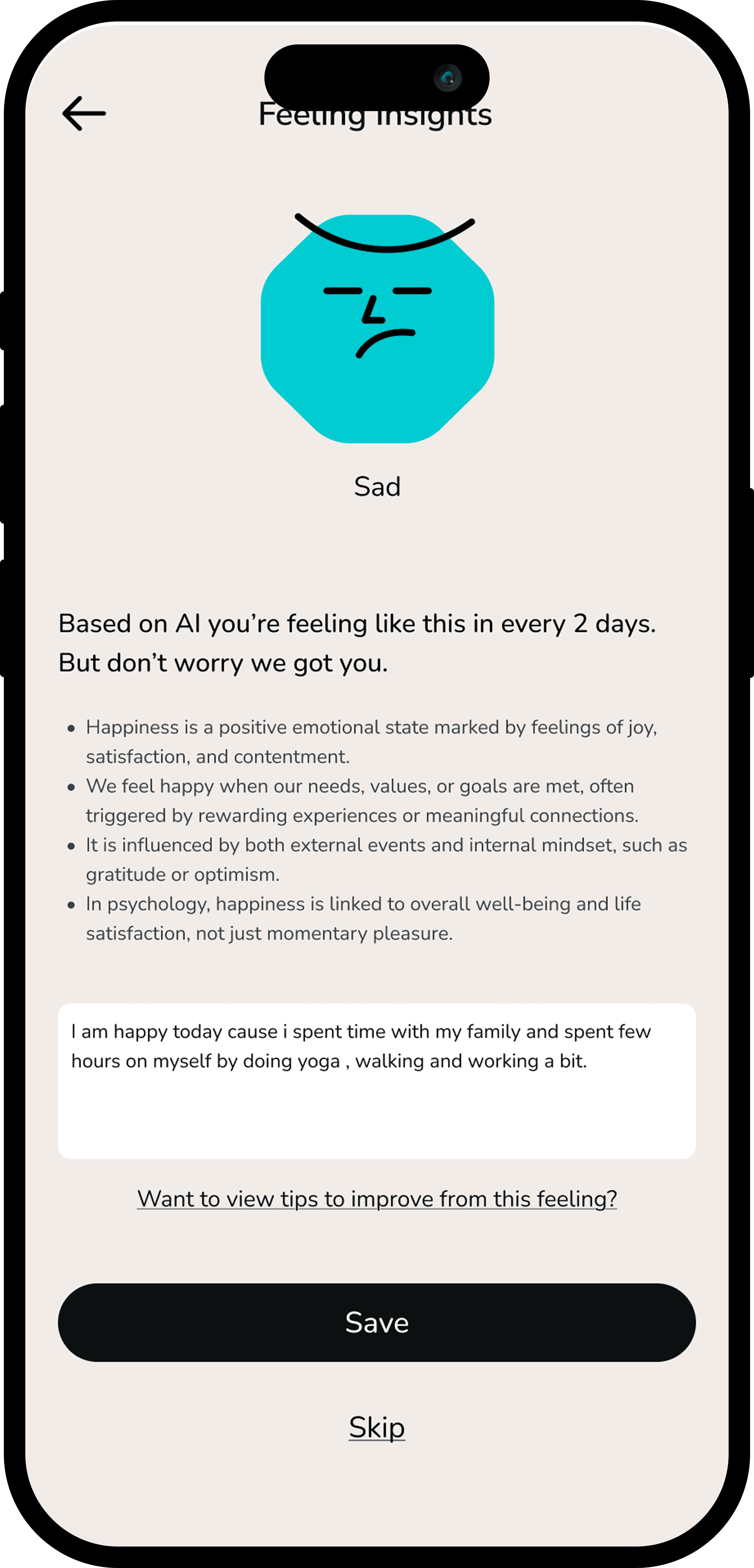
04 — Usability Testing
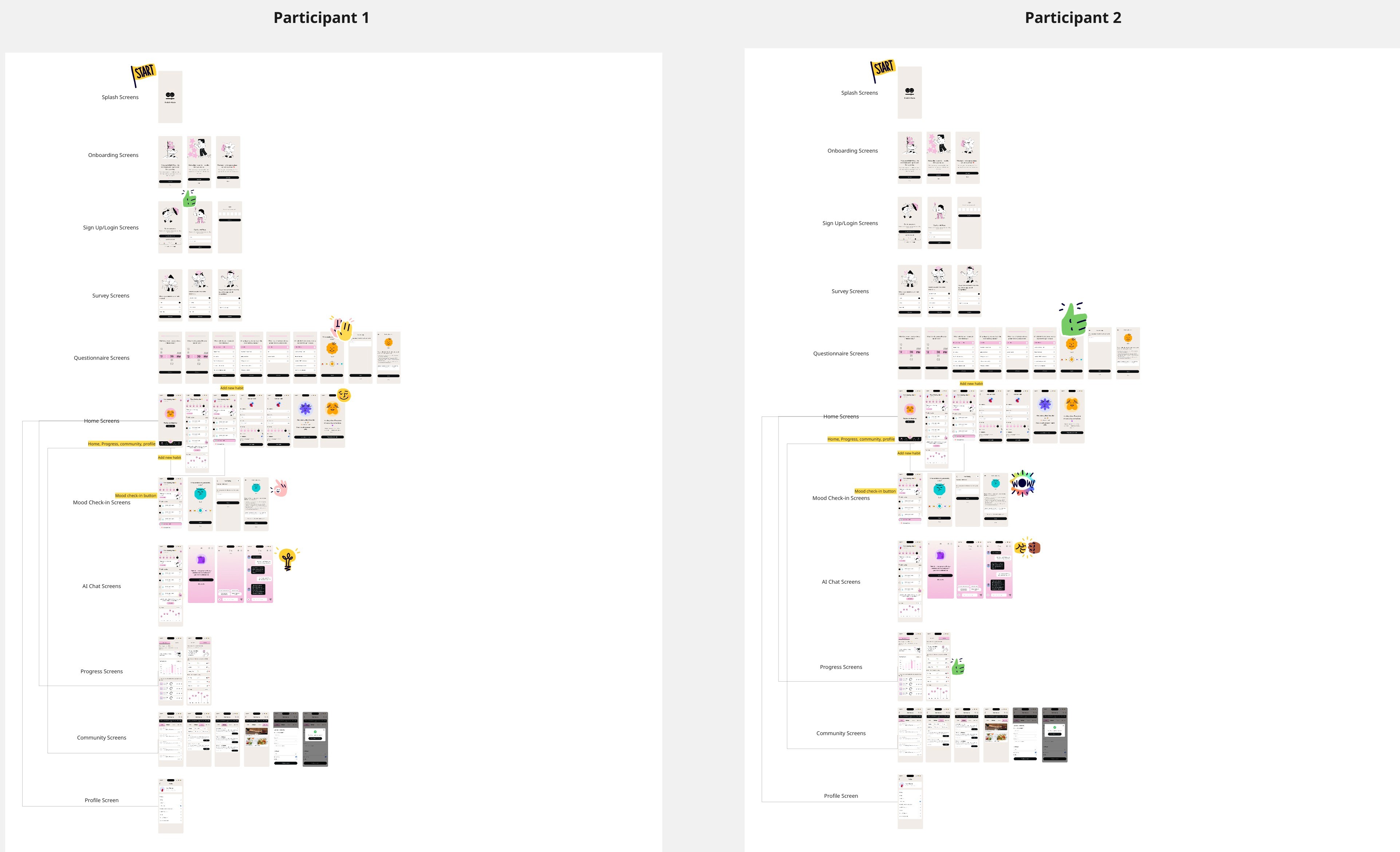
I conducted usability testing with 2 participants using a task-based evaluation focused on habit setup, progress tracking, and recovery after missed days.
Task success rate reached 90%, with participants consistently understanding the tiny habit concept and responding positively to compassionate language. However, testing revealed friction around restarting habits after breaks.
Based on feedback, I implemented:
A flexible “gentle restart” flow instead of streak resets .
Simplified habit setup steps
Increased visibility of micro-rewards to reinforce progress
These changes reduced cognitive load and aligned the experience with users’ emotional expectations during low-motivation moments.
05 — Reflections
1. The mood check-in was the most debated design decision — but testing showed it was the feature users valued most. Trusting the research over assumptions was the right call.
2. Designing with empathy as a product value — not just a process step — shaped every micro-copy decision, from button labels to empty states.
3. Next time: I'd test the onboarding flow earlier. Users' first impressions of the mood concept shaped their trust in the entire app.
Product Design
Mobile App
Aug 2025- Feb 2026
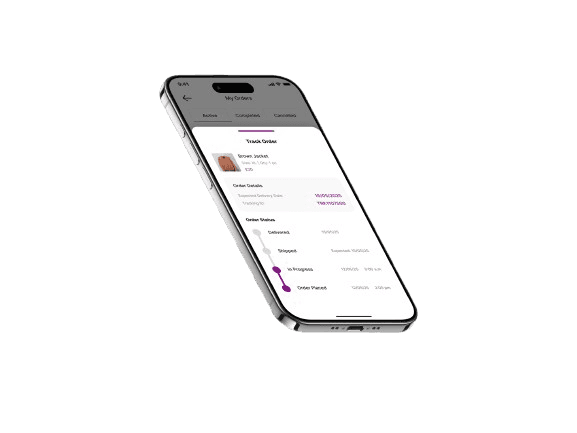
OneCart — designing end-to-end flows for a buy & sell marketplace
At OneCart I owned the full design of 9 critical flows across both sides of the marketplace — from a seller listing their item and getting paid, to a buyer discovering products, managing inventory, and withdrawing earnings.
Role
UX/Product Designer
Platform
iOS & Android
Duration
3-6 months
Tools
Research - Handoff
01 — Problem
OneCart operates on two sides simultaneously — and both sides had friction. Sellers struggled through a disjointed checkout, unclear order tracking, and a payment flow that didn't inspire confidence. Buyers had no clear way to list products, track their inventory, or understand their transaction history.
"The platform had the inventory and the demand. What it lacked was a design that made both sides feel in control of their experience — from first tap to final payment."
02 — My Scope
I owned research, wireframes, UI design, and developer handoff for 9 flows split across seller and buyer sides.
Seller Side - 5 Flows
Flow 01
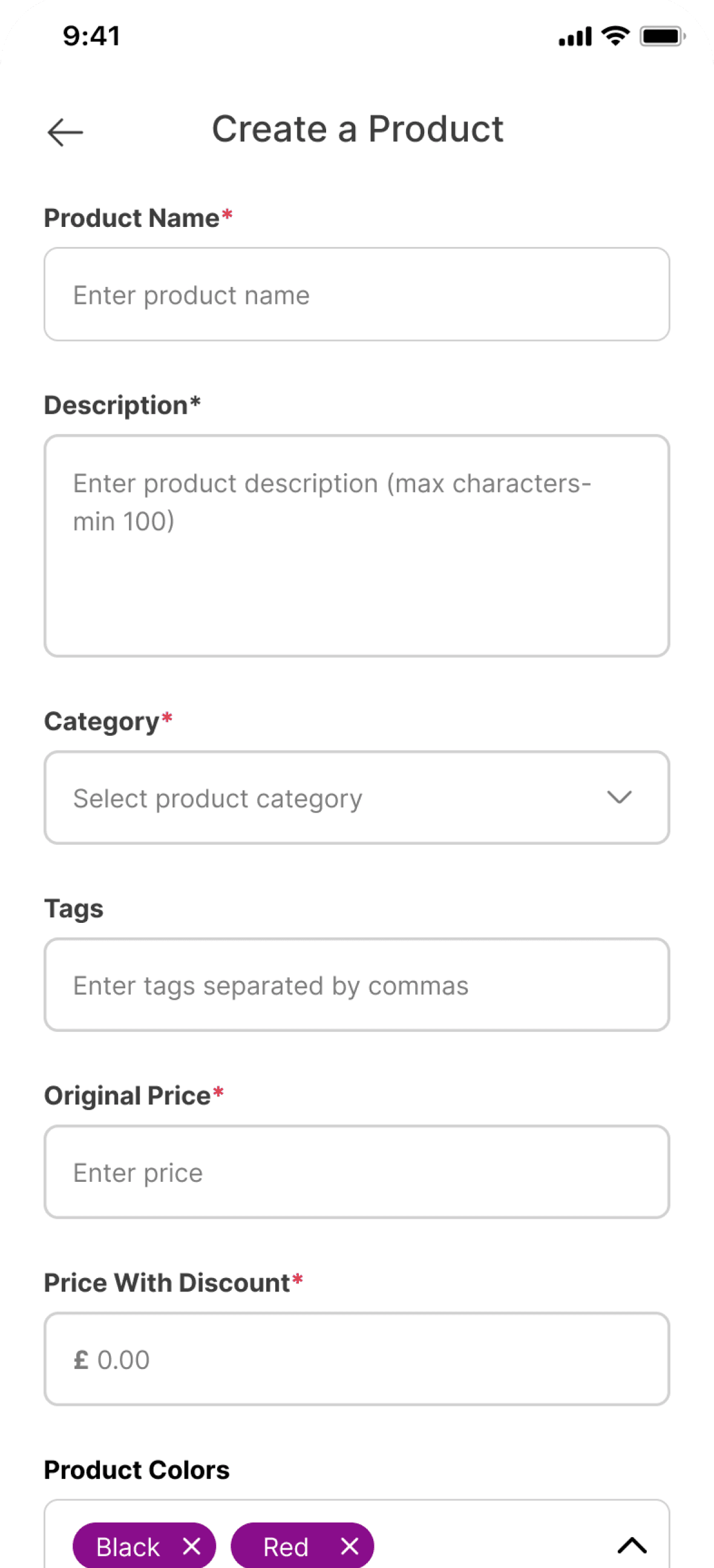
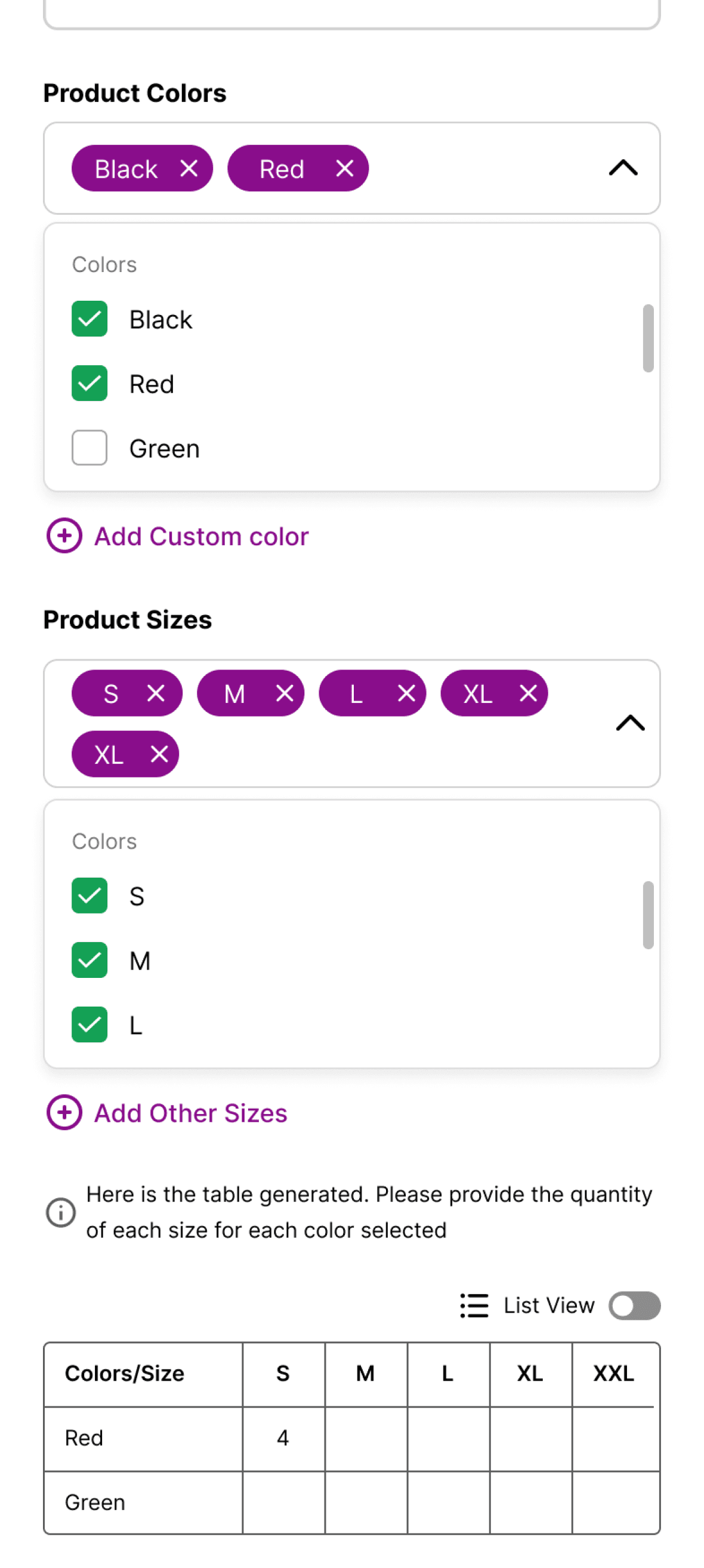
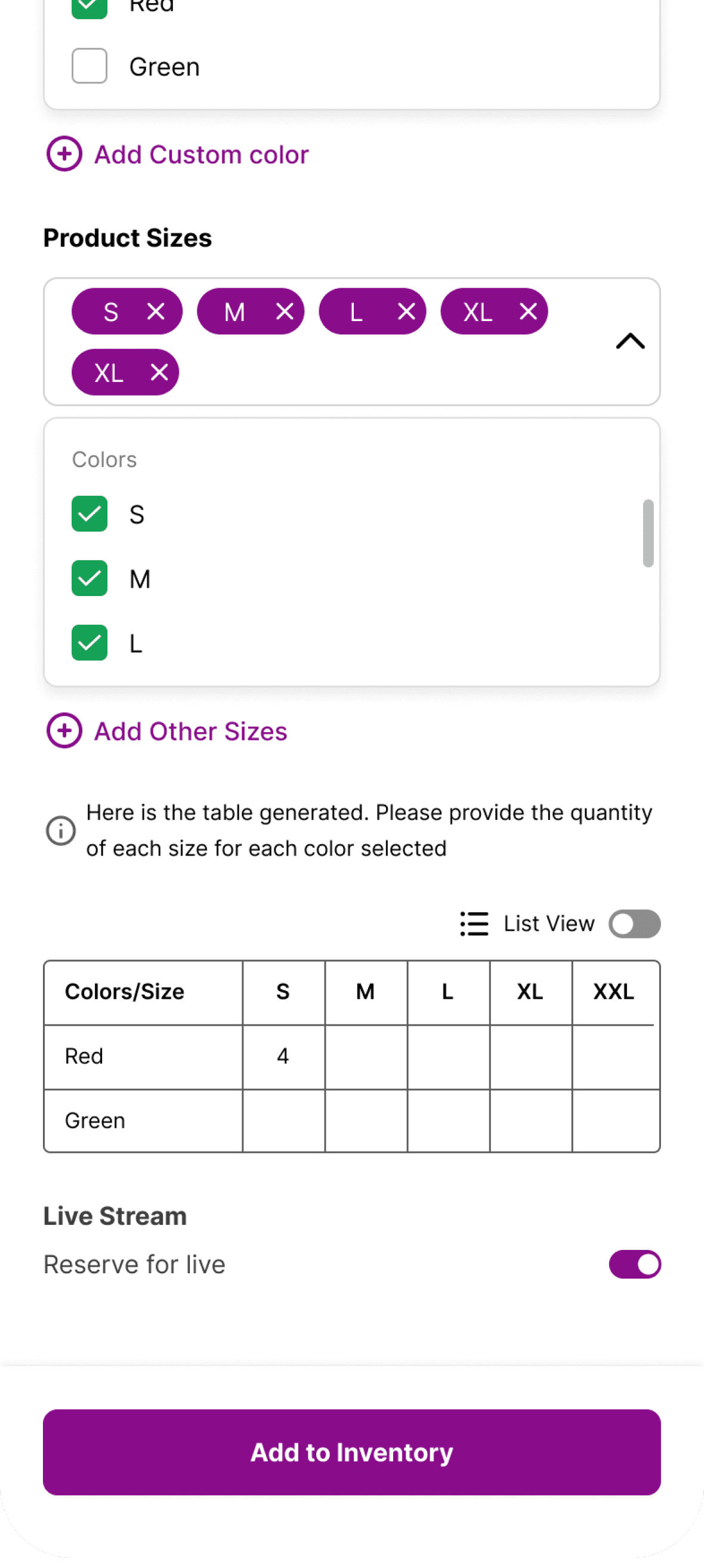
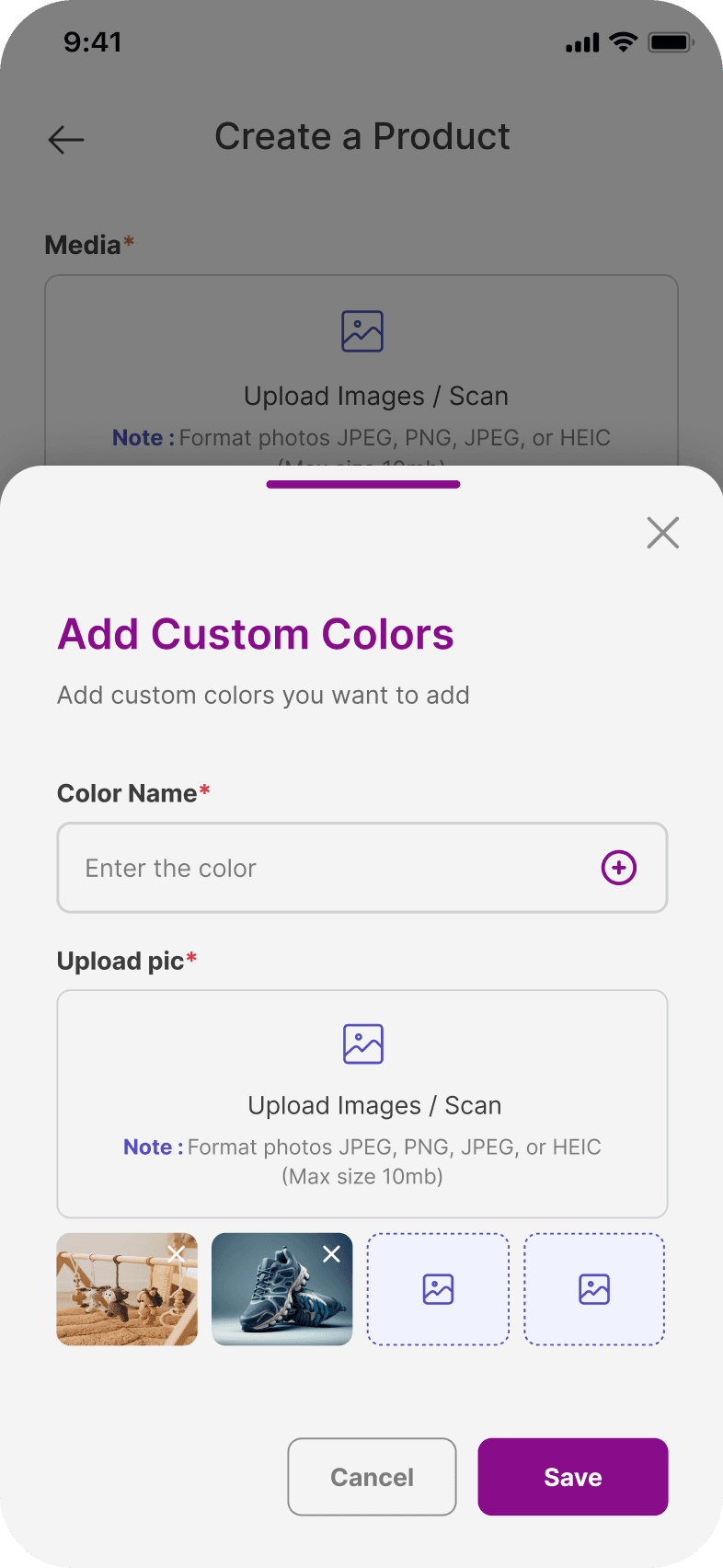
Create a product
End-to-end listing creation for buyers — photo upload, description, condition, pricing, and publish.
Problem: Listing flow was long and unguided — sellers abandoned midway.
Flow 02
Inventory Management
Dashboard to manage active, paused, and sold listings — with quick-edit and repost actions.
Problem: No central place to manage multiple listings — users felt overwhelmed.
Flow 03
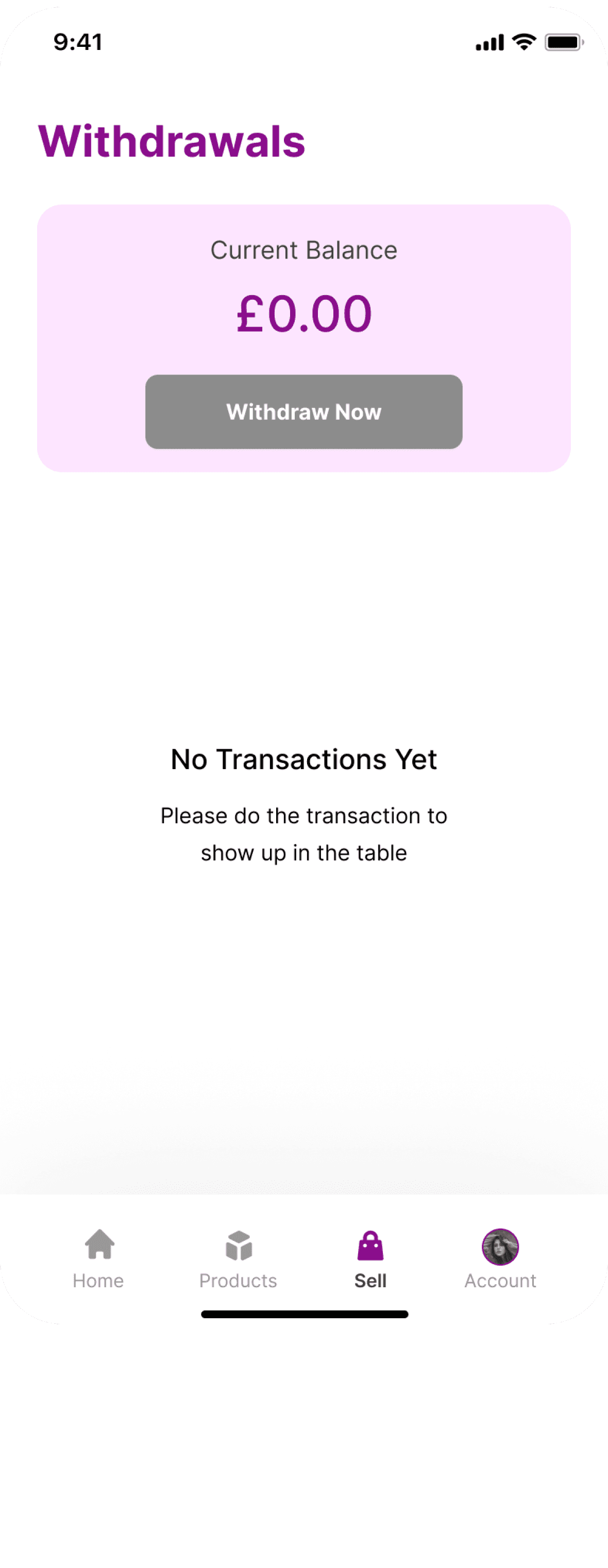
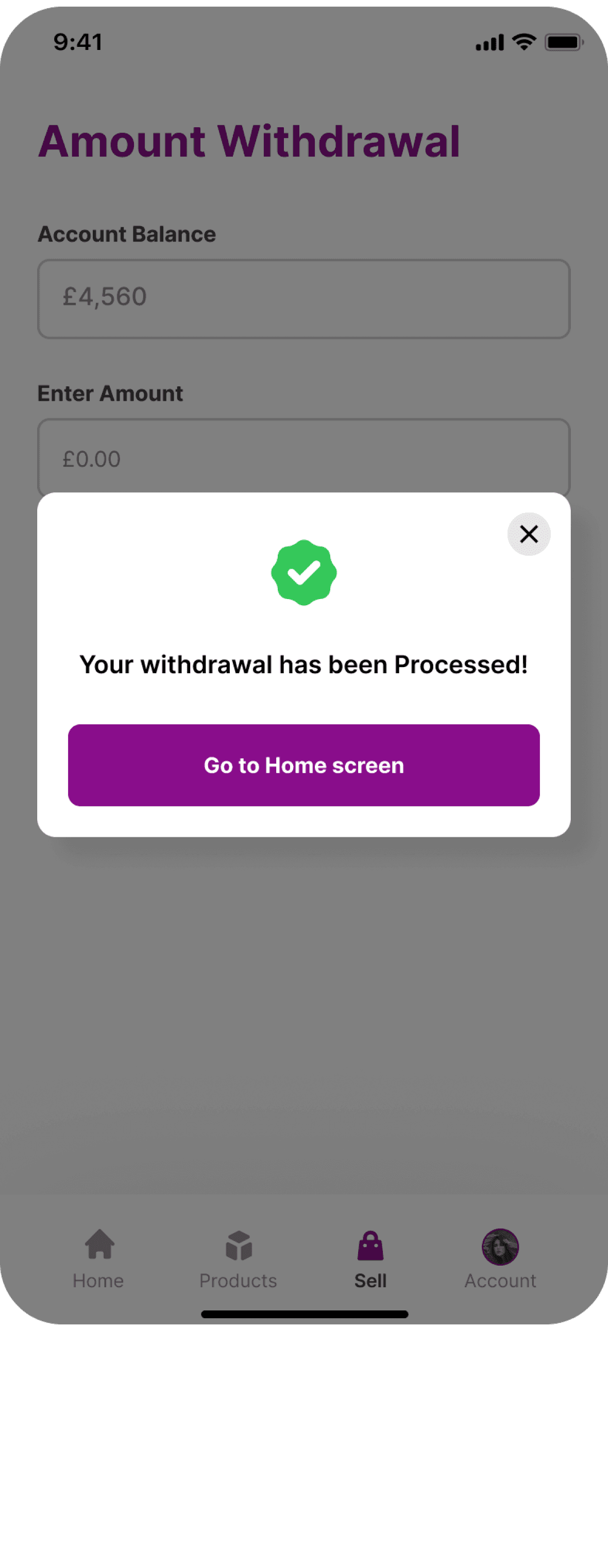
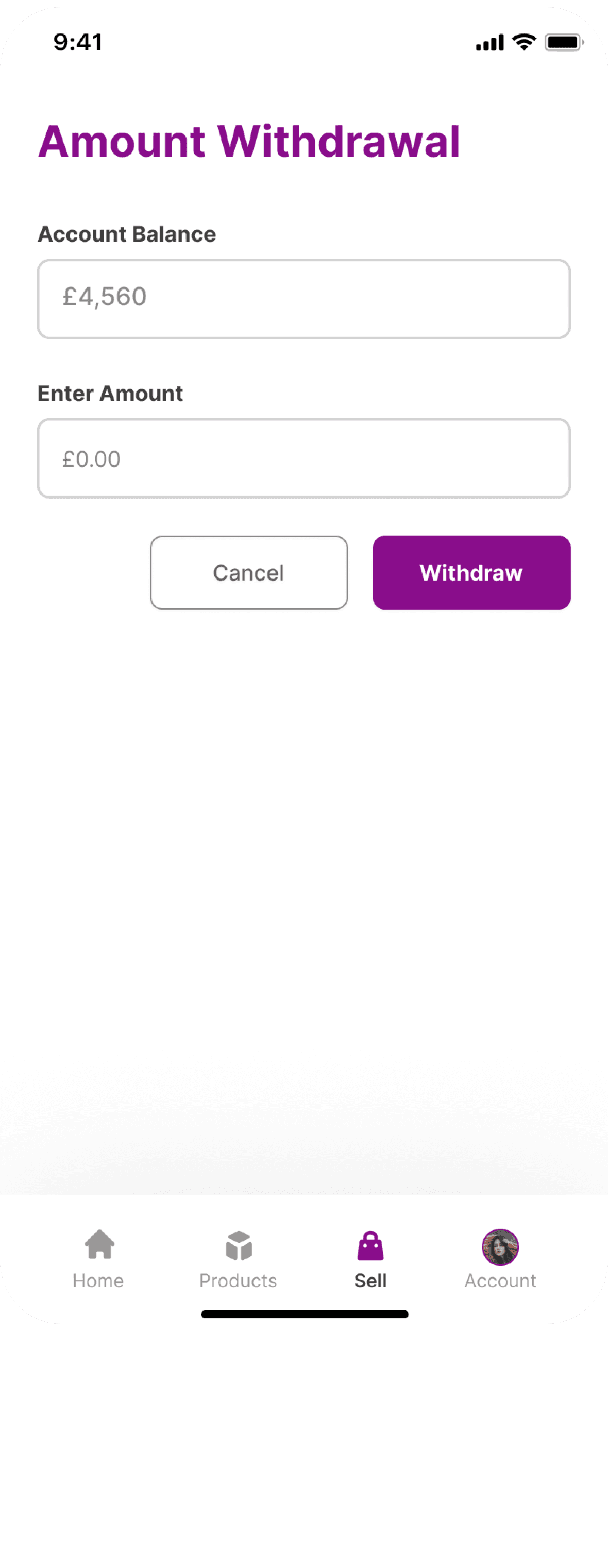
Withdrawal Flow
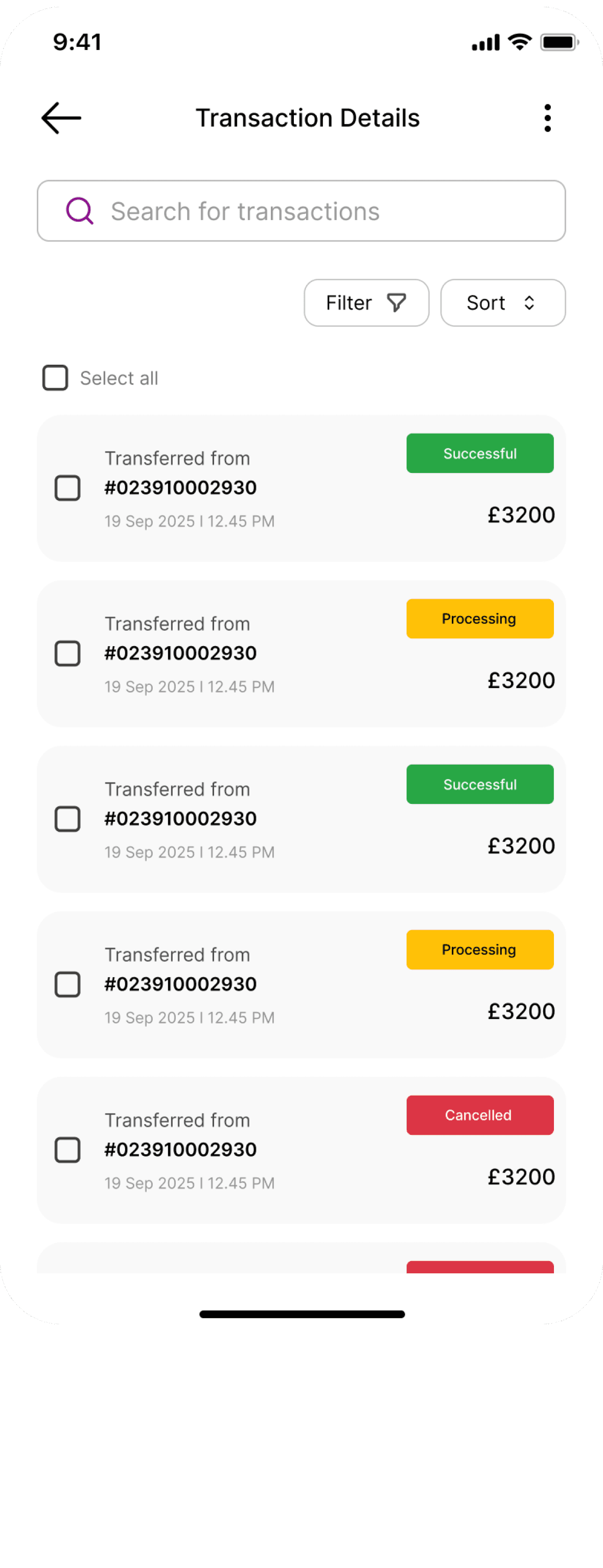
Earnings withdrawal — balance view, bank account linking, withdrawal confirmation, and history.
Problem: Trust gap — users unsure when and how they'd receive money.
Flow 04
Create a product
End-to-end listing creation for buyers — photo upload, description, condition, pricing, and publish.
Problem: No detailed transaction view — users couldn't reconcile earnings.
Buyer Side - 4 Flows
Flow 01
Create a product
End-to-end listing creation for buyers — photo upload, description, condition, pricing, and publish.
Problem: Listing flow was long and unguided — sellers abandoned midway.
Flow 02
Inventory Management
Dashboard to manage active, paused, and sold listings — with quick-edit and repost actions.
Problem: No central place to manage multiple listings — users felt overwhelmed.
Flow 03
Withdrawal Flow
Earnings withdrawal — balance view, bank account linking, withdrawal confirmation, and history.
Problem: Trust gap — users unsure when and how they'd receive money.
Flow 04
Create a product
End-to-end listing creation for buyers — photo upload, description, condition, pricing, and publish.
Problem: No detailed transaction view — users couldn't reconcile earnings.
03 — Key Design Decisions
I owned research, wireframes, UI design, and developer handoff for 9 flows split across seller and buyer sides.
Buyer Side
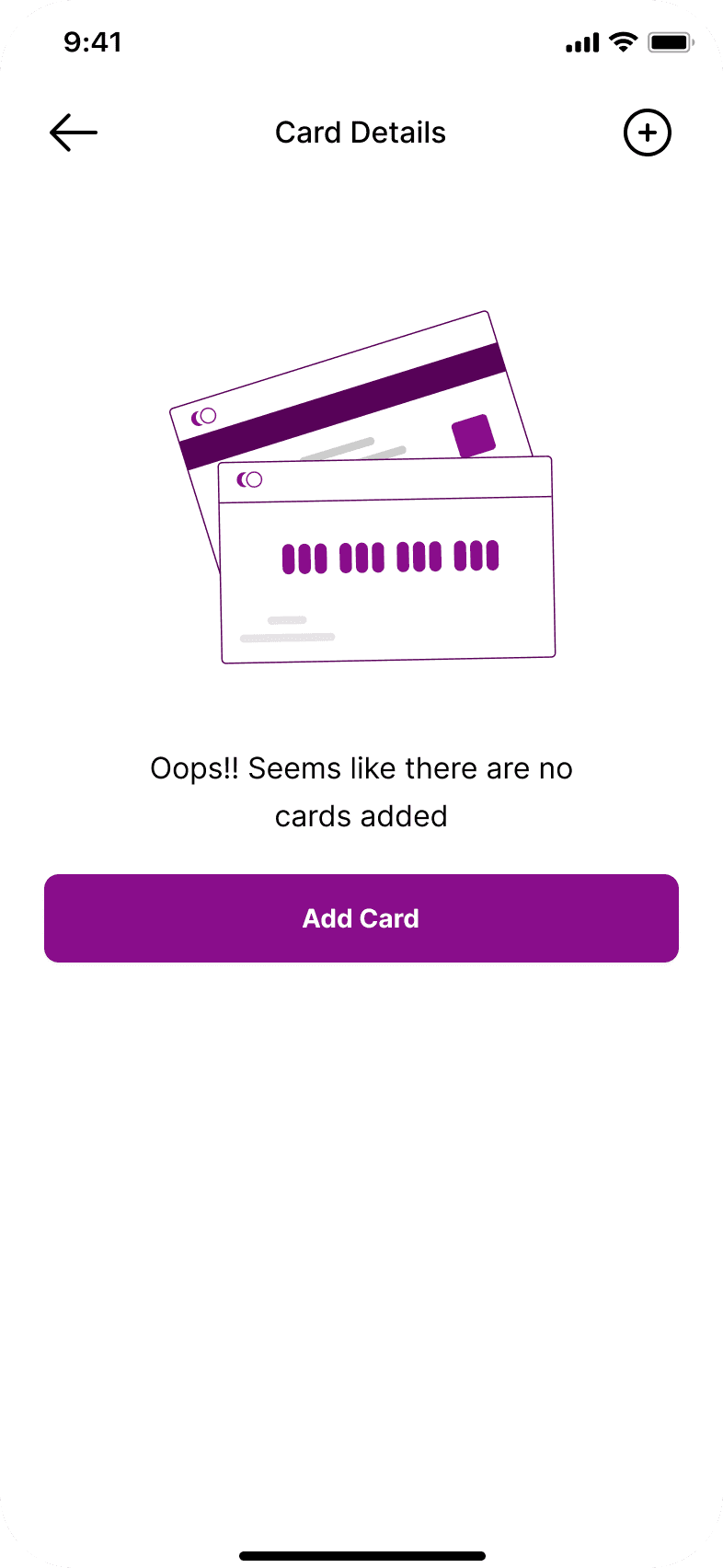
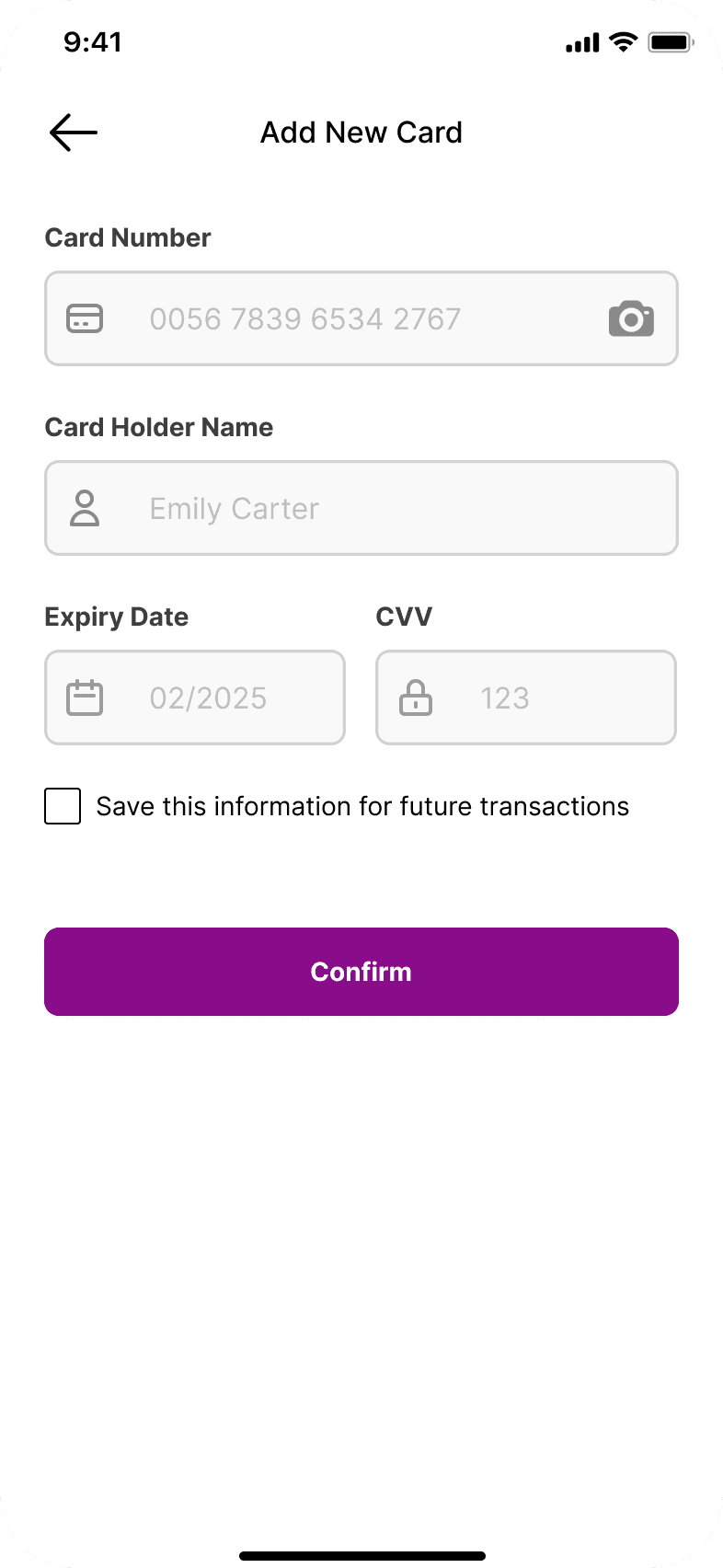
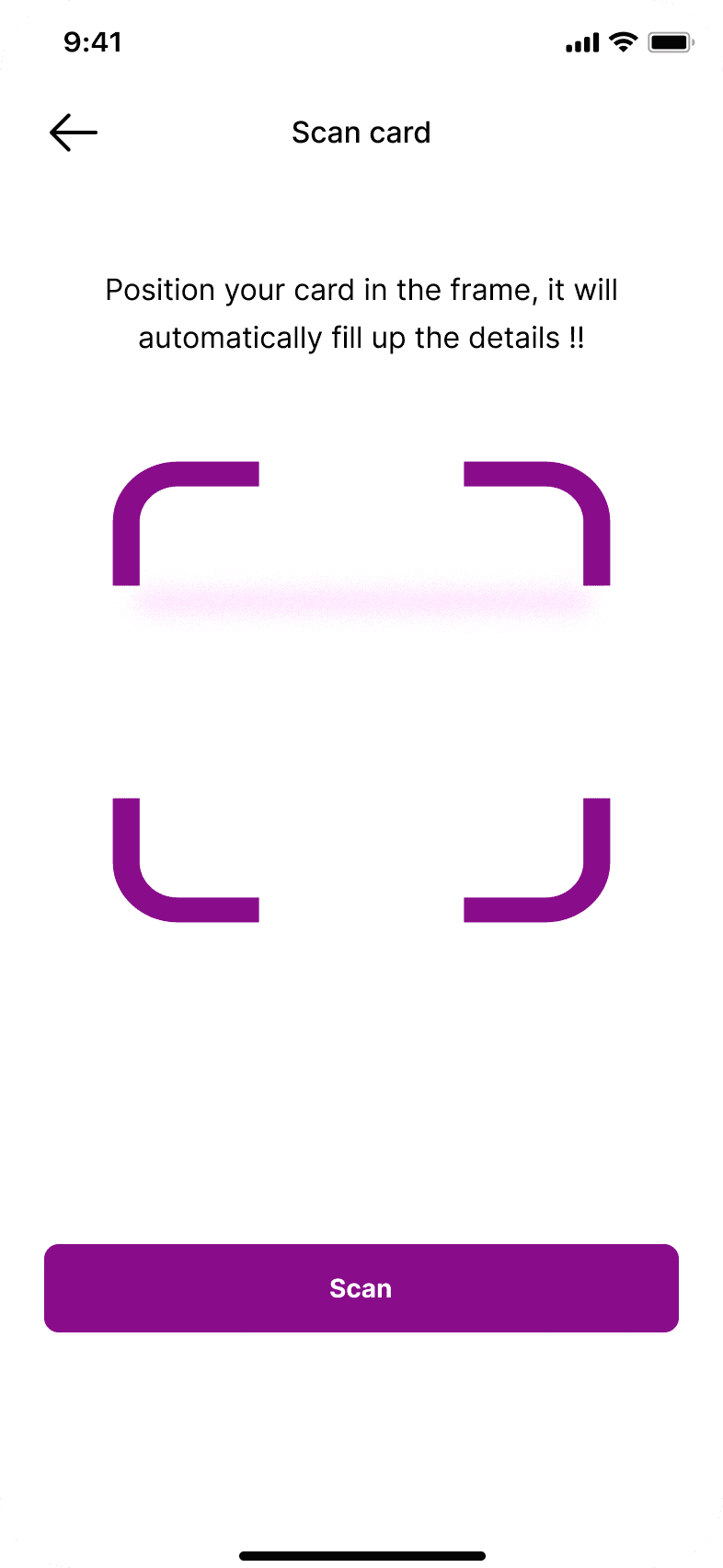
CARD PAYMENT - SKIPPED
Full PCI form on a single screen. Overwhelmed users and felt more like a bank than an app.
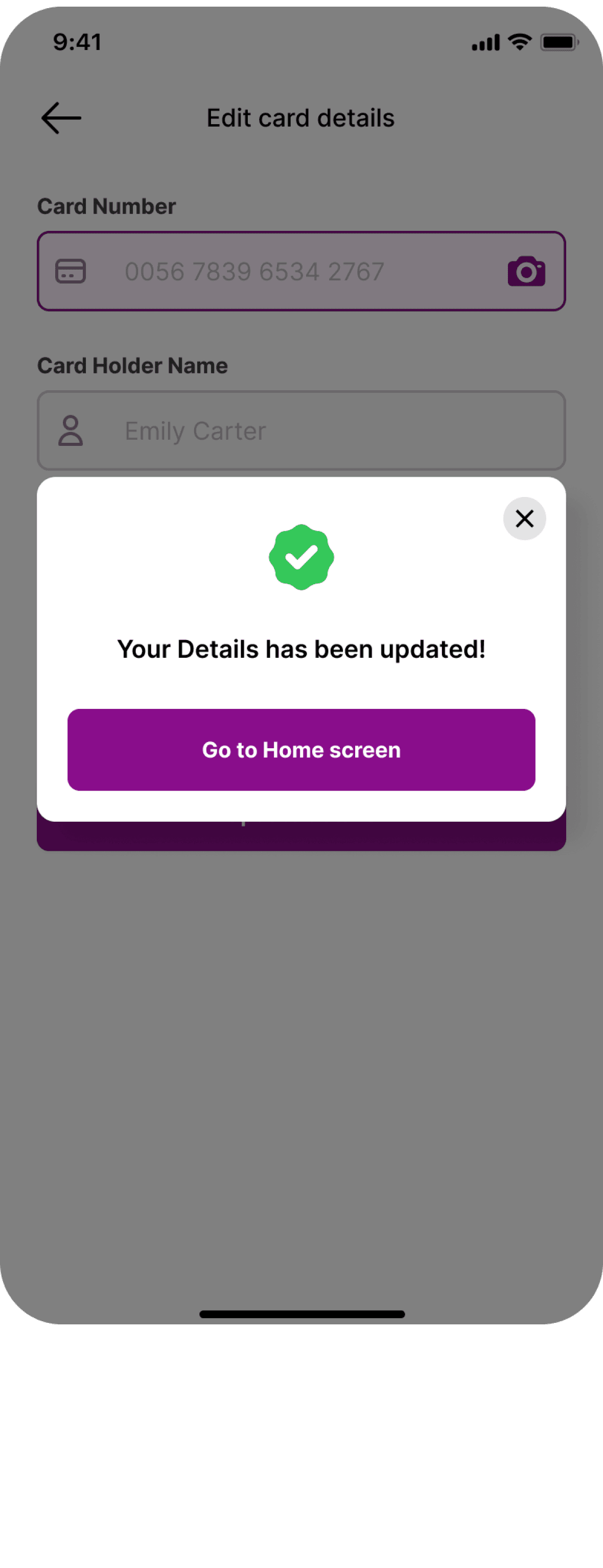
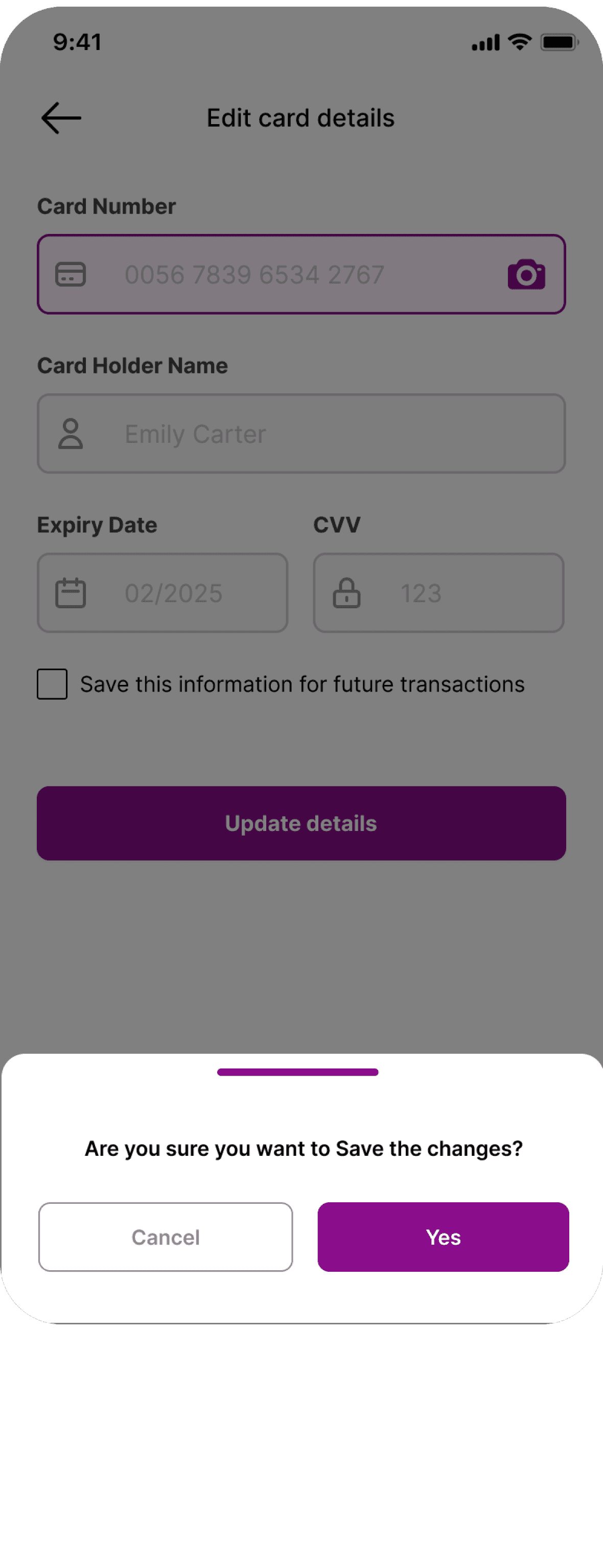
CARD PAYMENT - CHOSEN
Progressive disclosure — card entry, then billing, then confirmation. Each step felt lightweight and trusted.
Seller Side
CREATE PRODUCT - SKIPPED
Single long-form listing page. Users lost context and abandoned before reaching the publish button.
CREATE PRODUCT - CHOSEN
Step-by-step guided listing with a progress indicator. Each screen has one job — photo, details, price, publish.
03 — Final UI Screens
Seller Side



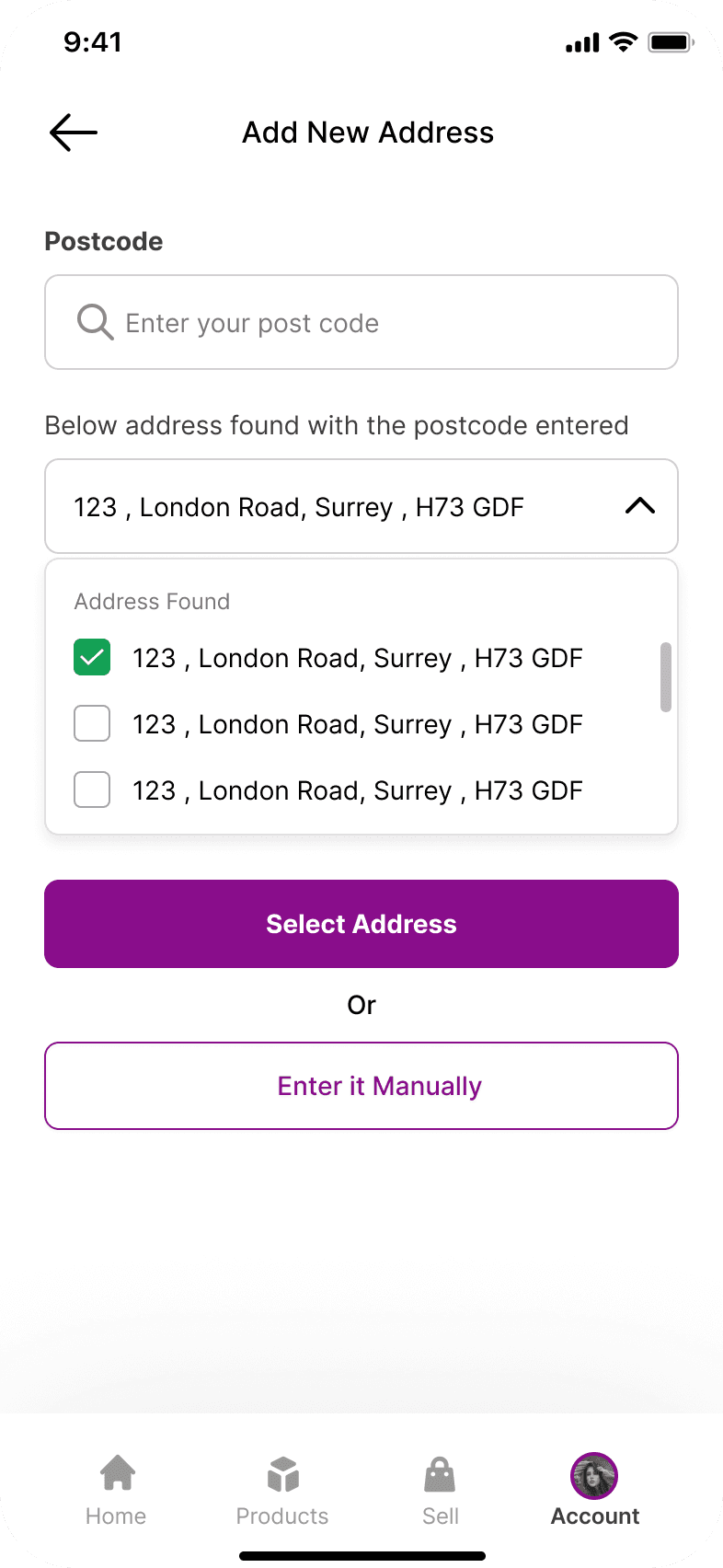

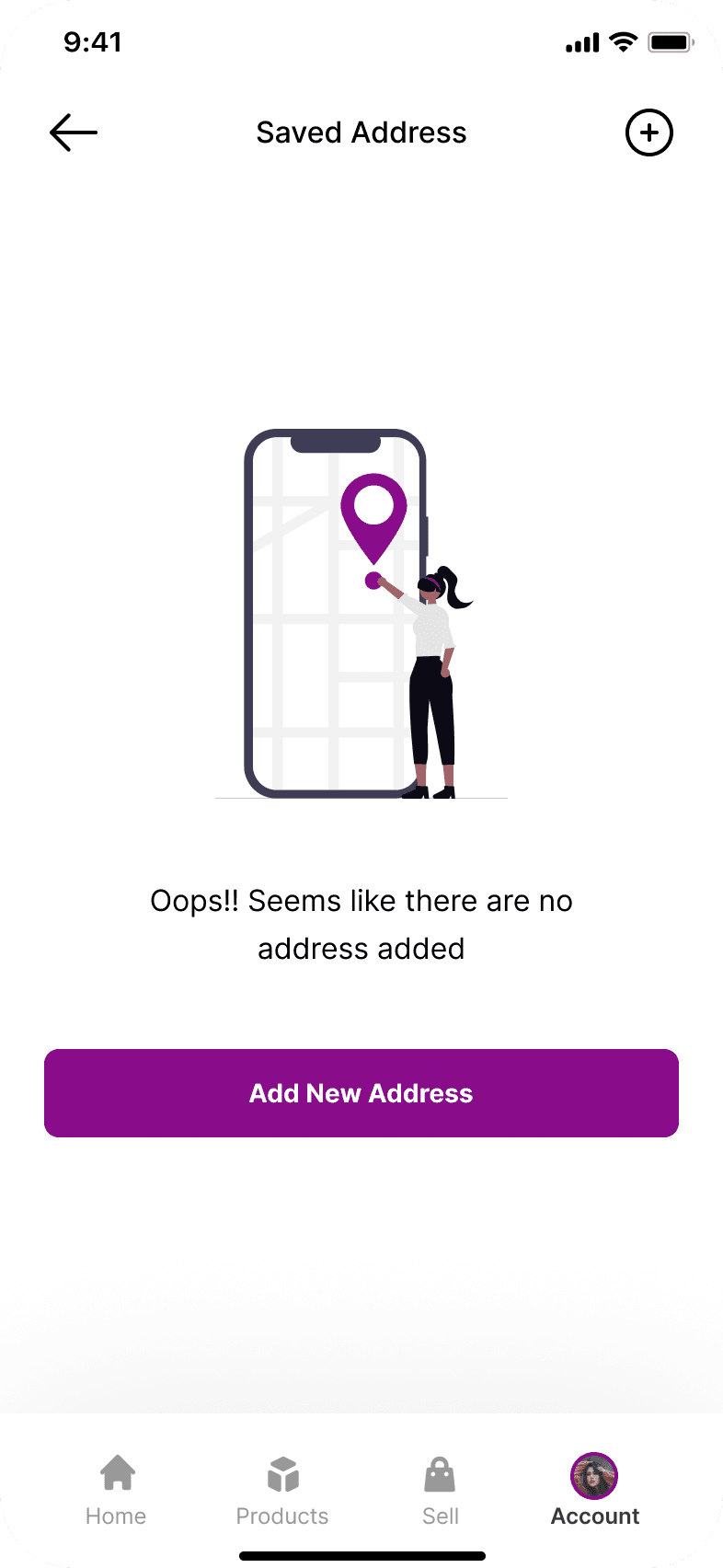
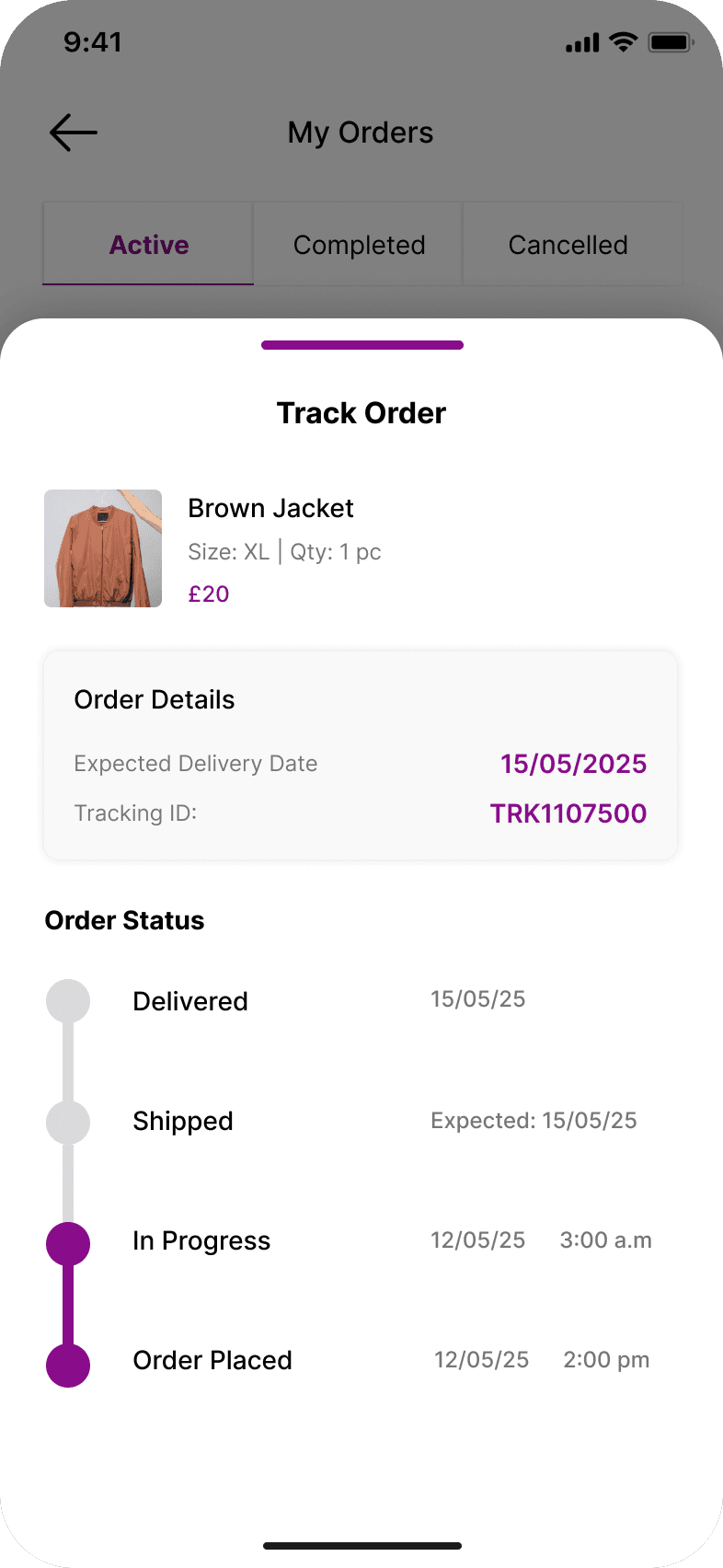
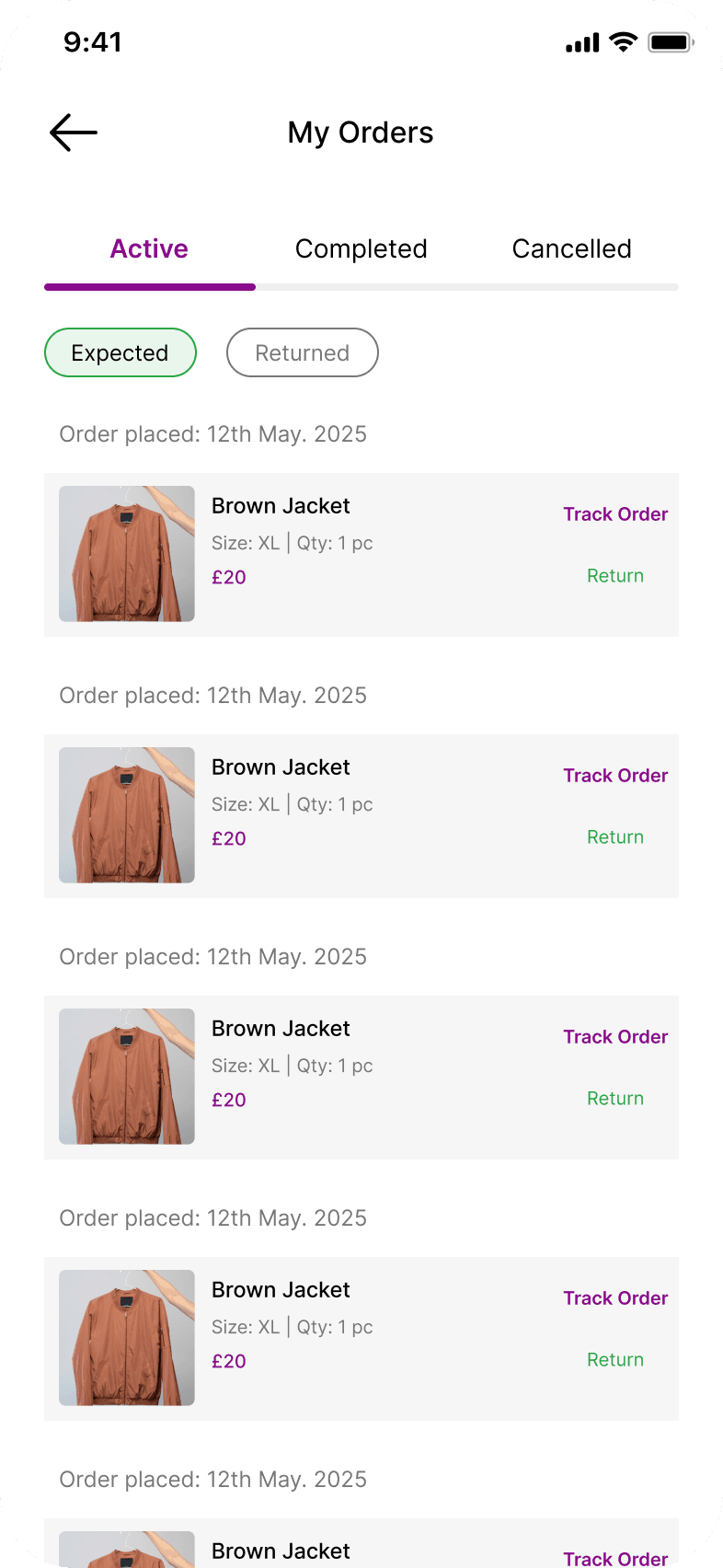
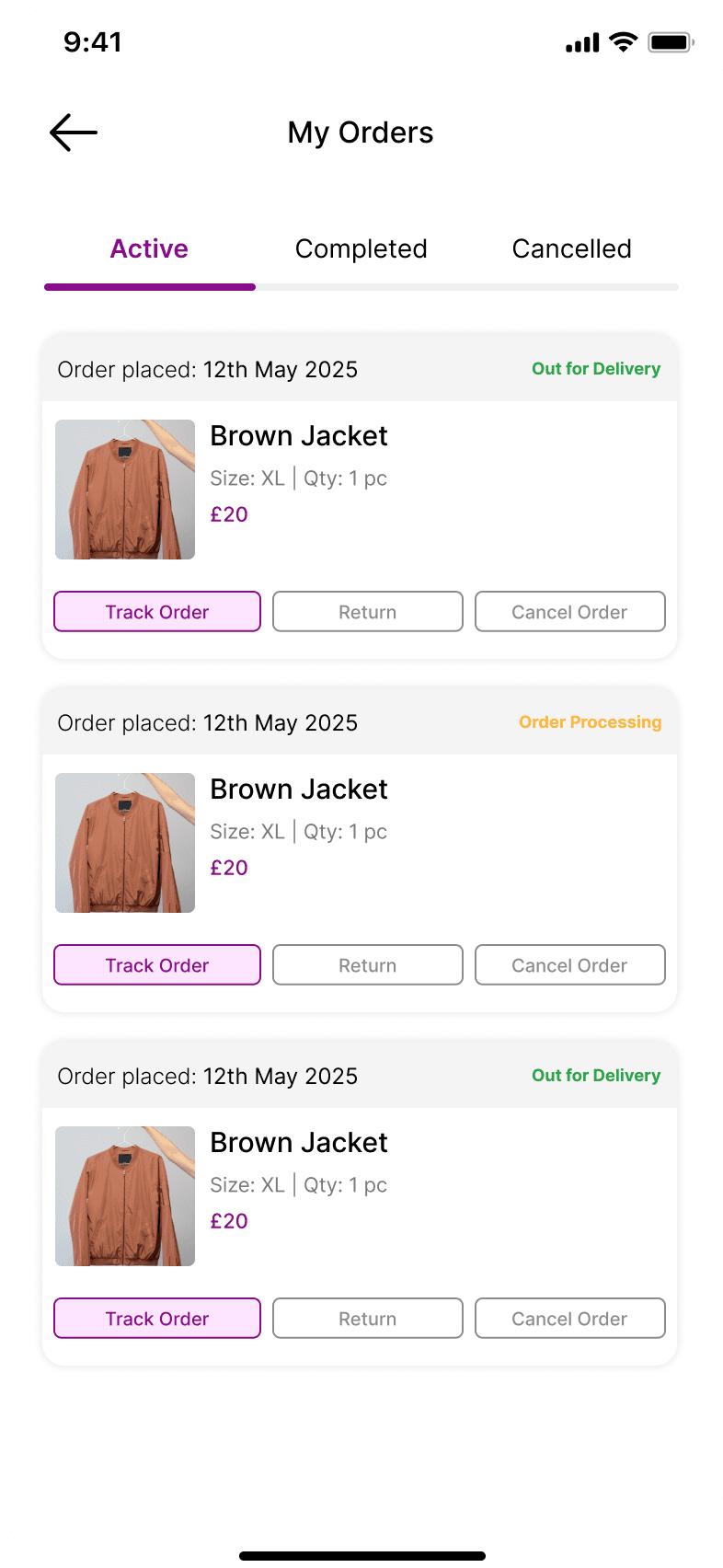
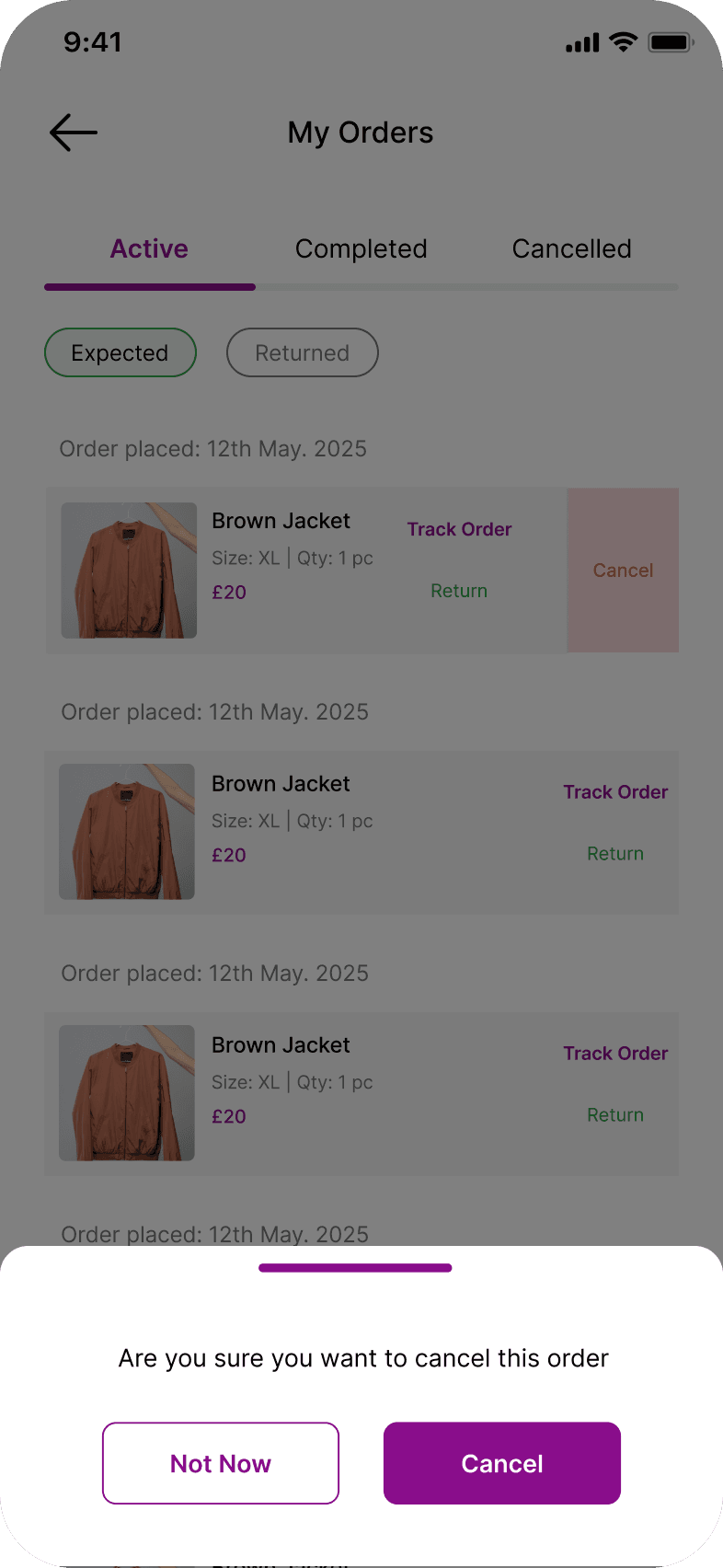
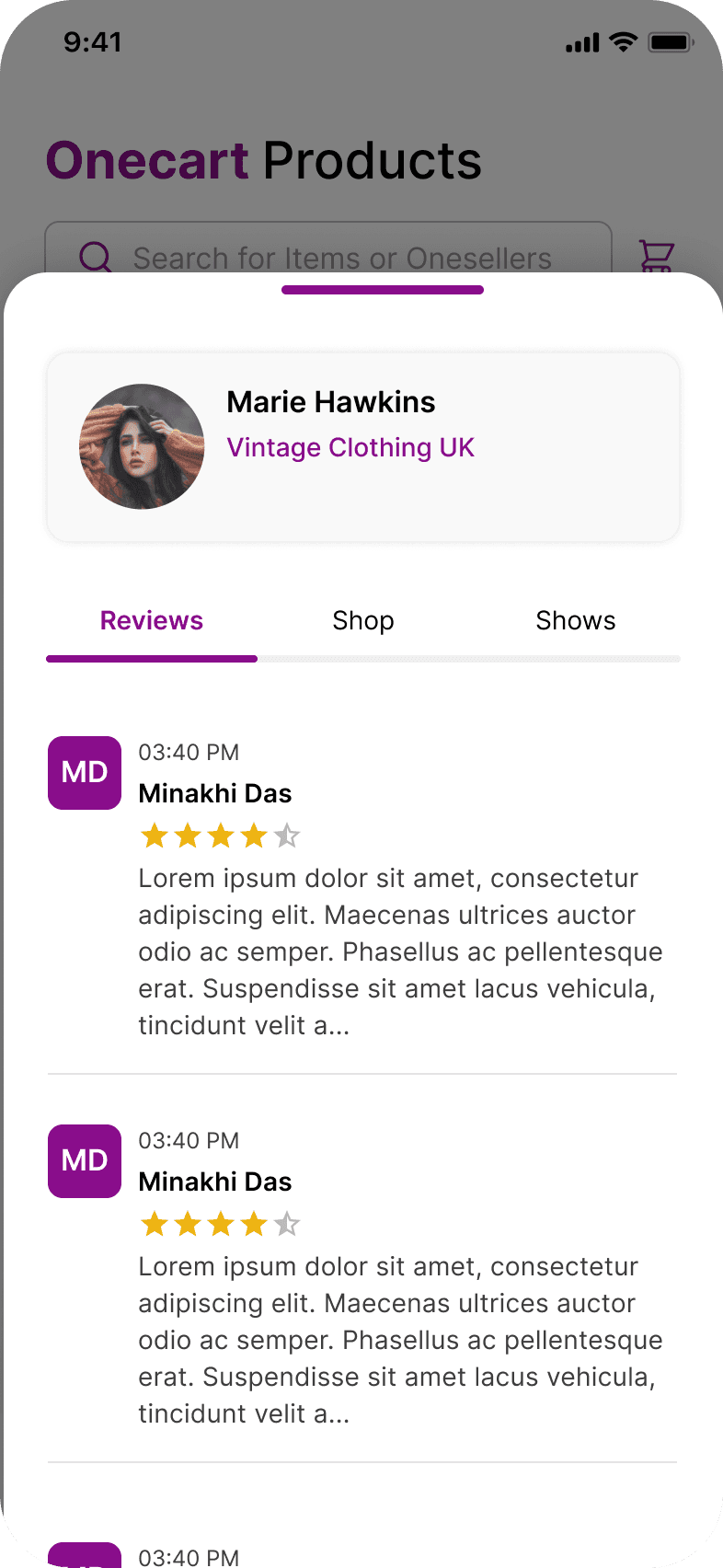
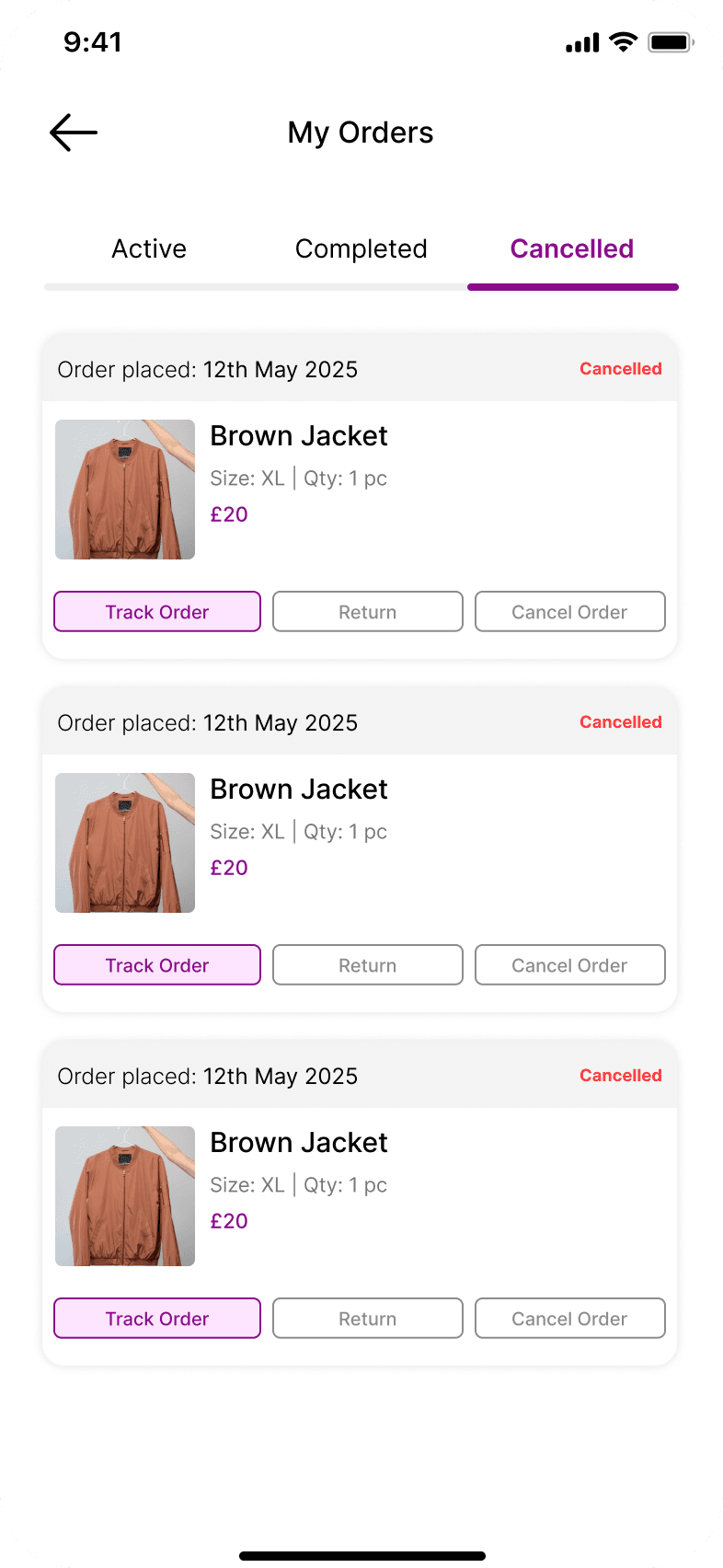
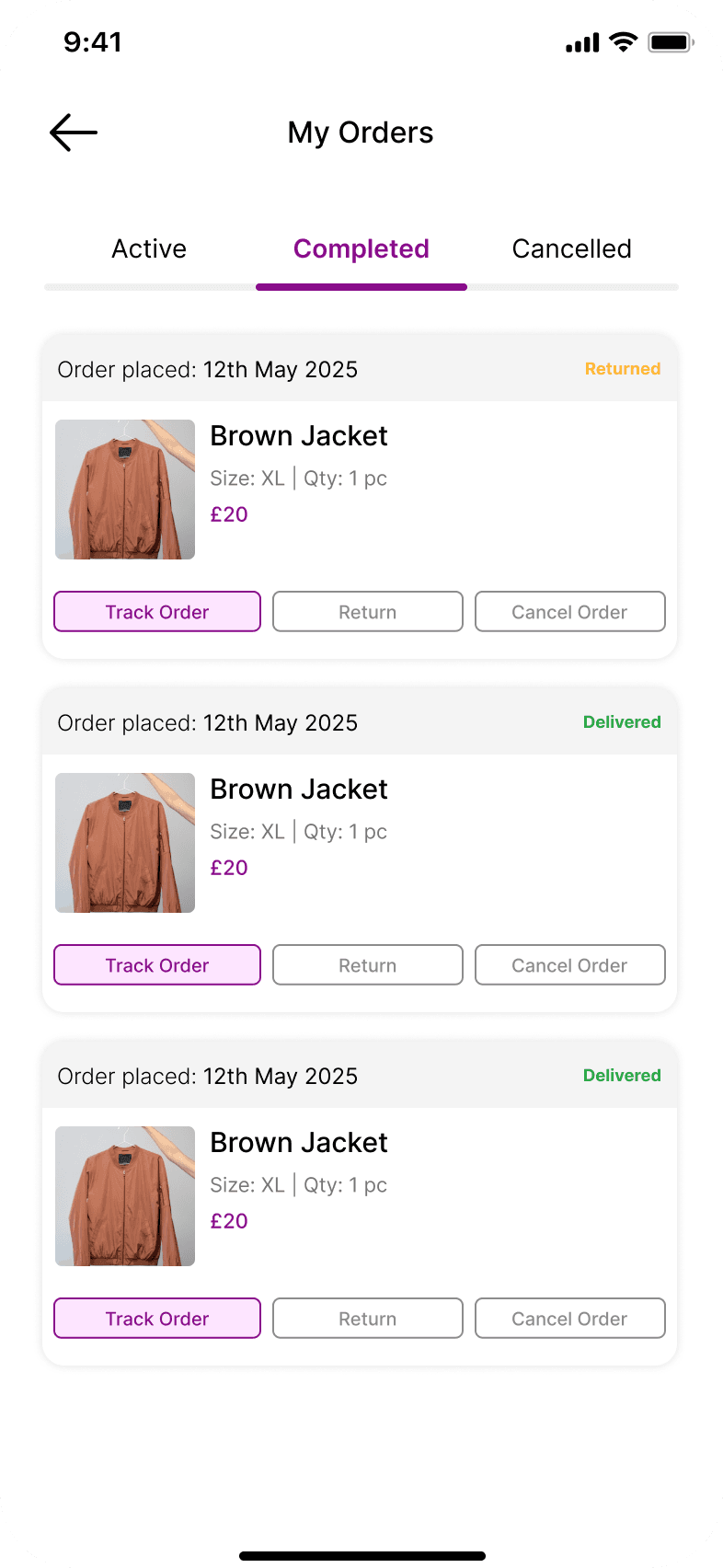
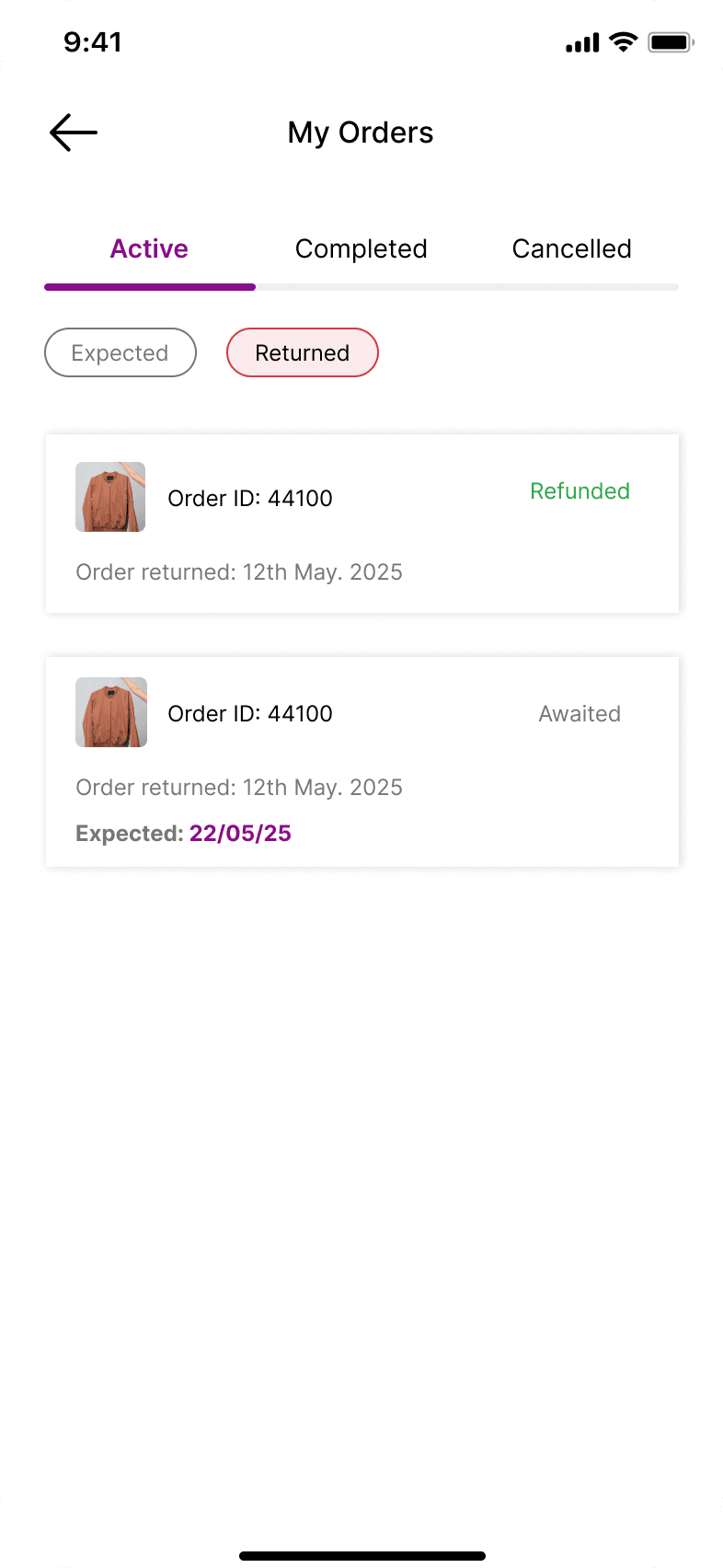
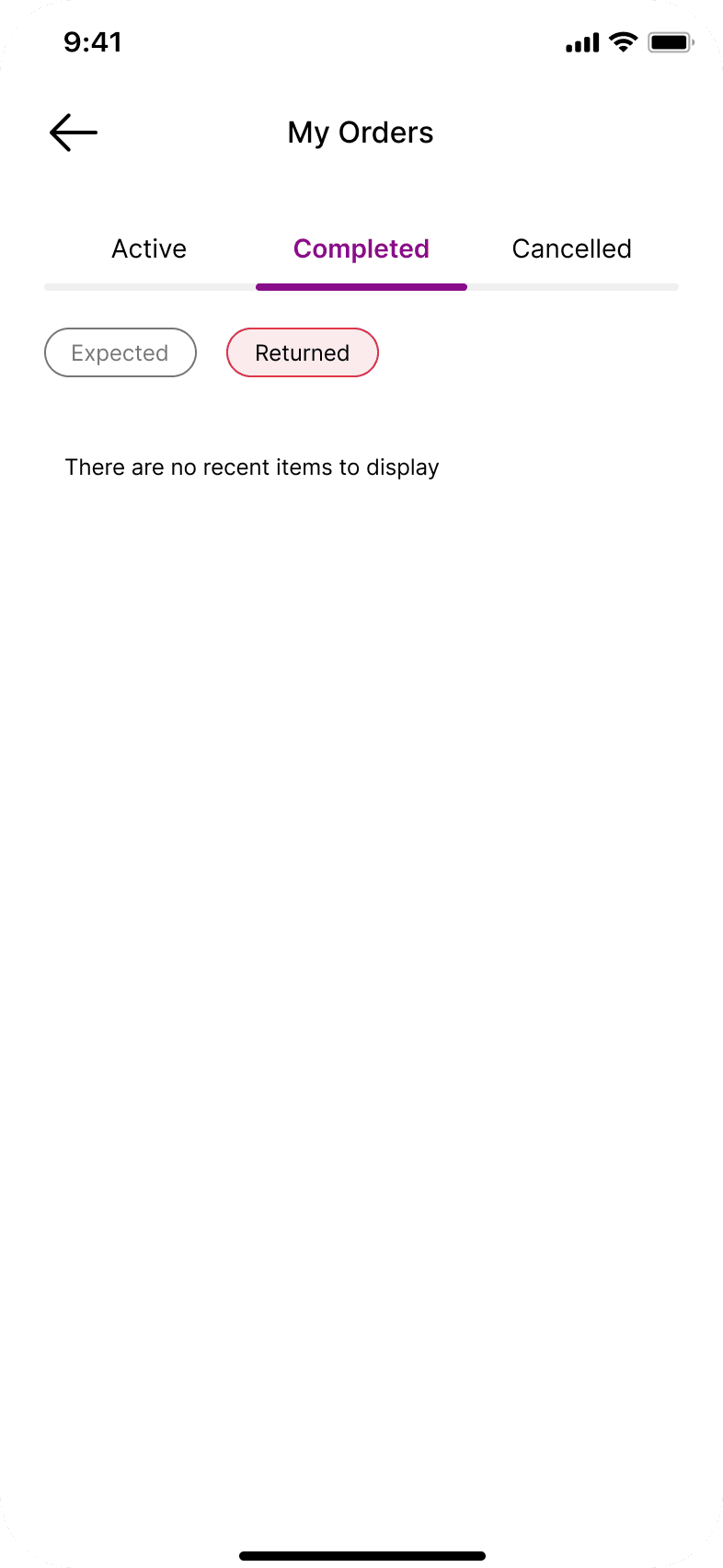
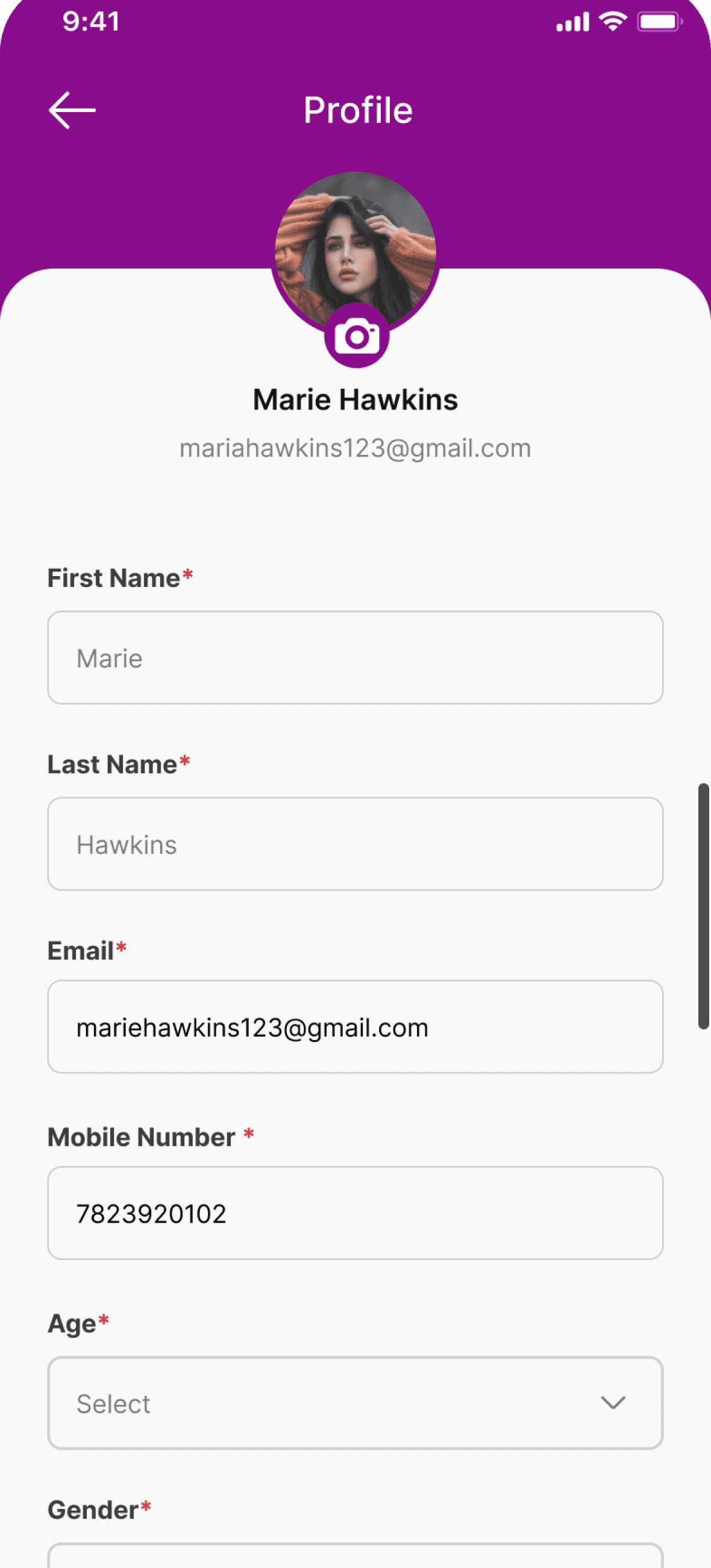
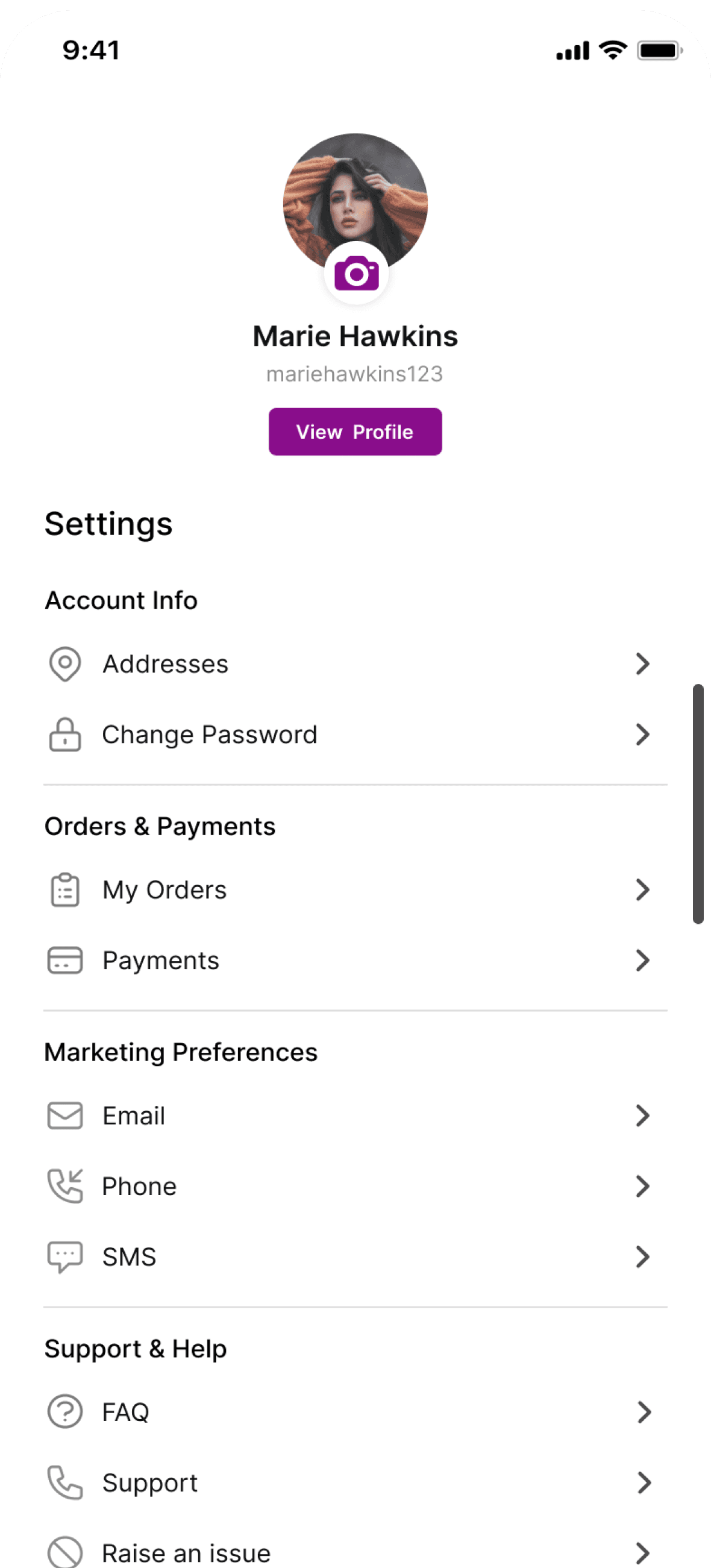
Buyer Side


03 — Reflections
1. Owning both sides of the marketplace gave me a rare systems view — every seller decision had a knock-on effect on the buyer experience, and designing them in parallel kept the flows coherent.
2. The card payment redesign was the highest-stakes flow. Breaking it into steps and adding trust micro-copy were small changes with outsized impact on user confidence.
3. The guided create-a-product flow taught me that progress indicators aren't just UI — they're a trust signal. Users stayed because they could see how much was left.
4. With 9 flows to manage, prioritisation was hard. Next time I'd agree upfront with stakeholders on a delivery order tied to business impact — not just dev availability.
Enterprise UX
Learning Platform
Aug 2025- Feb 2026
Enterprise Learning Platform — designing for complexity inside Microsoft Power Platform
At Infosys I embedded in a cross-functional team to redesign an enterprise learning platform used by internal employees and external clients. The challenge wasn't just UX — it was designing within the real constraints of Power Apps while serving two very different types of users.
Role
UX Designer
Platform
Platform Apps + Power BI
Duration
Dec 2023 - Jan 2025
Scope
Research - Handoff
🔒
Screens are under NDA. This case study documents my design thinking, process, and decisions. Actual product screens and proprietary UI from Infosys cannot be shared due to enterprise confidentiality agreements.
01 — Problem
The existing learning platform had grown organically — course enrolment, cohort management, progress tracking, and certification were spread across disconnected interfaces with no shared design language. For internal employees, it was slow and confusing. For external clients and partners accessing it for the first time, it was impenetrable.
"The platform wasn't broken — it was just never designed. Every module had been built independently, and it showed. Users couldn't tell where they were in a process or what they needed to do next."
01
No progress visibility
Enrolment flows had many steps with no progress indicator — users didn't know how far they were or what was left.
02
Admin Overload
Cohort administrators had no clear overview of participants, status, or deadlines — everything was buried in raw data tables.
03
External user drop-off
External learners — clients and partners — had no onboarding guidance and dropped off at first login.
04
No visual consistency
Each module felt like a different product — no shared components, no consistent patterns across screens.
02 — Users
Two distinct user groups with very different mental models — I created end-to-end journey maps for both to identify friction and prioritise design effort.
Persona 01
The Internal Learner
An Microsoft employee enrolling in structured learning paths and certification programmes. Familiar with internal systems and terminology — values efficiency and clarity over handholding.
"I just want to find my course, see where I left off, and know what's due."
Persona 02
The External Learner
An Individual user accessing training content for the first time. No familiarity with internal systems — needs guided onboarding, contextual help, and clear progress signals at every step.
"I don't know what I'm supposed to do first — where do I even start?"
03 — My Responsibilities
End-to-end ownership across 7 design workstreams — from stakeholder requirements to developer handoff.
Research
Requirement translation & journey mapping
Worked with PMs and stakeholders to convert business requirements into user flows. Built journey maps for both personas to surface friction.
IA
Information architecture
Restructured navigation and content hierarchy so users could orient themselves quickly within complex, multi-step workflows.
Design
Wireframes & high-fidelity prototypes
Designed low-fi wireframes for team validation, then iterated to high-fidelity in Figma for stakeholder sign-off and developer handoff.
Data UX
Requirement translation & journey mapping
Redesigned analytics and progress dashboards to surface actionable information — distinguishing what needs attention now vs. historical data.
System
Component Patterns
Established reusable component patterns within Power Apps constraints — improving consistency across screens and reducing design debt.
Hand-off
Developer documentation
Documented interaction states, edge cases, and platform-specific notes in Figma Dev Mode so developers had complete context for every screen.
04 — Design Process
I followed the Double Diamond framework within agile sprints — research and definition in the first phase, design and iteration in the second, with continuous stakeholder reviews throughout.
01
Discover
02
Define
03
Design
04
Prototype
05
Hand-off
05 — Key Design Decisions
I followed the Double Diamond framework within agile sprints — research and definition in the first phase, design and iteration in the second, with continuous stakeholder reviews throughout.
1. Progressive Disclosure
The enrolment and cohort management flows had too many steps shown at once. I broke them into clearly labelled stages with a persistent progress indicator — reducing cognitive load and giving users a sense of control over where they were in the process.
→ Users stayed oriented across multi-step flows
2. Dual-track design for internal vs external users
Internal users knew the systems — they needed efficiency. External users were starting from zero — they needed guidance. I designed a simplified onboarding flow specifically for external learners with contextual help at key steps, while keeping the internal experience faster and more direct. Both tracks were validated before implementation.
→ Users stayed oriented across multi-step flows
3. Actionable dashboards over data dumps
The original dashboards showed raw numbers — completion rates, cohort sizes, login counts — without telling administrators what to do next. I redesigned them to lead with action items: courses awaiting approval, cohorts with low completion, upcoming deadlines. Data became decisions.
→ Admins could act immediately without interpreting raw data
4. Designing within Power Platform constraints
Power Apps has limited support for custom UI — components behave differently from Figma prototypes. I looped in developers early at the wireframe stage to understand what was natively possible vs. what needed workarounds. Where ideal interactions weren't buildable, I proposed alternatives that preserved the UX goal within platform limits.
→ Fewer design compromises at build stage, faster sprints
06 — Tools & methods
I followed the Double Diamond framework within agile sprints — research and definition in the first phase, design and iteration in the second, with continuous stakeholder reviews throughout.
RESEARCH
Stakeholder interviews, user flows, journey mapping
DESIGN
Figma — wireframes, hi-fi UI, prototyping, component library
COLLABORATION
FigJam (workshops), Notion (documentation)
HAND-OFF
Figma Dev Mode — specs, interaction annotations
PLATFORM
Microsoft Power Apps, Power BI
PROCESS
Agile sprints, Double Diamond, design reviews
07 — Outcomes
I followed the Double Diamond framework within agile sprints — research and definition in the first phase, design and iteration in the second, with continuous stakeholder reviews throughout.
Reduced workflow complexity
Multi-step enrolment flows restructured into clear, staged journeys with visible progress — users no longer lost context mid-flow.
Improved dashboard usability
Administrators could identify action items immediately rather than interpreting raw data tables.
Design consistency across modules
Reusable component patterns reduced inconsistencies in production — every screen felt like the same product.
Better external user onboarding
Dedicated onboarding flow for external learners reduced first-login confusion and drop-off at key steps.
08 — Reflections
1. Designing within Power Platform constraints pushed me to be more precise and collaborative. I learned to have the "what's actually buildable?" conversation early — and that made every sprint move faster.
2. The dual-track approach for internal vs external users sharpened my thinking about persona differentiation. The same feature needs two very different design approaches depending on the user's context and familiarity.
3. The dashboard redesign was the most impactful moment — reframing data as decisions rather than just numbers is a principle I've carried into every project since.
4. Enterprise stakeholder alignment takes longer than expected. Next time I'd build in explicit review checkpoints at the wireframe stage — not just before final handoff — to reduce late-stage revisions.
Data Visualization
Web App
Dashboard Design
Concept Project
Insight Flow — turning creator analytics from data overload into clear decisions
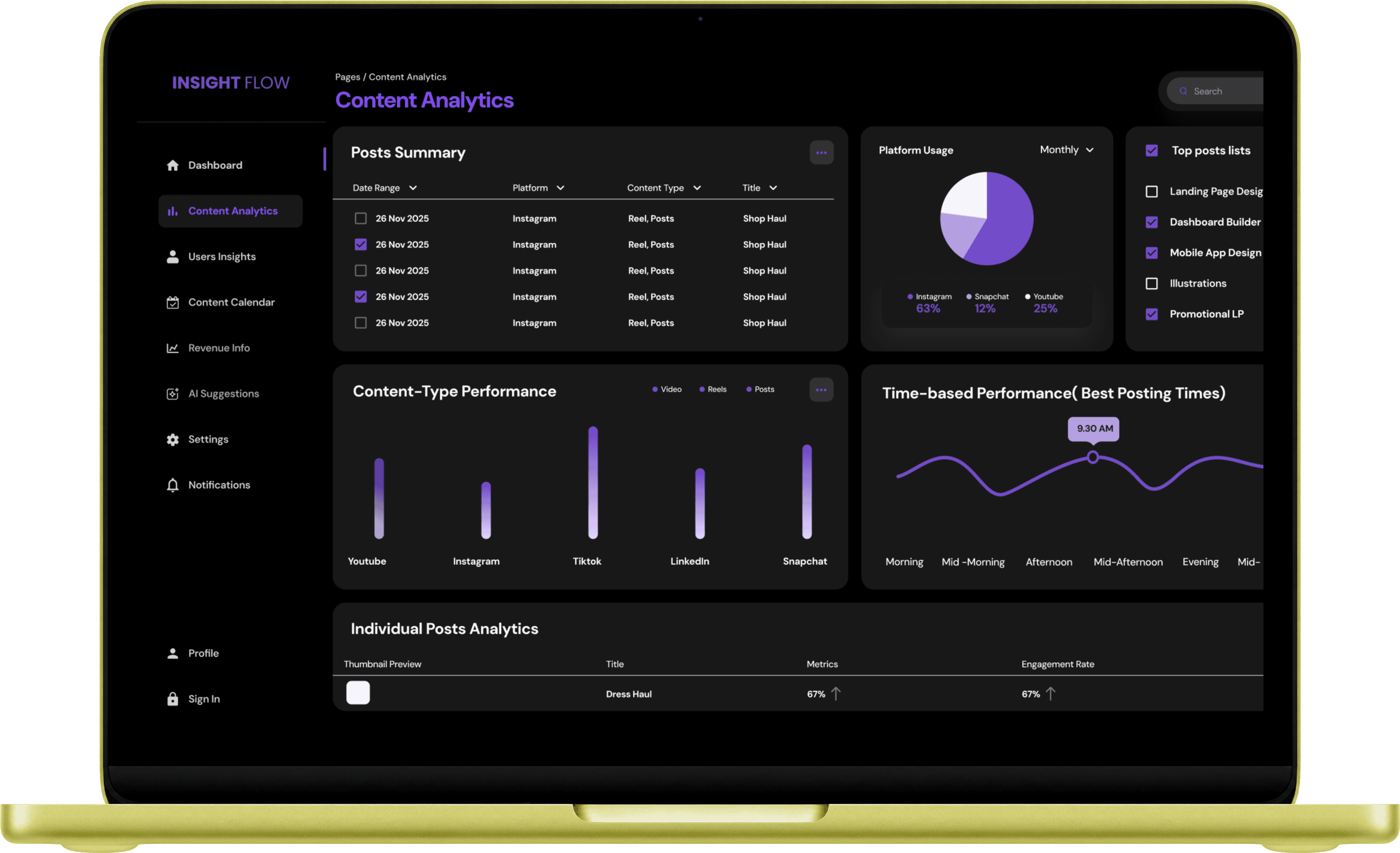
Content creators manage multiple platforms — YouTube, Instagram, TikTok — each with its own dashboard. Insight Flow unifies all of it into one place and goes further: instead of just showing data, it tells creators what the data means and what to do next.
Role
UX Designer
Platform
Web Dashboard
Type
Concept Project
Scope
Research - UI
01 — Problem
Creators aren't short on data. YouTube Studio, Instagram Insights, TikTok Analytics — each platform produces reams of it. The problem is that the data is fragmented, technical, and silent. It tells you what happened, but not why, and never what to do next.
"I feel overwhelmed by numbers, unsure what content works, and tired of switching between multiple analytics dashboards. I just want one clean place that tells me exactly what's happening with my growth and what I should do next."
"I don't know which content is actually working."
No signal in the noise
"I drown in data. I just want clear insights."
Cognitive overload
"I wish analytics told me what to do next."
No Actionability
"I hate switching between multiple dashboards."
Fragmented Platform
02 — Research
I ran creator interviews using a Jobs To Be Done framework, combined with a competitive audit of YouTube Studio, Instagram Insights, TikTok Analytics, and Patreon to map where every platform falls short.
72%
of users reported losing motivation after 1–2 weeks on existing analytics tools
65%
described current platforms as generic, boring, or overwhelming
100%
of platforms audited lacked actionable next-step recommendations
0 of 4
competitor platforms offered a unified cross-platform analytics view
The JTBD analysis surfaced a key insight: creators aren't using analytics to report — they're using it to make better content decisions. That reframe shaped every design choice that followed.
03 — Information Architechture
The core IA challenge: how do you organise an overwhelming amount of data so it answers the right question at the right time? I used a progressive disclosure model built around three questions creators actually ask.
LEVEL 1
"How am I doing?"
Overview — unified KPIs (views, engagement, follower growth, revenue) with trend indicators and anomaly alerts. Designed for quick daily check-ins.
LEVEL 2
"Why is this happening?"
Insights & trends — content-level breakdown, audience behaviour, platform comparisons, and contextual explanations. Designed for weekly analysis.
LEVEL 3
"What should I do next?"
Recommendations — AI-assisted suggestions, posting time optimisation, content experiments, and action CTAs. Designed to bridge insight → execution.
LEVEL 4
"I want to dig deeper."
Advanced analytics — custom filters, time-range comparisons, revenue breakdown. Optional depth for power users without cluttering the core experience.
05 — Key Design Decisions
I followed the Double Diamond framework within agile sprints — research and definition in the first phase, design and iteration in the second, with continuous stakeholder reviews throughout.
FEATURE 1
Unified analytics dashboard
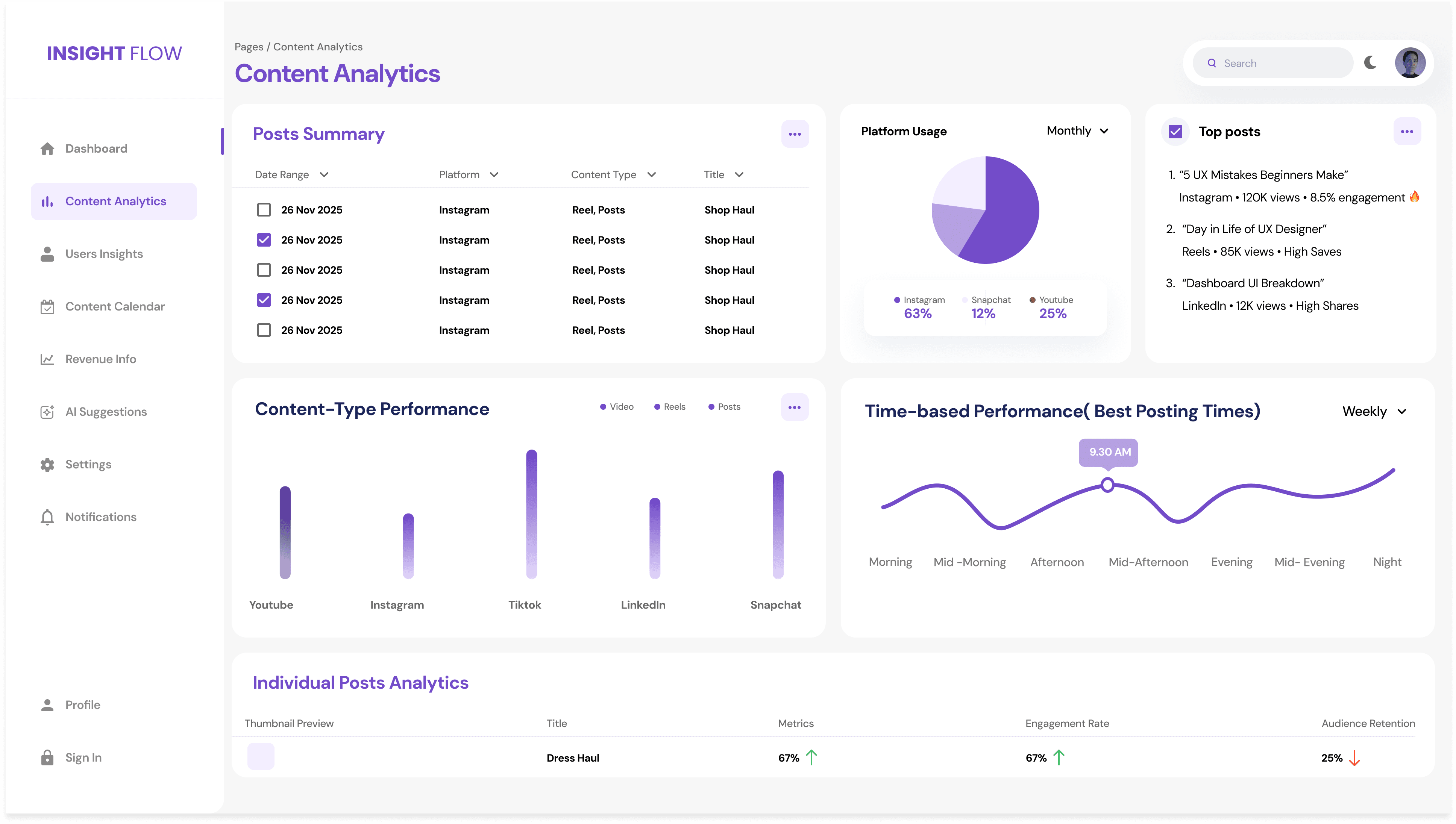
Views, engagement rate, watch time, follower growth, and revenue across YouTube, Instagram, and TikTok — all in one place.
→ Eliminates platform-switching for creators
FEATURE 2
Content performance insights
Top-performing content with CTR, view duration, traffic sources, and engagement — not just vanity metrics.
→ Helps creators understand what resonates
FEATURE 3
Content calendar
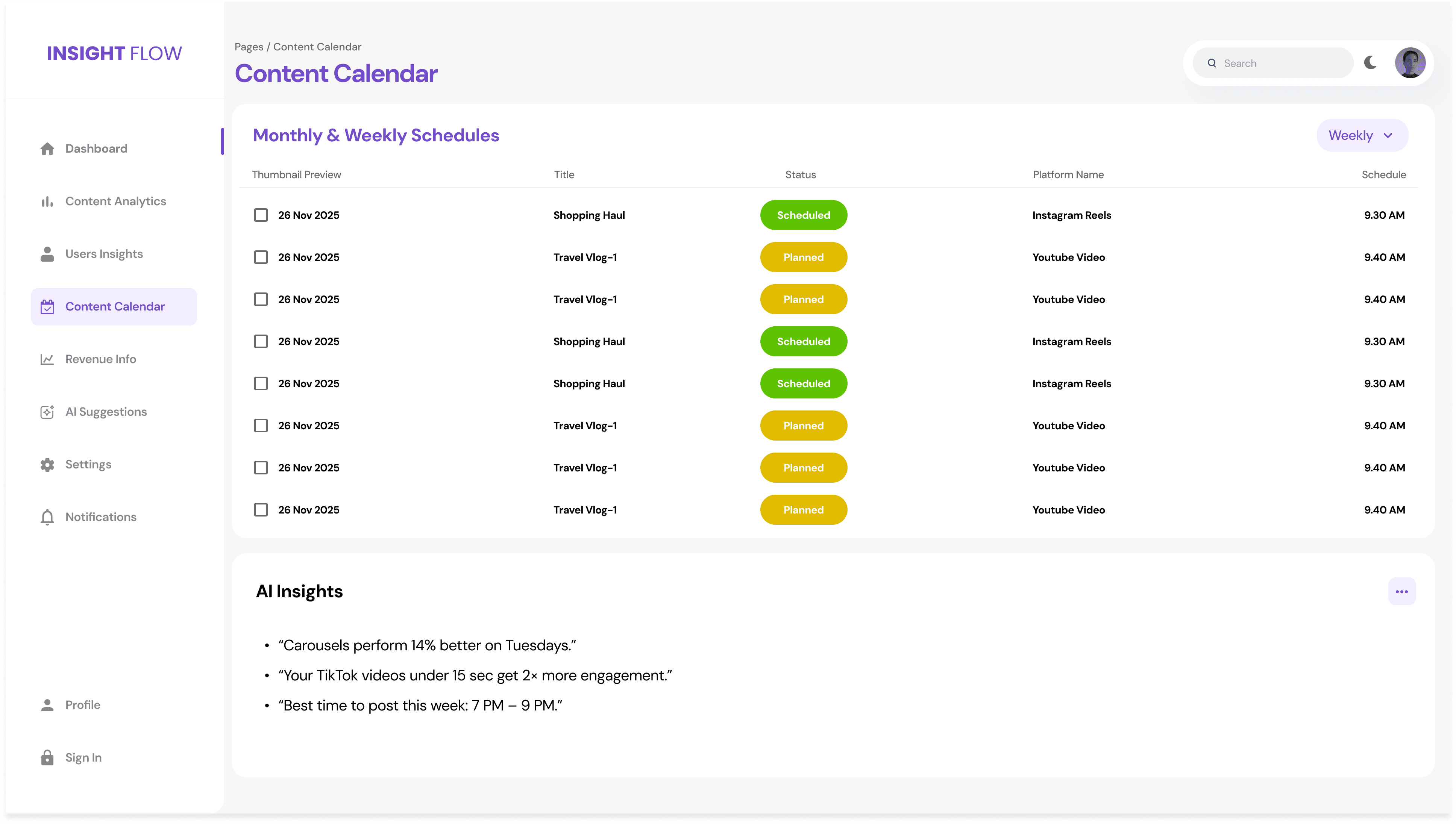
Plan, schedule, and track content performance across timelines with status indicators and publishing cadence view.
→ Connects performance data to future planning
FEATURE 4
Revenue dashboard
Earnings broken down by platform, content type, and sponsorship vs ad revenue — with trend visualisation.
→ Financial clarity without spreadsheet juggling
FEATURE 5
Audience behaviour deep-dive
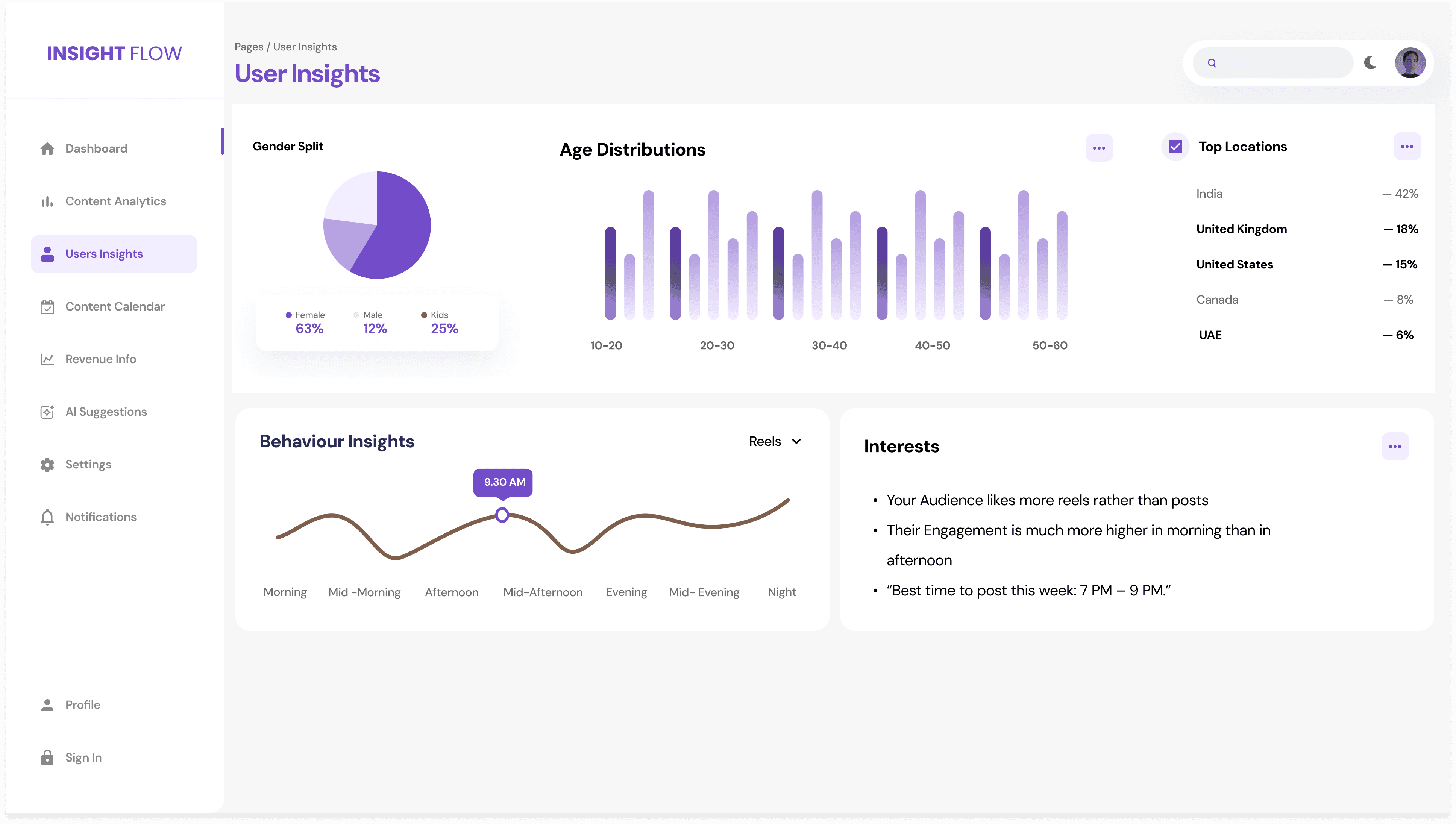
Demographics, active hours heatmap, age and location breakdown, and retention curves — all in one view.
→ Creators can post at the right time for the right audience
FEATURE 6
AI smart recommendations
Contextual nudges like "Post at 6PM — your audience is most active" or "Short videos performed 40% better this week."
→ Turns analytics into actionable next steps
06 — Key Screens
Unified Dashboard

Content Performance Insights
Content Calendar
Revenue Dashboard

Audience Behaviour Deep DIve
07 — Expected Impact
As a concept project, impact was projected from research findings, usability test results, and behavioral benchmarks.
40% faster
insight discovery — measured against time-on-task in usability tests vs existing platforms
30% increase
in expected content optimisation actions triggered by the recommendation engine
45% reduction
in cognitive load from improved data hierarchy and progressive disclosure model
4/4 testers
said they would adopt Insight Flow over their current analytics tool
08 — Reflections
1. The "3 questions" IA framework — how am I doing, why is this happening, what next — was the single most important design decision. It gave the whole product a clear narrative arc and kept complexity from creeping in.
2. Reframing analytics as decision support rather than data reporting fundamentally changed the design direction. Data density must be controlled ruthlessly — clarity beats quantity every time.
3. Mapping unified metrics across platforms was harder than expected — each platform defines engagement differently. In a real product, this data normalisation work would be a major engineering challenge worth designing around from the start.
4. Next iterations would explore predictive analytics, team collaboration features for creator agencies, and a mobile companion app for on-the-go performance checks.